12
1 2 3
4 5 6
7 8
10+ 0
9
1
3
5
8
6
11
4
9
7
10
12
2
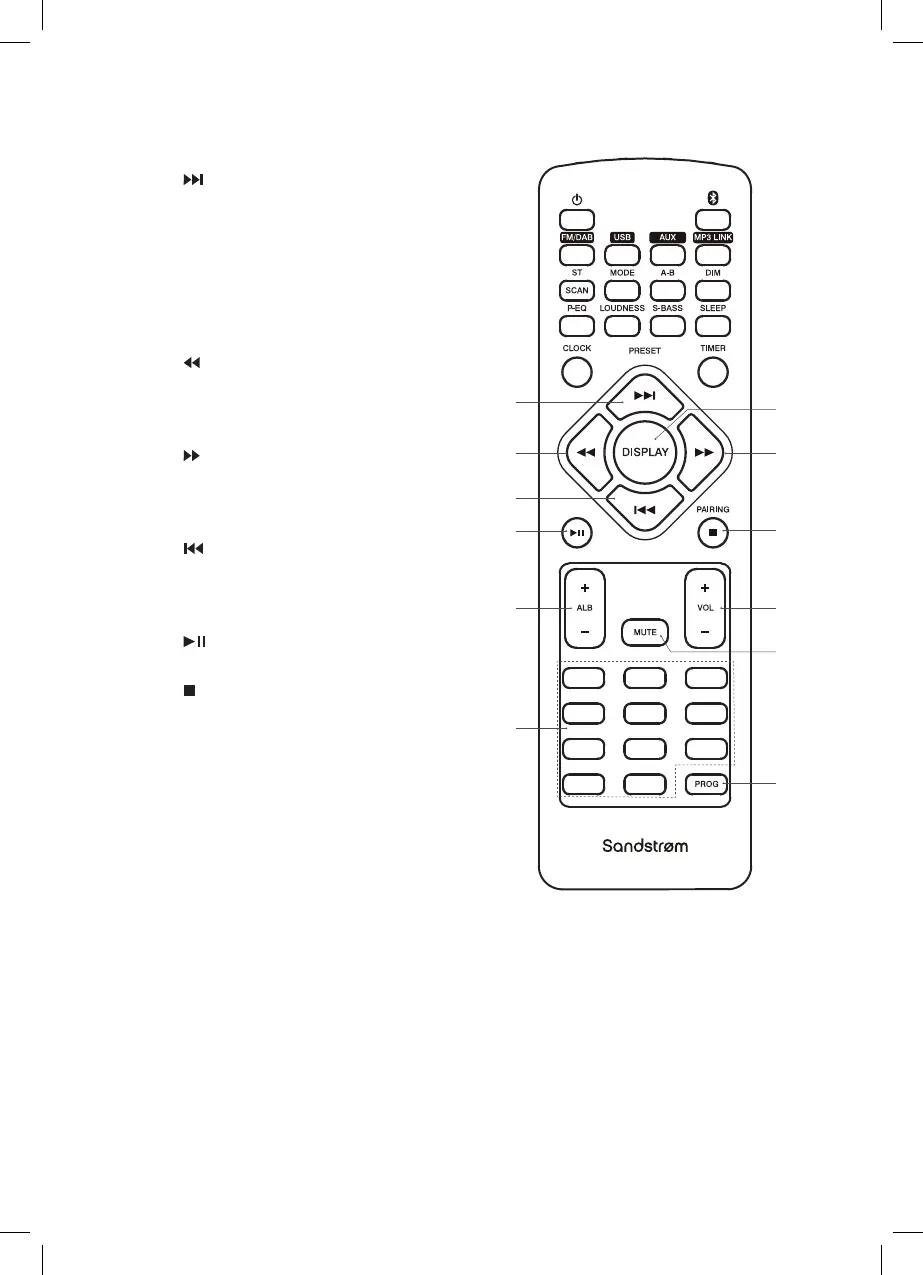
1. Button
• Skips forward to next track.
• Selects a preset radio station.
2. DISPLAY Button
Displays RDS information on DAB
and FM radio stations and ID3
information on MP3 tracks
(where available).
3. Button
• Tune to a radio station.
• Searches backwards through
current track.
4. Button
• Tune to a radio station.
• Searches forwards through
current track.
5. Button
• Skips backwards to the previous
track.
• Selects a preset radio station.
6. Button
Plays/pauses/resumes playback.
7. PAIRING Button
• Press and hold to un-pair
from Bluetooth .
• Stops playback.
8. ALB + / – Buttons
Selects folder (USB mode).
9. VOL + / – Buttons
Increases or decreases the volume.
10. MUTE Button
Silences the unit or restores the
sound.
11. 0-10+ Buttons
Selects a soundtrack or preset
radio station.
12. PROG Button
• Programme soundtracks.
• Presets radio stations.
SDBXHFB13_IB Sandstrøm.indd 12 15/05/2013 13:26



 To Next Page