17
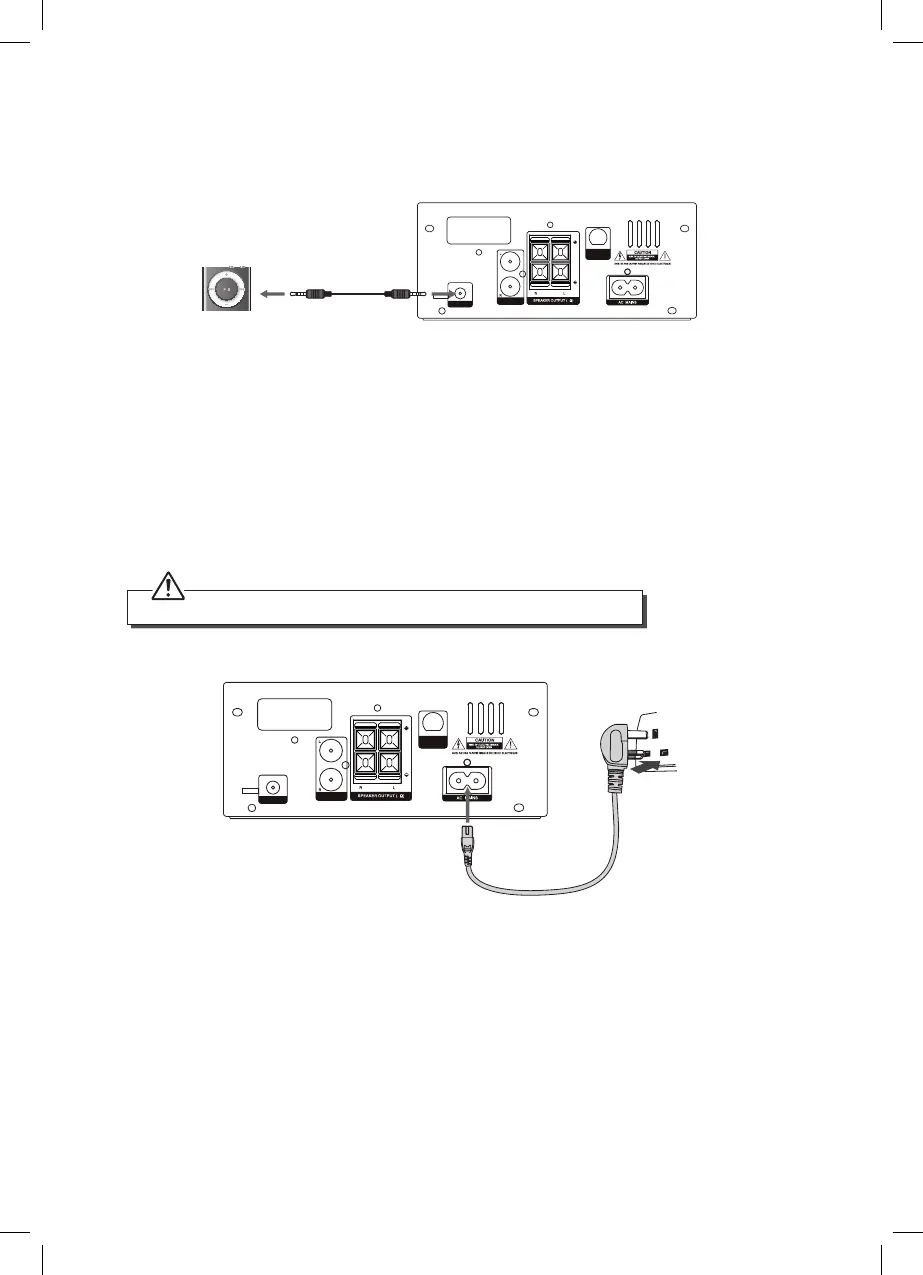
Connecting MP3 Devices
Use a 3.5mm audio cable to connect an MP3 device to the main unit’s MP3 LINK Socket.
SPEAKER OUTPUT(6 )
AERIAL
FM
6
MP3-LINK
AUX IN
DAB/FM
AERIAL
3.5 mm to 3.5 mm Audio
cables (Not included)
Connecting to the Mains Supply
• This unit is designed to operate with an AC 220V-240V ~ 50/60Hz power supply.
• Connecting the unit to any other power source may cause damage to the unit.
Unwind the mains cable to its full length. Connect the mains lead to the socket marked
AC MAINS, then insert the plug into the mains socket and switch on.
• To switch the unit o completely, remove the mains plug from the mains socket.
Ensure all connections are made before connecting to the mains power socket.
SPEAKER OUTPUT(6 )
AERIAL
FM
6
MP3-LINK
AUX IN
DAB/FM
AERIAL
To the mains
socket
SDBXHFB13_IB Sandstrøm.indd 17 15/05/2013 13:26



 To Next Page