9
Product Overview
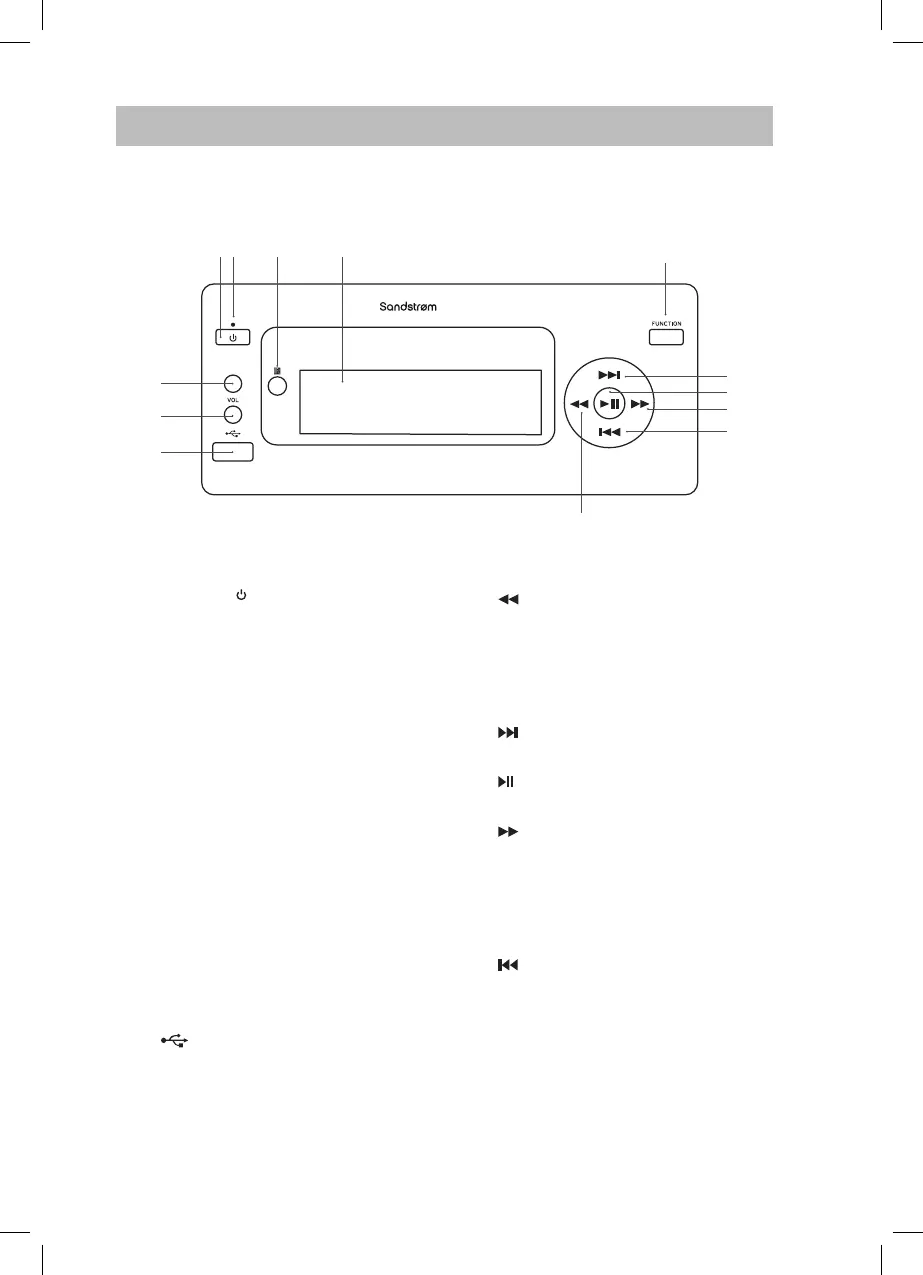
FRONT VIEW
6
7
8
1. STANDBY Button
Switches the unit between the ON
and STANDBY modes.
2. LED Indicator
• Red light indicates unit is in ECO
Power mode.
• Blue light indicates Bluetooth
function.
3. Remote Control Sensor
Receives signal from remote control.
4. Display
5. FUNCTION Button
Switch between FM RADIO,
DAB RADIO, AUX-IN, MP3 LINK,
BLUETOOTH and USB modes.
6. VOLUME + Button
Increases the volume.
7. VOLUME – Button
Decreases the volume.
8. USB Socket
9. Button
• Allows fast reversing of the current
track.
• Searches for a radio station going
backwards through accessible
radio frequencies.
10. Button
Skips forwards to the next track.
11. Button
Plays/pauses/resumes playback.
12. Button
• Allows fast forwarding of the
current track.
• Searches for a radio station going
forwards through accessible
radio frequencies.
13. Button
Skips backwards to the beginning
of the track or to the previous track.
9
5
1 2 3 4
10
11
12
13
SDBXHFB13_IB Sandstrøm.indd 9 15/05/2013 13:26



 To Next Page