EasyManua.ls Logo

Sandstrom SHDFSAT14 - User Manual

Sandstrom SHDFSAT14
36 pages
Print Icon
To Next Page IconTo Next Page
Loading...
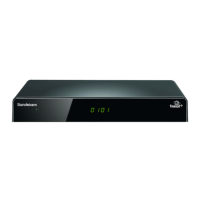
Sandstrøm Freesat
+
HD
500GB
SHDFSAT14
STARTED
YOUR USER GUIDE
LETS GET
SHDFSAT14_IB.indd 2 13/08/2014 10:34

Table of Contents

Question and Answer IconNeed help?

Do you have a question about the Sandstrom SHDFSAT14 and is the answer not in the manual?

Summary

Safety Warnings

Device Safety Precautions

Warnings regarding physical placement, temperature, flames, moisture, ventilation.

Operational Safety Guidelines

Guidelines for safe use, including mains cable, interference, standby, batteries, supervision, service, maintenance.

Product Overview

Front View

Description of the front panel components of the Freesat box.

Rear View

Description of the rear panel connections and ports of the Freesat box.

Remote Control

Remote Control Button Overview

Details of primary buttons and their functions.

Installing Remote Control Batteries

Instructions for inserting batteries into the remote control.

Remote Control Operation Range

Specifies the effective range and angle for using the remote control.

Connecting the Box to a Satellite Dish

Satellite Dish Installation Advice

Recommendations for professional satellite dish installation and setup.

Connecting Satellite Dish Cables

Guidance on connecting the satellite dish cables (LNB) to the Freesat box.

Connections

Video and Audio Connections

Details for connecting the Freesat box via HDMI, SCART, and S/PDIF.

Network and Power Connections

Instructions for connecting the Freesat box to the network and mains power.

Basic Operation

Initial Setup and Powering On

Steps for plugging in, switching on the Freesat box, and initial setup.

Navigating Channels and Volume

How to change channels, adjust volume, and use the mute function.

Viewing Format Selection

How to switch between widescreen and standard viewing formats.

First Time Installation

Signal Check and Network Scan

Performing initial signal checks and scanning for network IDs.

Postcode and Screen Size Setup

Entering postcode and selecting the TV screen size for initial setup.

Automatic Channel Tuning

The process of finding and storing available Freesat channels automatically.

Setting Parental Guidance PIN

Creating a PIN for parental controls and locked content.

Using the Programme Guide

Accessing and Navigating the Guide

How to open, browse, and select genres within the Programme Guide.

Channel and Reminder Management

Selecting channels, setting, and cancelling programme reminders.

Interactive TV Services

Accessing digital text and interactive services available on some channels.

Recording Freesat Programmes

Programming a Recording

Steps to schedule a single programme recording using the Programme Guide.

Setting Up Series Links

How to record entire series by setting a series link.

Instant Recording and Stopping

How to start an instant recording and how to stop an ongoing recording.

Using the Programme Library

Accessing and managing recorded and scheduled programmes in the library.

Watching Recorded Programmes

Steps to play back recorded content from the library.

Recording Management Features

Previewing, protecting, and deleting recorded programmes from the library.

Handling Recording Clashes

Managing conflicts when trying to record multiple programmes simultaneously.

The Browsing Bar

Browsing Bar Information Display

Details shown on the browsing bar, including channel, programme, and symbols.

Navigating the Browsing Bar

How to use buttons to view next/previous programmes and access more details.

Subtitles, Audio Channel, Pausing Live TV

Managing Subtitles and Audio

Turning subtitles on/off and selecting audio channels or descriptions.

Pausing and Resuming Live TV

Instructions for using the pause, rewind, and fast forward functions for live TV.

The Channel List

Accessing and Selecting Channels

How to display and navigate the channel list, including favourites and manual channels.

Channel List Options and Regions

Using options like record, hide, add favourites, delete, and managing regional channel variations.

Manual and Favourite Channel Lists

Adding non-Freesat channels and creating a combined favourite channel list.

Setting Up Your Freesat+ Box

Accessing Main and Settings Menus

Navigating to the main menu and accessing the settings options.

Configuring HDMI Output

Setting the HDMI resolution for optimal TV display.

Digital Audio Output Settings

Configuring digital audio output for surround sound or stereo systems.

Screen Size and SCART Output

Adjusting screen size and selecting SCART output format (Composite/RGB).

Menu Transparency and Lip Sync

Customizing menu transparency and adjusting audio lip sync.

Language Settings

Selecting preferred languages for audio tracks and subtitles.

Audio Description Control

Enabling or disabling audio description for visually impaired users.

The Parental Menu

Accessing and Locking Parental Controls

Entering the PIN to access parental controls and the guidance lock feature.

Changing the Parental PIN

Procedure for changing the existing parental PIN for security.

Parental Settings Access Control

Options to allow/disallow access to parental settings without a PIN.

Managing Adult and Installation Settings

Hiding adult channels and controlling first-time installation and HDD formatting.

The Freesat+ Setting

Entering the Freesat+ Menu

Navigating to the Freesat+ specific settings menu.

Recording Time Adjustments

Setting buffer times for the start and end of recordings.

Live Pause and Skip Settings

Configuring live pause length and skip times for playback.

Setting Skip Backwards Time

Configuring the amount of time to skip backward during playback.

Disk Space and Management

Viewing available disk space and managing recordings with auto disk management.

Formatting the Hard Disk Drive

Instructions for reformatting the internal hard disk drive of the Freesat box.

Network Settings

Configuring Network Settings (DHCP;Manual)

Setting up network parameters using DHCP or manual configuration.

Reverting Network Settings

Restoring network settings to their default values.

Checking Internet Connectivity

Verifying the Freesat box's connection to the internet and local network.

On Demand TV

Setting Up On Demand TV

Steps to configure the Freesat box for accessing online TV services.

Accessing On Demand Content

Ways to find and view On Demand programmes via genre or channel.

Other Settings

Managing Non-Freesat Channels

Enabling the display and adding of channels not broadcast by Freesat.

Power Saving and Software Updates

Configuring standby power saving and updating the Freesat box software.

First Time Installation Reset

Options to reset settings and perform a new first-time installation.

Non-Freesat Channels

Tuning Non-Freesat Channels

Step-by-step guide to scanning for and adding free-to-air channels.

Watching Non-Freesat Channels

How to switch between Freesat and non-Freesat channels and navigate their lists.

Non-Freesat Channel List Management

Understanding the channel list for Freesat and non-Freesat channels, including favourites.

System Information

Viewing System Information Categories

Accessing details about system, HDD, network, and USB configurations.

Troubleshooting

Troubleshooting Power and Signal Issues

Solutions for problems related to power, signal lock, and strength.

Troubleshooting Remote and Display Issues

Solutions for issues with remote response, picture, and sound.

Troubleshooting Channel and Service Issues

Solutions for channel viewing, guide information, and interactive services.

Specifications

Freesat Box Technical Specifications

Detailed technical data for tuner, video, audio, and connectivity.

Power Requirements and Dimensions

Information on power consumption, input voltage, and physical dimensions.

Summary

Safety Warnings

Device Safety Precautions

Warnings regarding physical placement, temperature, flames, moisture, ventilation.

Operational Safety Guidelines

Guidelines for safe use, including mains cable, interference, standby, batteries, supervision, service, maintenance.

Product Overview

Front View

Description of the front panel components of the Freesat box.

Rear View

Description of the rear panel connections and ports of the Freesat box.

Remote Control

Remote Control Button Overview

Details of primary buttons and their functions.

Installing Remote Control Batteries

Instructions for inserting batteries into the remote control.

Remote Control Operation Range

Specifies the effective range and angle for using the remote control.

Connecting the Box to a Satellite Dish

Satellite Dish Installation Advice

Recommendations for professional satellite dish installation and setup.

Connecting Satellite Dish Cables

Guidance on connecting the satellite dish cables (LNB) to the Freesat box.

Connections

Video and Audio Connections

Details for connecting the Freesat box via HDMI, SCART, and S/PDIF.

Network and Power Connections

Instructions for connecting the Freesat box to the network and mains power.

Basic Operation

Initial Setup and Powering On

Steps for plugging in, switching on the Freesat box, and initial setup.

Navigating Channels and Volume

How to change channels, adjust volume, and use the mute function.

Viewing Format Selection

How to switch between widescreen and standard viewing formats.

First Time Installation

Signal Check and Network Scan

Performing initial signal checks and scanning for network IDs.

Postcode and Screen Size Setup

Entering postcode and selecting the TV screen size for initial setup.

Automatic Channel Tuning

The process of finding and storing available Freesat channels automatically.

Setting Parental Guidance PIN

Creating a PIN for parental controls and locked content.

Using the Programme Guide

Accessing and Navigating the Guide

How to open, browse, and select genres within the Programme Guide.

Channel and Reminder Management

Selecting channels, setting, and cancelling programme reminders.

Interactive TV Services

Accessing digital text and interactive services available on some channels.

Recording Freesat Programmes

Programming a Recording

Steps to schedule a single programme recording using the Programme Guide.

Setting Up Series Links

How to record entire series by setting a series link.

Instant Recording and Stopping

How to start an instant recording and how to stop an ongoing recording.

Using the Programme Library

Accessing and managing recorded and scheduled programmes in the library.

Watching Recorded Programmes

Steps to play back recorded content from the library.

Recording Management Features

Previewing, protecting, and deleting recorded programmes from the library.

Handling Recording Clashes

Managing conflicts when trying to record multiple programmes simultaneously.

The Browsing Bar

Browsing Bar Information Display

Details shown on the browsing bar, including channel, programme, and symbols.

Navigating the Browsing Bar

How to use buttons to view next/previous programmes and access more details.

Subtitles, Audio Channel, Pausing Live TV

Managing Subtitles and Audio

Turning subtitles on/off and selecting audio channels or descriptions.

Pausing and Resuming Live TV

Instructions for using the pause, rewind, and fast forward functions for live TV.

The Channel List

Accessing and Selecting Channels

How to display and navigate the channel list, including favourites and manual channels.

Channel List Options and Regions

Using options like record, hide, add favourites, delete, and managing regional channel variations.

Manual and Favourite Channel Lists

Adding non-Freesat channels and creating a combined favourite channel list.

Setting Up Your Freesat+ Box

Accessing Main and Settings Menus

Navigating to the main menu and accessing the settings options.

Configuring HDMI Output

Setting the HDMI resolution for optimal TV display.

Digital Audio Output Settings

Configuring digital audio output for surround sound or stereo systems.

Screen Size and SCART Output

Adjusting screen size and selecting SCART output format (Composite/RGB).

Menu Transparency and Lip Sync

Customizing menu transparency and adjusting audio lip sync.

Language Settings

Selecting preferred languages for audio tracks and subtitles.

Audio Description Control

Enabling or disabling audio description for visually impaired users.

The Parental Menu

Accessing and Locking Parental Controls

Entering the PIN to access parental controls and the guidance lock feature.

Changing the Parental PIN

Procedure for changing the existing parental PIN for security.

Parental Settings Access Control

Options to allow/disallow access to parental settings without a PIN.

Managing Adult and Installation Settings

Hiding adult channels and controlling first-time installation and HDD formatting.

The Freesat+ Setting

Entering the Freesat+ Menu

Navigating to the Freesat+ specific settings menu.

Recording Time Adjustments

Setting buffer times for the start and end of recordings.

Live Pause and Skip Settings

Configuring live pause length and skip times for playback.

Setting Skip Backwards Time

Configuring the amount of time to skip backward during playback.

Disk Space and Management

Viewing available disk space and managing recordings with auto disk management.

Formatting the Hard Disk Drive

Instructions for reformatting the internal hard disk drive of the Freesat box.

Network Settings

Configuring Network Settings (DHCP;Manual)

Setting up network parameters using DHCP or manual configuration.

Reverting Network Settings

Restoring network settings to their default values.

Checking Internet Connectivity

Verifying the Freesat box's connection to the internet and local network.

On Demand TV

Setting Up On Demand TV

Steps to configure the Freesat box for accessing online TV services.

Accessing On Demand Content

Ways to find and view On Demand programmes via genre or channel.

Other Settings

Managing Non-Freesat Channels

Enabling the display and adding of channels not broadcast by Freesat.

Power Saving and Software Updates

Configuring standby power saving and updating the Freesat box software.

First Time Installation Reset

Options to reset settings and perform a new first-time installation.

Non-Freesat Channels

Tuning Non-Freesat Channels

Step-by-step guide to scanning for and adding free-to-air channels.

Watching Non-Freesat Channels

How to switch between Freesat and non-Freesat channels and navigate their lists.

Non-Freesat Channel List Management

Understanding the channel list for Freesat and non-Freesat channels, including favourites.

System Information

Viewing System Information Categories

Accessing details about system, HDD, network, and USB configurations.

Troubleshooting

Troubleshooting Power and Signal Issues

Solutions for problems related to power, signal lock, and strength.

Troubleshooting Remote and Display Issues

Solutions for issues with remote response, picture, and sound.

Troubleshooting Channel and Service Issues

Solutions for channel viewing, guide information, and interactive services.

Specifications

Freesat Box Technical Specifications

Detailed technical data for tuner, video, audio, and connectivity.

Power Requirements and Dimensions

Information on power consumption, input voltage, and physical dimensions.

Sandstrom SHDFSAT14 Specifications

General IconGeneral
High DefinitionYes
Freeview HDNo
Freesat HDYes
Hard drive recordingNo
Twin TunerNo
Card ReaderNo
HDMI ConnectionYes
ResolutionUp to 1080p
USB PortYes
EPGYes
Recording FunctionalityNo
InputSatellite Input
OutputHDMI
FeaturesElectronic Programme Guide
TunerDVB-S2
Scart SocketYes