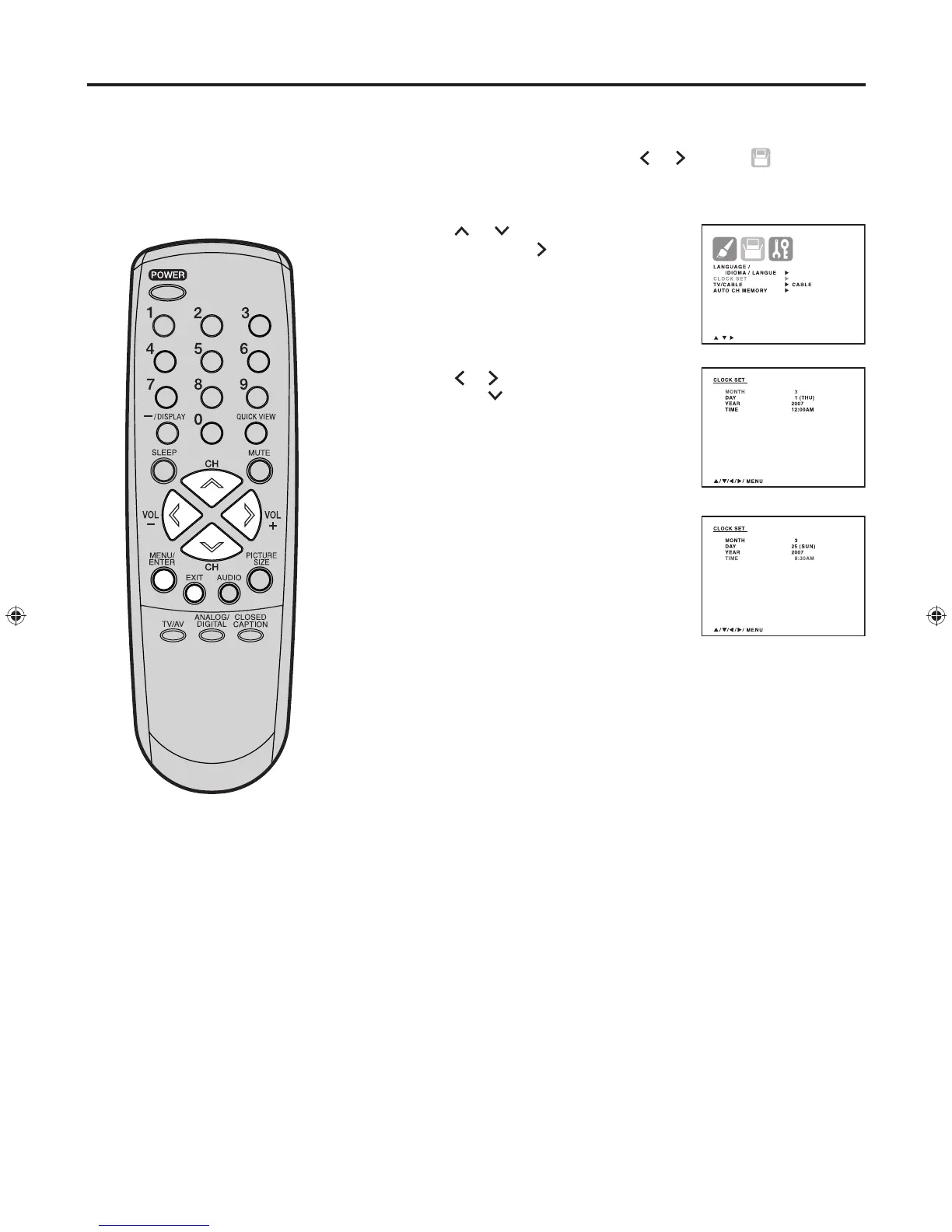
Press MENU/ENTER, then press
or
to select (SETUP)
menu.
Press or to select “CLOCK
SET”. Then press
. The CLOCK
SET menu will appear.
Press
or
to set the MONTH,
then press .
Set the DAY, YEAR and TIME as in
step 3.
After setting the date and time,
the clock will begin functioning
automatically.
Press MENU/ENTER repeatedly until the menu screen is cleared.
Otherwise, press EXIT to return to the normal screen immediately.
1
2
3
4
5
NOTE:
After a power failure or disconnection
of the power, the clock settings will be
lost. In this case, reset the present
time.
EXAMPLE:
Setting the clock to “8:30 AM”, 25 th (SUN) March, 2007.
Setting the clock


 To Next Page