32
If the AUTO SHUT OFF feature is
ON, and a station being viewed
stops broadcasting, the TV will
automatically shut itself off after
15 minutes
.
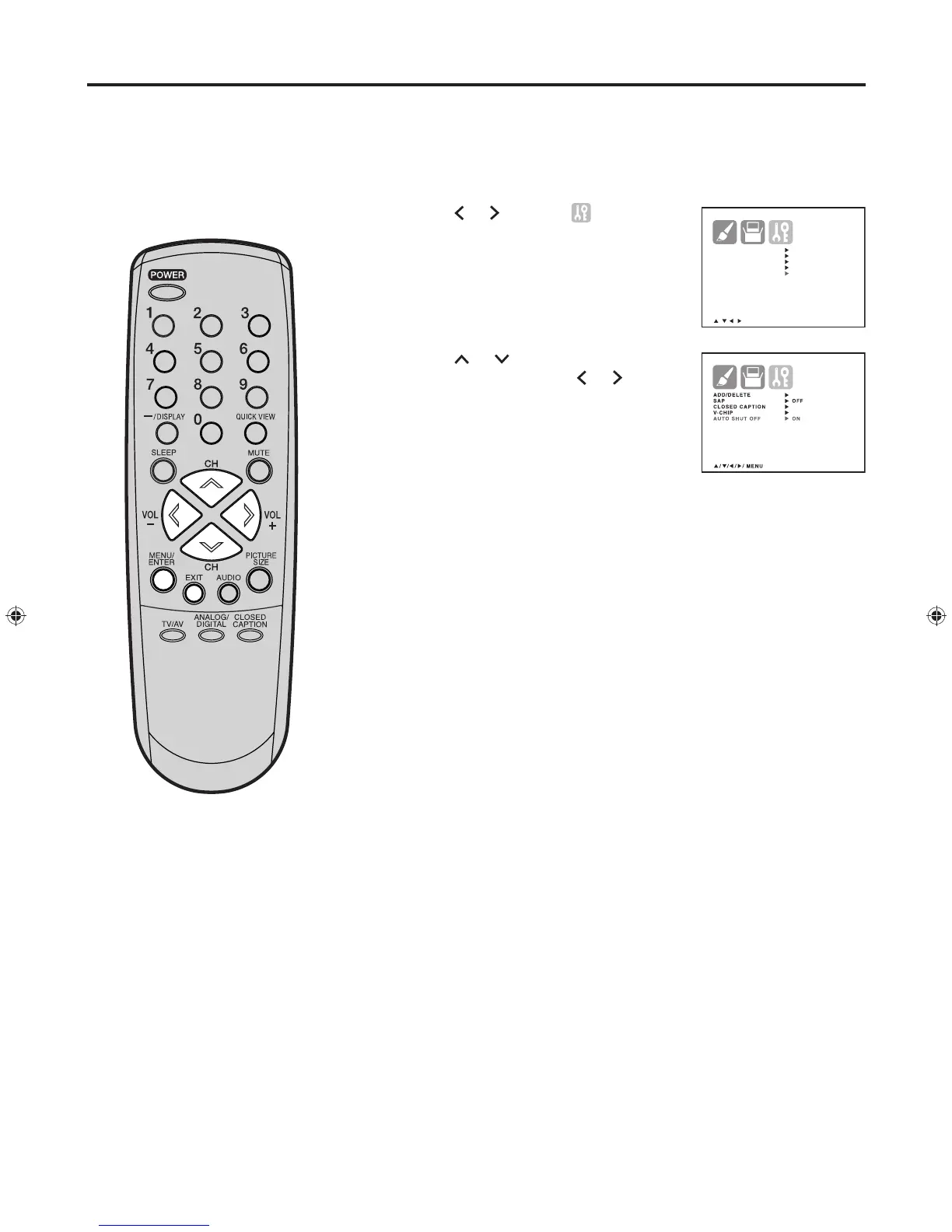
Press MENU/ENTER. The Menu screen will appears.
Pres
s
or
to display (OPTION)
menu.
Press or to highlight “AUTO
SHUT OFF”, then press
or
to
select “ON” or “OFF”.
Press MENU/ENTER repeatedly until the menu screen is cleared.
Otherwise, press EXIT to return to the normal screen immediately.
1
2
3
4
To use the auto shut off feature
Using the auto shut off feature


 To Next Page