NOTE:
You can also display the
AUDIO
LANGUAGE menu by pressing
“AUDIO” on the remote control.
Selecting the audio language (DIGITAL MODE)
When two or more audio languages are included in a digital signal, you
can select one of the audio language.
To select the audio language
1
2
3
4
5
6
7
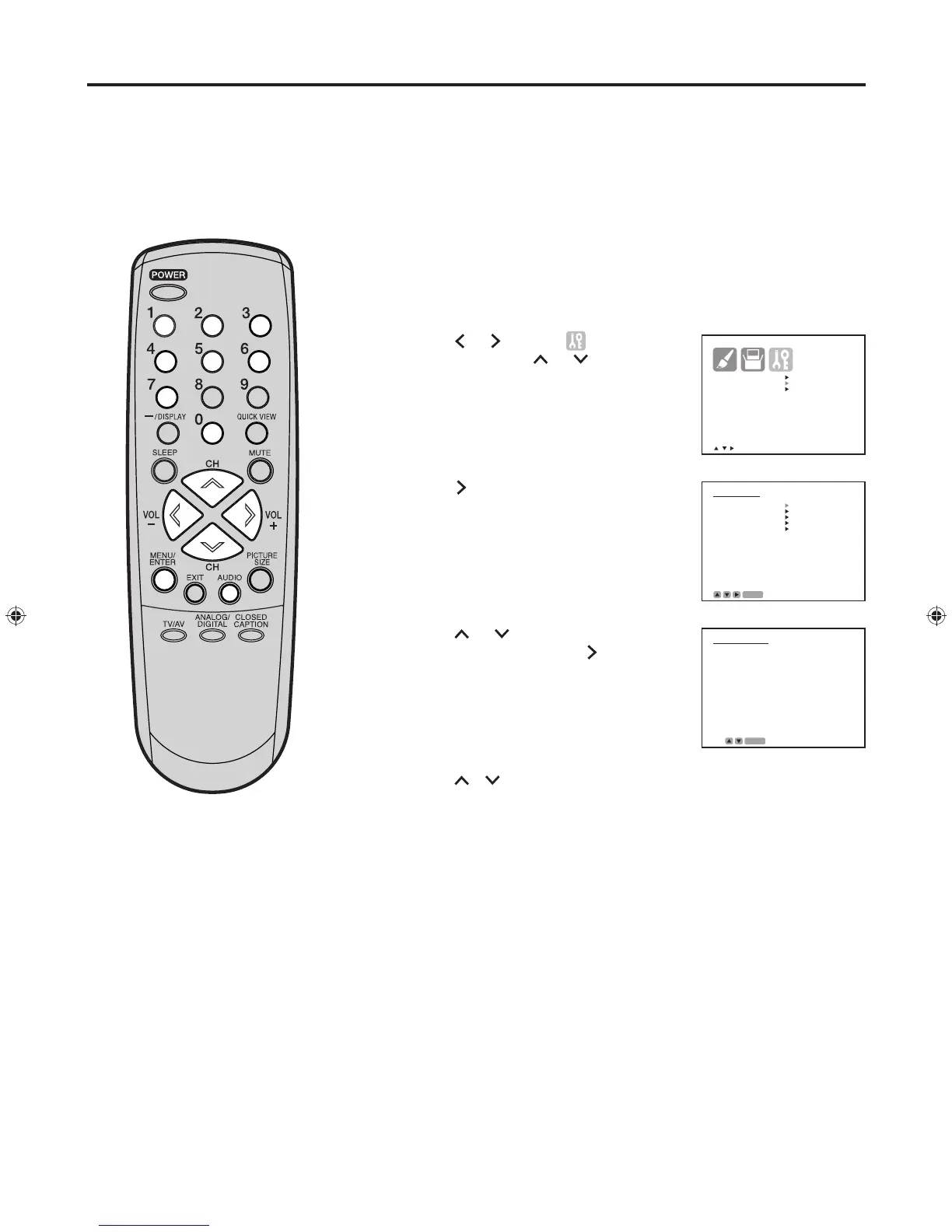
Tune the television to the desired program in the digital mode.
Press MENU/ENTER. The menu screen appears.
Press
or
to select (OPTION)
menu, then press or to select
“DIGITAL SETUP”.
Press . The DIGITAL SETUP menu
appears.
Press or to select “AUDIO
LANGUAGE”, then press to display
the AUDIO LANGUAGE menu.
Press / or the number buttons (0-7) to select your desired
language, then press MENU/ENTER.
Press MENU/ENTER repeatedly until the menu screen is cleared.
Selecting the audio language (DIGITAL MODE)


 To Next Page