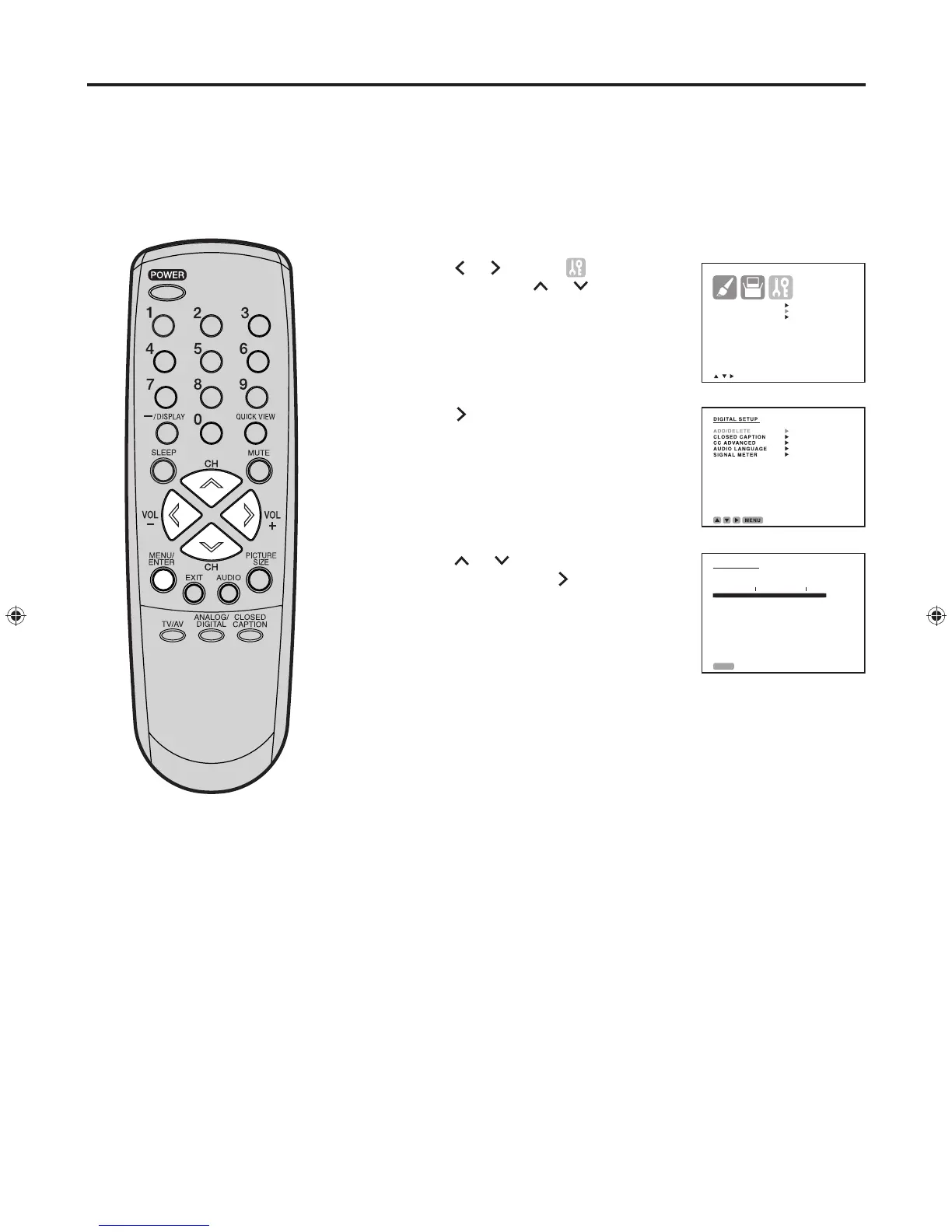
Tune the television to the desired program in the digital mode.
Press MENU/ENTER. The menu screen appears.
Press
or
to select (OPTION)
menu, then press or to select
“DIGITAL SETUP”.
Press . The DIGITAL SETUP menu
appears.
Press or to select “SIGNAL
METER”, then press to check the
digital-signal strength.
Press MENU/ENTER repeatedly until the menu screen is cleared.
This television allows you to view
the digital signal meter for digital
channels.
NOTES:
• Signal meter feature is not available
for analog channels.
• After 240 seconds,
signal meter
screen will return to normal
TV-operation automatically.
Checking the Digital-signal strength (DIGITAL MODE)
1
2
3
4
5
6
To check the digital signal strength


 To Next Page