EasyManua.ls Logo

Sansui DTV2750A - User Manual

Sansui DTV2750A
36 pages
Print Icon
To Next Page IconTo Next Page
Loading...
OWNER’S MANUAL
Before operating the unit, please read this manual thoroughly.
IF CONTACT WITH CUSTOMER SERVICE IS REQUIRED
PLEASE HAVE THE MODEL NUMBER READY PRIOR TO THE CALL
CUSTOMER SERVICE – 1-800-289-0980
ORION WEBSITE
FOR INFORMATION ON OUR OTHER PRODUCTS, PLEASE VISIT OUR WEBSITE AT
www.orionsalesinc.com
TV/CABLE MODE SELECTION
When shipped from the factory, the TV/CABLE menu option is set to the “CABLE” (Cable Television) mode. If not using
Cable TV, set this menu option to the “TV” position.
ATTENTION
If you purchase a universal remote control from your local retailer, please contact the remote manufacturer for the required
programming code.
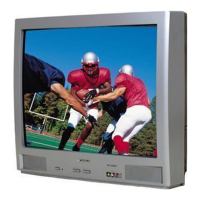
27” MTS STEREO COLOR TELEVISION
WITH DIGITAL TUNER
DTV2750
DTV2750A
J30K0901B_EN.indb 1 8/23/07 3:54:47 PM

Questions and Answers

  • W
    whitejustinAug 18, 2025
    What to do if Sansui DTV2750A TV remote is not working?
    • D
      Diana HernandezAug 18, 2025
      If your Sansui TV remote isn't working, first, replace or correctly insert the batteries if they are weak, dead, or inserted incorrectly. Then, move closer to the TV, within 15 feet, and make sure the remote is aimed at the sensor with no obstructions between the remote and the TV. Lastly, ensure that the power cord is plugged in.
  • K
    kennedyjoshuaAug 20, 2025
    How to fix a Sansui TV that does not turn on?
    • J
      Joseph MyersAug 21, 2025
      If your Sansui TV does not operate, ensure the power cord is plugged in and try another AC outlet. Check the fuse or circuit breaker. As a last resort, unplug the unit for an hour, then plug it back in.
  • R
    ronald24Aug 23, 2025
    Why does my Sansui TV have poor picture quality or no picture?
    • M
      Mary PhillipsAug 23, 2025
      If your Sansui TV has poor or no picture, try tuning to another station in case the current station or cable is experiencing problems. Also, ensure channels are set into memory. Check the antenna or cable connections, and adjust the antenna. Investigate and eliminate any potential sources of interference. Finally, check the picture control adjustments.
  • S
    Seth WrightAug 26, 2025
    Why does my Sansui DTV2750A have poor sound quality or no sound?
    • K
      Kim Wolf PhDAug 26, 2025
      If your Sansui TV has poor or no sound, tune to another station to rule out station or cable issues. Check the sound adjustments, specifically the volume and mute settings. Also, check for any sources of possible interference.
  • K
    Kayla ElliottAug 28, 2025
    How to improve poor reception on some channels on Sansui DTV2750A?
    • T
      Thomas CookAug 28, 2025
      To improve poor reception on some channels on your Sansui TV, try tuning to another station to rule out station or cable problems. Ensure that the channels are set into memory. If a station is weak, adjust the antenna to receive the desired station. Also, check for sources of possible interference.
  • K
    Karina JordanAug 30, 2025
    Why does my Sansui DTV2750A TV keep shutting off?
    • M
      Mitchell WadeAug 31, 2025
      If your Sansui TV keeps shutting off, it could be due to several reasons. First, the station you're tuned to might not be broadcasting. Change to a different broadcast station. Second, the Sleep Timer may be set; disable it. Lastly, there might be a power interruption, so check the power supply.
  • L
    Lisa FoleySep 2, 2025
    How to fix poor color or no color on Sansui DTV2750A?
    • R
      Raymond FisherSep 2, 2025
      To fix poor or no color on your Sansui TV, first, try tuning to another station in case the current station or cable is experiencing problems. Ensure the channels are set into memory. Check the picture control adjustments, antenna or cable connections, and adjust the antenna. Finally, check for sources of possible interference.
  • M
    Mr. Bryan LopezSep 4, 2025
    What causes horizontal or diagonal bars on Sansui TV screen?
    • R
      Rodney DennisSep 4, 2025
      If you're seeing horizontal or diagonal bars on your Sansui TV screen, check the antenna connections and adjust or redirect the antenna. Also, check for sources of possible interference.
  • B
    Brandi LewisSep 7, 2025
    Why does the picture wobble or drift on my Sansui DTV2750A TV?
    • S
      scottjenningsSep 7, 2025
      If the picture on your Sansui TV wobbles or drifts, it could be due to the station or cable experiencing problems; try tuning to another station. Ensure that the channels are set into memory. If the cable company is scrambling the signal, contact your cable provider. You may also need to adjust your antenna.
  • M
    meghan81Sep 9, 2025
    How to troubleshoot no CATV reception on Sansui DTV2750A TV?
    • A
      Anthony RileySep 10, 2025
      To troubleshoot no CATV reception on your Sansui TV, check all cable connections and set the TV/Cable menu option to the cable mode. If the issue persists, it may be due to station or cable system problems; try another station.

Summary

Important Safeguards

General Safety and Operating Instructions

Covers reading, retaining, heeding, and following instructions for safe use.

Environmental, Electrical, and Installation Safety

Includes precautions on water, ventilation, power, grounding, and lightning.

Operational Hazards, Servicing, and Damage

Addresses object entry, overloading, servicing, damage, and replacement parts.

Features

Picture Quality and Digital Tuner

High resolution picture and integrated digital tuner without a Set-Top Box.

Interactive and Accessibility Features

V-Chip, Closed Captioning, Stereo/SAP, and multi-language on-screen display.

Connectivity Options

S-Video/Component Video jacks and Video Input Jacks for external devices.

Power Source

AC Power Connection and Notes

Use polarized cord, ensure correct voltage, and follow safety notes.

Parts and Functions

Front Panel Overview

Identifies POWER button, Remote sensor, and front AUDIO/VIDEO IN jacks.

Rear Panel Connections

Details RF IN, S-VIDEO IN, AUDIO IN/OUT, and COMPONENT IN jacks.

Remote Control

Remote Button Operations

Detailed explanation of each button's operation for TV control.

Battery Installation and Care

Instructions for installing batteries and essential precautions for remote operation.

Antenna Connections

Connecting Various Antenna Types

Instructions for connecting coaxial or twin-lead wires from different antenna configurations.

Cable TV Connections

Basic, Scrambled, and Premium Cable Service Setup

Setup for different cable TV services using coaxial cables and optional devices.

Connections to Other Equipment

Connecting Video Devices (VCR, DVD, Satellite)

Instructions for connecting VCRs, DVD players, and satellite receivers via various inputs.

Connecting Digital Devices and Audio Systems

Using component video for DTVs and connecting external audio equipment.

Connecting Gaming Consoles and Camcorders

Instructions for connecting game consoles and camcorders for playback.

Selecting the VIDEO Input Source

Switching Between Input Sources

Use TV/AV button to select among ANALOG, DIGITAL, VIDEO1, VIDEO2, COMPONENT.

Setting the Language

On-Screen Display Language Selection

Choose from English, Spanish, or French for on-screen menus and prompts.

Memorizing Channels

TV;CABLE Mode Selection for Scanning

Set mode for antenna (TV) or cable service to optimize channel scanning.

Cable Channel Allocation Chart

Reference for typical cable system channel number allocations.

Automatic Channel Memory Tuning

Scans and stores available channels automatically for quick access.

Manual Channel Add;Delete (Analog & Digital)

Add or remove channels manually via the menu system for both modes.

Channel Memorization Tips

Tips for optimal channel memorization, including timing and signal requirements.

TV Operation

Basic Controls and Channel Selection

Power on, volume adjustment, and methods for selecting analog/digital channels.

Display Information and Navigation Features

Viewing broadcast info, using CH, QUICK VIEW, MUTE, and SLEEP.

Setting the V-Chip

Password Setup and Management

Establish and change the 4-digit password for V-Chip restrictions.

Configuring Rating Restrictions (TV & Movie)

Set parental controls for TV programs and movies based on content ratings.

Digital V-Chip Settings (DTV)

Enables V-Chip settings for digital broadcasts receiving new rating signals.

Changing the V-Chip Password

Procedure to change the existing V-Chip password for security.

Downloading Additional V-Chip Ratings

Procedure to download supplementary rating systems for future use.

V-Chip System Notes and Precautions

Information on signal requirements, system control, and evolving rating technologies.

Setting the Clock

Date and Time Configuration

Set the current date and time for accurate clock function.

Clock Reset After Power Loss

Re-enter time settings if power is interrupted.

Setting the Picture Size

Picture Aspect Ratio Options

Select 4:3, 16:9, or ZOOM for optimal viewing of different content formats.

Picture Size Display Modes

Describes how 4:3, 16:9, and ZOOM modes affect image display.

Screen Burn-In Warning

Caution against prolonged display of stationary images to prevent screen damage.

Picture Control Adjustment

Adjusting Picture Quality Settings

Modify BRIGHTNESS, CONTRAST, COLOR, TINT, and SHARPNESS via menu.

Resetting Your Picture Adjustment

Restore Default Picture Settings

Return all picture adjustments to their original factory defaults.

Closed Caption

Understanding Closed Captioning

Explains CC function for text display for hearing impaired or translation.

Analog Closed Caption Setup

Enable analog CC modes (C1, C2, T1, T2) and notes on their use.

Closed Captioning Notes

Information on potential delays, signal interference, and display issues.

CC Advanced

Advanced Digital Caption Settings

Customize text size, type, edge, color, and opacity for digital captions.

Selecting Stereo;Second Audio Program (SAP)

Enabling SAP Feature

Turn the Second Audio Program (SAP) feature on or off through the menu.

Stereo and SAP Broadcast Indicators

How to identify stereo or SAP broadcasts and use AUDIO button for sound adjustment.

Selecting Audio Language (Digital Mode)

Choosing Digital Audio Language

Select preferred language (e.g., English, French) for digital audio tracks.

Checking Digital Signal Strength (Digital Mode)

Digital Signal Meter Function

Access the signal meter to check reception quality for digital channels.

Signal Meter Usage Notes

Information on availability and screen timeout for the signal meter.

Using the Auto Shut Off Feature

Configuring Auto Shut Off

Enable or disable the automatic TV shutdown after 15 minutes of no broadcast.

Troubleshooting

Problem Diagnosis and Solutions

A guide to identifying and resolving common TV operational issues.

Specifications

Technical Specifications Overview

Details about power, dimensions, inputs, outputs, tuner type, and speakers.

Limited Warranty

Warranty Coverage and Exclusions

Details on the warranty period, what is covered, and what is excluded.

Sansui DTV2750A Specifications

General IconGeneral
BrandSansui
ModelDTV2750A
CategoryTV
LanguageEnglish

Related product manuals