16
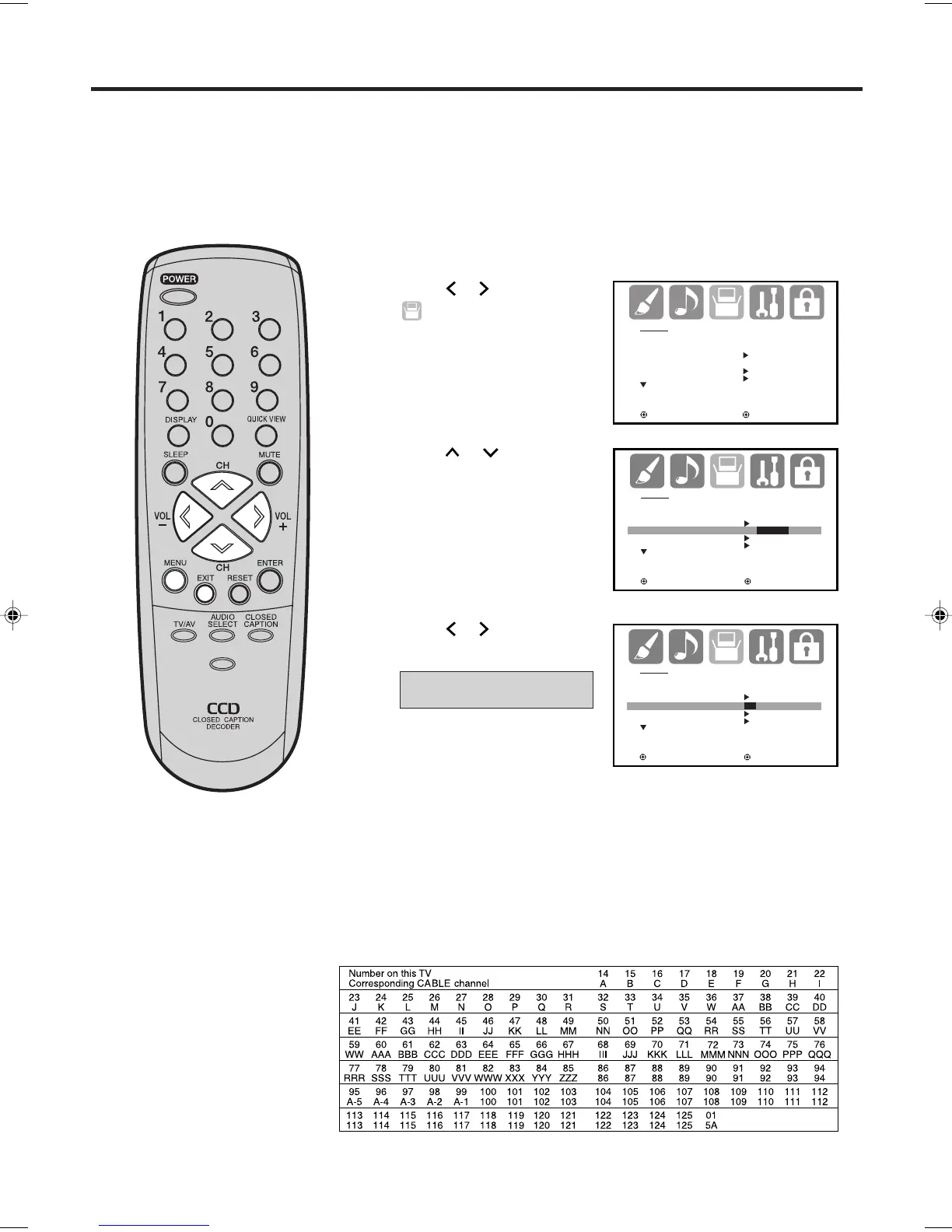
Press MENU. The menu screen will appear.
Press
or to select
(SETUP) menu.
This TV is equipped with a channel memory feature which allows channels to skip up or down to the next
channel set into memory, skipping over unwanted channels. Before selecting channels, they must be pro-
grammed into the TV’s memory. This TV can receive up to 250 VHF/UHF channels and 500 cable TV channels.
To use this TV with an antenna, set the TV/CABLE menu option to the TV mode. When shipped from the factory,
this menu option is in the CABLE mode.
TV/CABLE selection
Press or to select “TV”
or “CABLE”.
Press EXIT to return to the normal screen.
Press
or
to select “
TV/CABLE”.
TV
- VHF/UHF channels
CABLE - CABLE TV channels
1
2
3
4
5
CABLE CHART
The chart below is typical of many cable system channel allocations.
Memorizing channels
SETUP
LANGUAGE ENGLISH
CLOCK SET
TV/CABLE CABLE
AUTO CH MEMORY
ADD/DELETE
:SELECT :ADJUST
SETUP
LANGUAGE ENGLISH
CLOCK SET
TV/CABLE TV/CABLE
AUTO CH MEMORY
ADD/DELETE
:SELECT :ADJUST
SETUP
LANGUAGE ENGLISH
CLOCK SET
TV/CABLE TV/CABLE
AUTO CH MEMORY
ADD/DELETE
:SELECT :ADJUST
PICTURE
SIZE
-/
J3W50101A_En_p14-17 16/11/05, 8:44 AM16



 To Next Page