18
VOLUME 32
TV operation
If a channel with no broadcast is
selected, the sound will automati-
cally be muted.
If a station being viewed stops
broadcasting, the TV will automati-
cally shut itself off after 15 minutes.
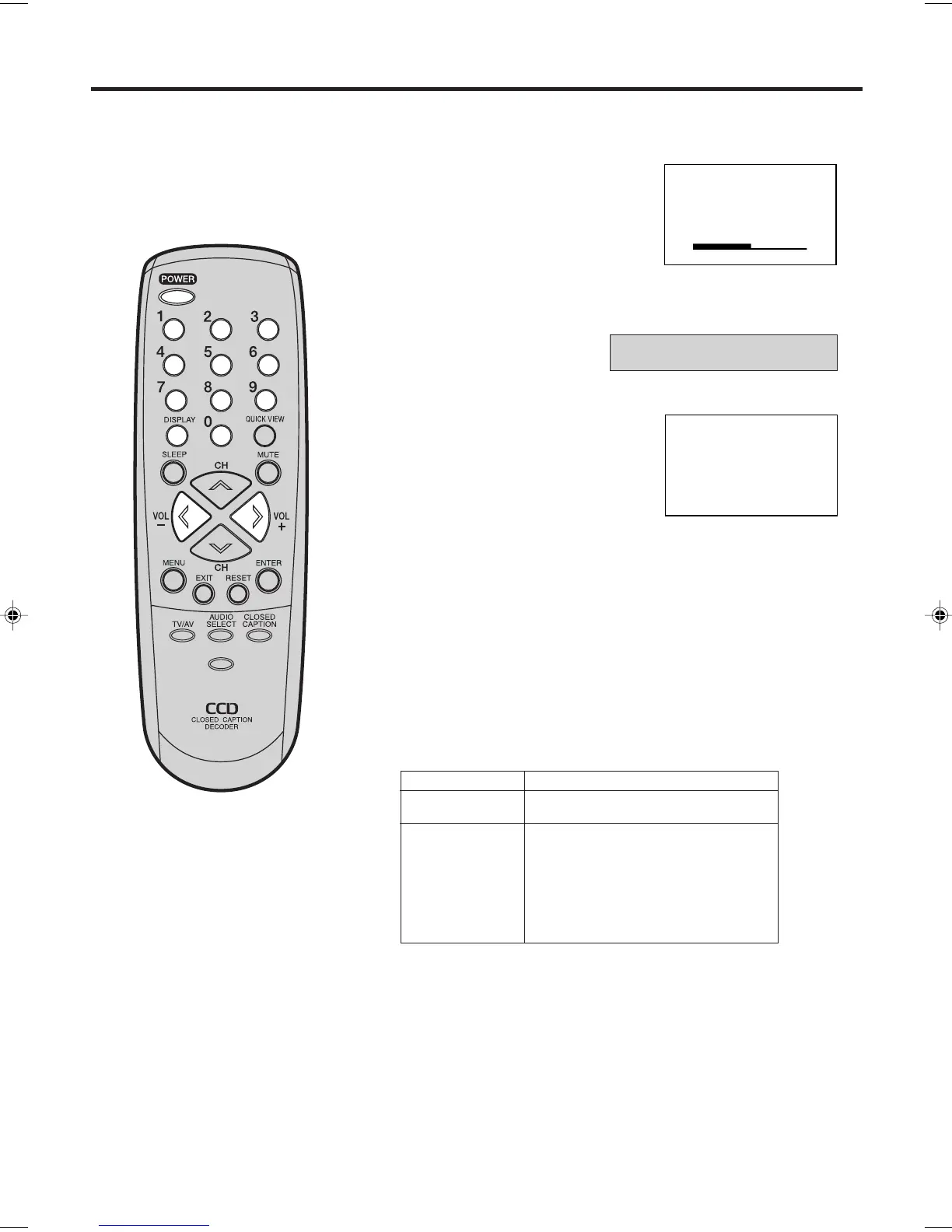
To turn on the TV, press POWER.
Set the TV/CABLE menu
option to the appropriate
position (see page 16).
Adjust the volume level by pressing
VOL + or – . The volume level will
be indicated on the screen by
green bars. As the volume level
increases, so do the number of
bars. If the volume decreases, the
number of green bars also decreases.
1
2
3
4
Press the Direct Channel Selection
buttons to select the channel.
TO SELECT ANALOG CHANNELS
1-9: Press 0 twice, then 1-9 as
needed. Example, to select
channel 2, press 0 0 2.
10-99: Press 0, then the remaining 2 digits. Example, to se-
lect channel 12, press 0 1 2.
100-125: Press the 3 digits in order. Example, to select channel
120, press 1 2 0.
TO SELECT DIGITAL CHANNELS
Press the first 3 digits, then press the “–/DISPLAY” button,
followed by the remaining 3 digits.
Example, to select channel 015-001, press 0 1 5 – 0 0 1.
VHF/UHF/CABLE CHANNELS
NOTES:
•
•
TV CABLE
VHF
2-13
UHF
14-69
VHF
2-13
STD/HRC/IRC
14-36 (A) (W)
37-59 (AA) (WW)
60-85 (AAA) (ZZZ)
86-94 (86) (94)
95-99 (A-5) (A-1)
100-125 (100) (125)
01 (5A)
TV - VHF/UHF channels
CABLE - CABLE TV channels
PICTURE
SIZE
-/
J3W50101A_En_p18-24 16/11/05, 8:45 AM18



 To Next Page