27
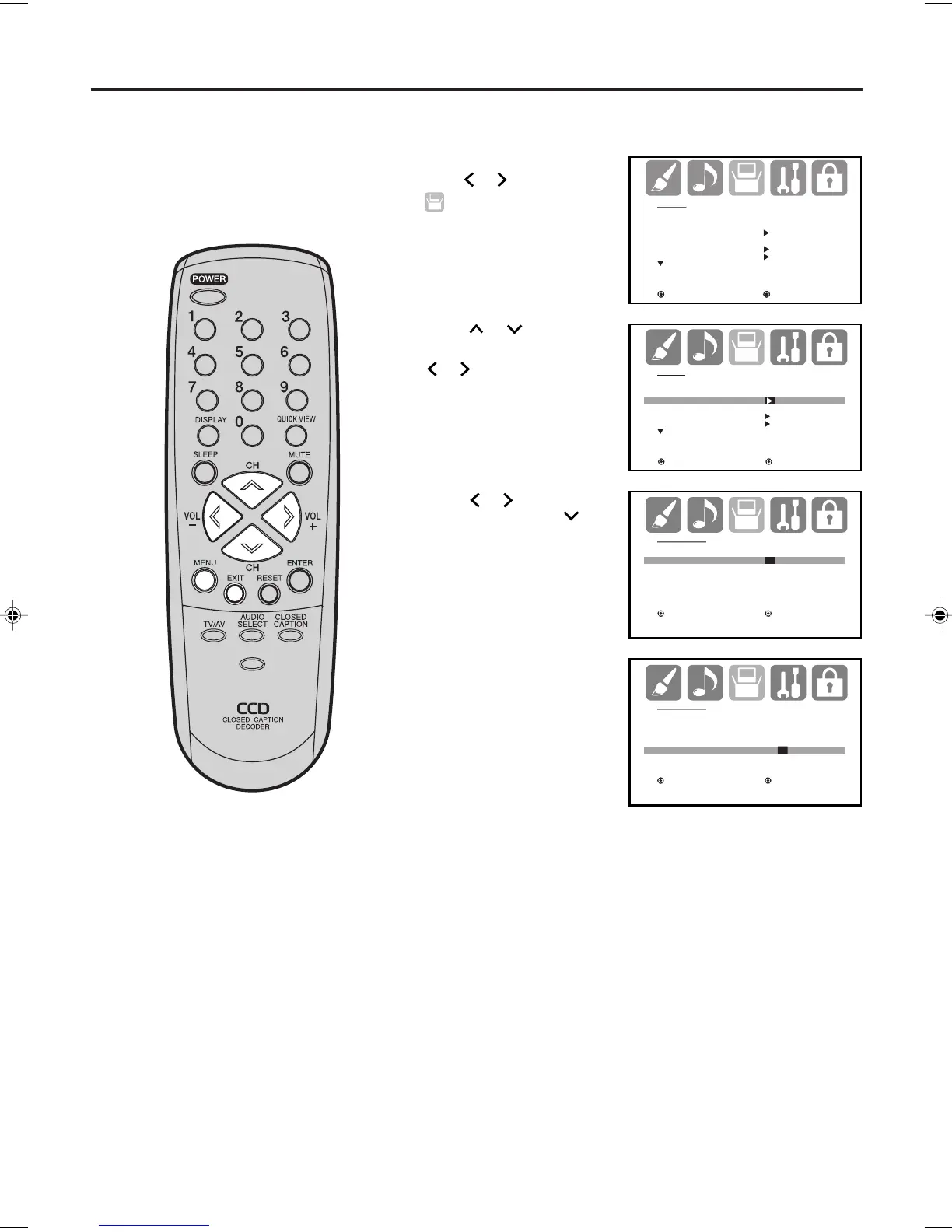
Set the DAY, YEAR and
TIME as in step 3.
After setting the clock, date
and time starts functioning
automatically.
4
Setting the clock
NOTE:
After a power failure or disconnection
of the power, the clock settings will be
lost. In this case, reset the present
time.
EXAMPLE: Setting the clock to “8:30 AM”.
Press
or
to select
“CLOCK SET”. Then press
or
.
The CLOCK SET
menu will appear.
Press MENU, then
press
or to select
(SETUP) menu.
1
2
3
Press or to set the
MONTH, then press
.
You must set the clock correctly for
the “ON/OFF TIMER” to activate at
the correct time.
SETUP
LANGUAGE ENGLISH
CLOCK SET
TV/CABLE CABLE
AUTO CH MEMORY
ADD/DELETE
:SELECT :ADJUST
SETUP
LANGUAGE ENGLISH
CLOCK SET
TV/CABLE CABLE
AUTO CH MEMORY
ADD/DELETE
:SELECT :ADJUST
CLOCK SET
MONTH 1
DAY 1(SUN)
YEAR 2006
TIME 12:00AM
:SELECT :ADJUST
ENTER:SET EXIT:END
CLOCK SET
MONTH 3
DAY 25 (SAT)
YEAR 2006
TIME 8:30AM
:SELECT :ADJUST
ENTER:SET EXIT:END
Press EXIT to return to the normal screen.
5
PICTURE
SIZE
-/
J3W50101A_En_p25-30 16/11/05, 8:46 AM27



 To Next Page