EasyManua.ls Logo

Sansui G-9000 - Listening to Media

Sansui G-9000
58 pages
Print Icon
To Next Page IconTo Next Page
To Previous Page IconTo Previous Page
Loading...
32
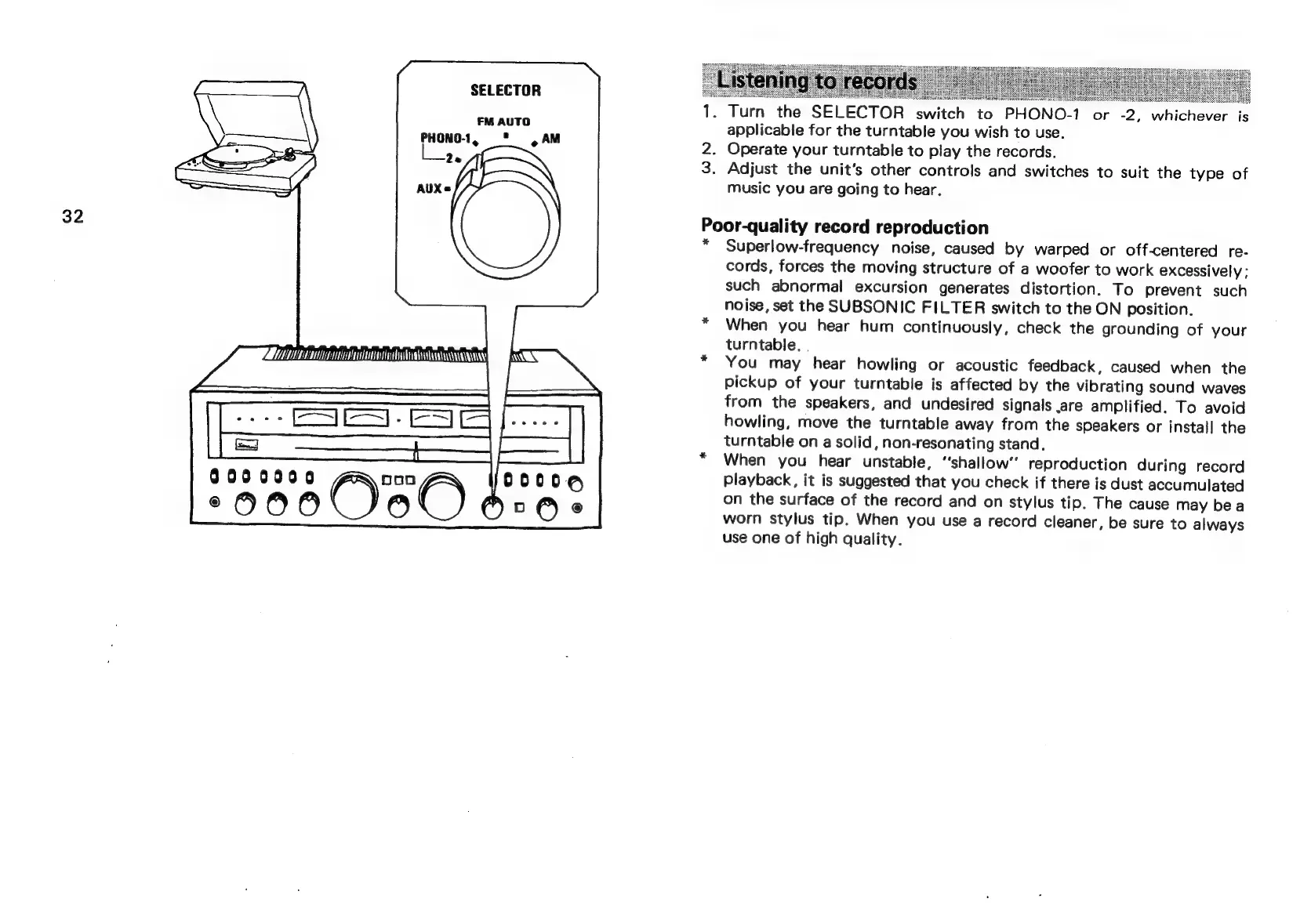
SELECTOR
FM
AUTO
PHONO-1,
="
,AM
2e
AUXs
9000000
ec
OOO
©)
\
nA
e
iP
2.
3.
P.
Turn
the
SELECTOR
switch
to
PHONO-1
or
-2,
whichever
is
applicable
for
the
turntable
you
wish
to
use.
Operate
your
turntable
to
play
the
records.
Adjust
the
unit's
other
controls
and
switches
to
suit
the
type
of
music
you
are
going
to
hear.
oor-quality
record
reproduction
Superlow-frequency
noise,
caused
by
warped
or
off-centered
re-
cords,
forces
the
moving
structure
of
a
woofer
to
work
excessively;
such
abnormal
excursion
generates
distortion.
To
prevent
such
noise,
set
the
SUBSONIC
FILTER
switch
to
the
ON
position.
When
you
hear
hum
continuously,
check
the
grounding
of
your
turntable.
.
You
may
hear
howling
or
acoustic
feedback,
caused
when
the
pickup
of
your
turntable
is
affected
by
the
vibrating
sound
waves
from
the
speakers,
and
undesired
signals
.are
amplified.
To
avoid
howling,
move
the
turntable
away
from
the
speakers
or
instal]
the
turntable
on
a
solid,
non-resonating
stand.
When
you
hear
unstable,
“shallow”
reproduction
during
record
Playback,
it
is
suggested
that
you
check
if
there
is
dust
accumulated
on
the
surface
of
the
record
and
on
stylus
tip.
The
cause
may
bea
worn
stylus
tip.
When
you
use
a
record
cleaner,
be
sure
to
always
use
one
of
high
quality.

Related product manuals