11
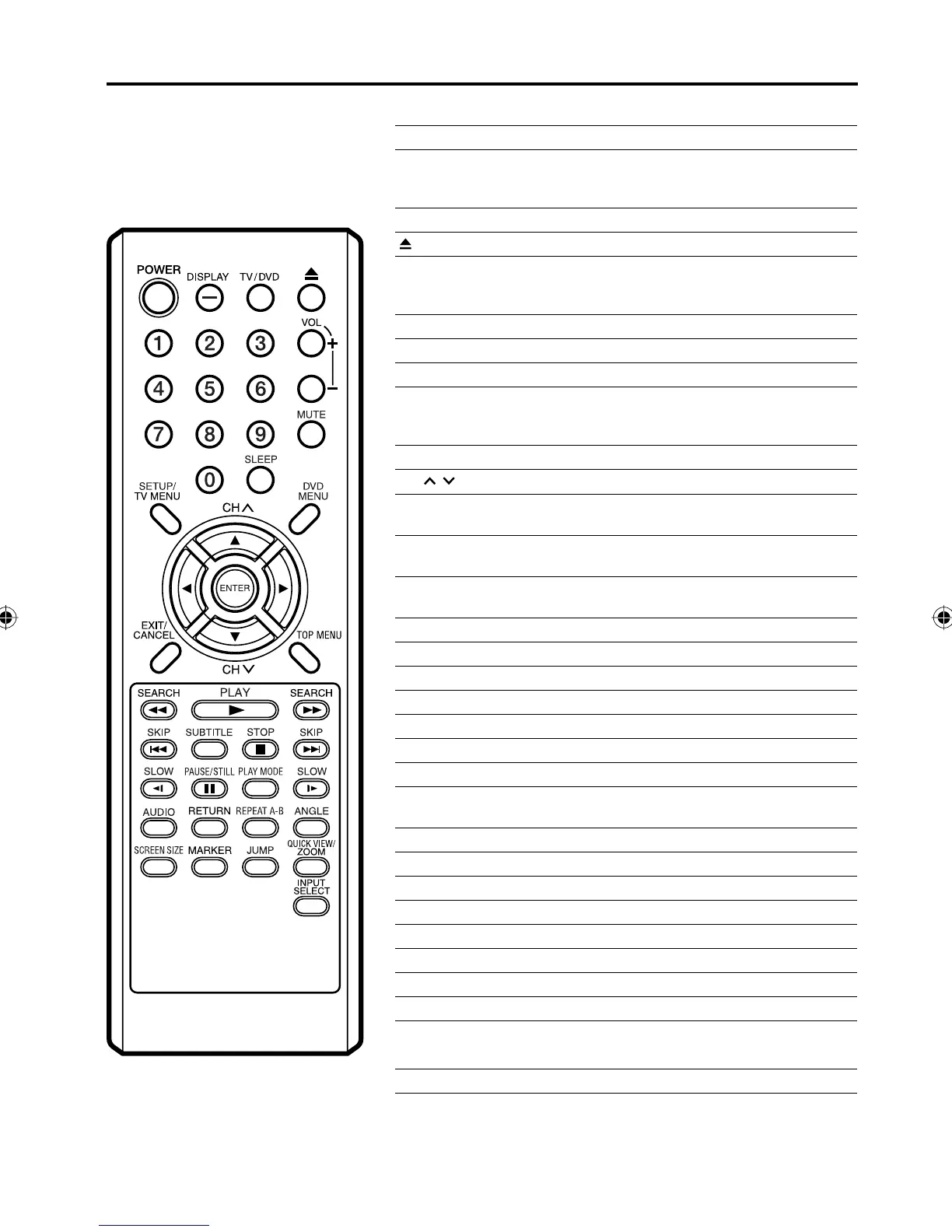
Remote control
Page
POWER Power On/Off 15, 19, 38, 39
DISPLAY/– Call TV information 20, 22, 34
Call DVD information 38
Input “–” for digital channels 19
TV/DVD Switch between TV/AV and DVD 15, 19, 38, 39
(EJECT) Eject a disc 39
0-9 Direct channel selection of TV 19
Input setting 46
Enter a password 23~26, 55~57
VOL +/– Adjust volume of TV 19, 20
MUTE Switch off the sound 20
SLEEP Sleep timer 21
SETUP
TV MENU
TV mode - Display menu of TV
15~18, 21~29, 31~37
DVD mode - Call up initial setup mode 43, 51~56
DVD MENU Display DVD menu 50
CH
/
Select channel of TV 20
▲▼◀▶ Cursor buttons
15~18, 21~29, 31~37, 39, 41~46, 48, 50~56
ENTER Enter information in the menu
15~19, 21~29, 31~37, 39, 41~48, 50~57
EXIT
CANCEL
Exit from On-Screen menu
Reset information in the menu 46, 48, 55, 56
TOP MENU Select title 50
SEARCH Fast Forward/Review playback 40
PLAY Playback 39~42, 44, 45, 47, 50
SKIP Skip chapter to forward or reverse direction 40, 45
SUBTITLE Set subtitle 49
STOP Stop 39, 41, 42
SLOW Forward/Reverse- slow motion 40
PAUSE/STILL Pause CD sound
Still picture of DVD 40
PLAY MODE Select playback mode 47
AUDIO Change sound track language 49
RETURN Remove DVD setup menu 43, 51~55, 57
REPEAT A-B Repeat playback between A and B 47
ANGLE Change playback angle 50
SCREEN SIZE Display PICTURE SIZE menu 29
MARKER Index 48
JUMP Locating desired scene 46
QUICK VIEW Switch between present/last channel 20
ZOOM Zoom 46
INPUT SELECT Display source selection menu 20, 37, 61
5Z90101A.indd 115Z90101A.indd 11 07.9.3 3:48:28 PM07.9.3 3:48:28 PM



 To Next Page