23
Setting the V-Chip
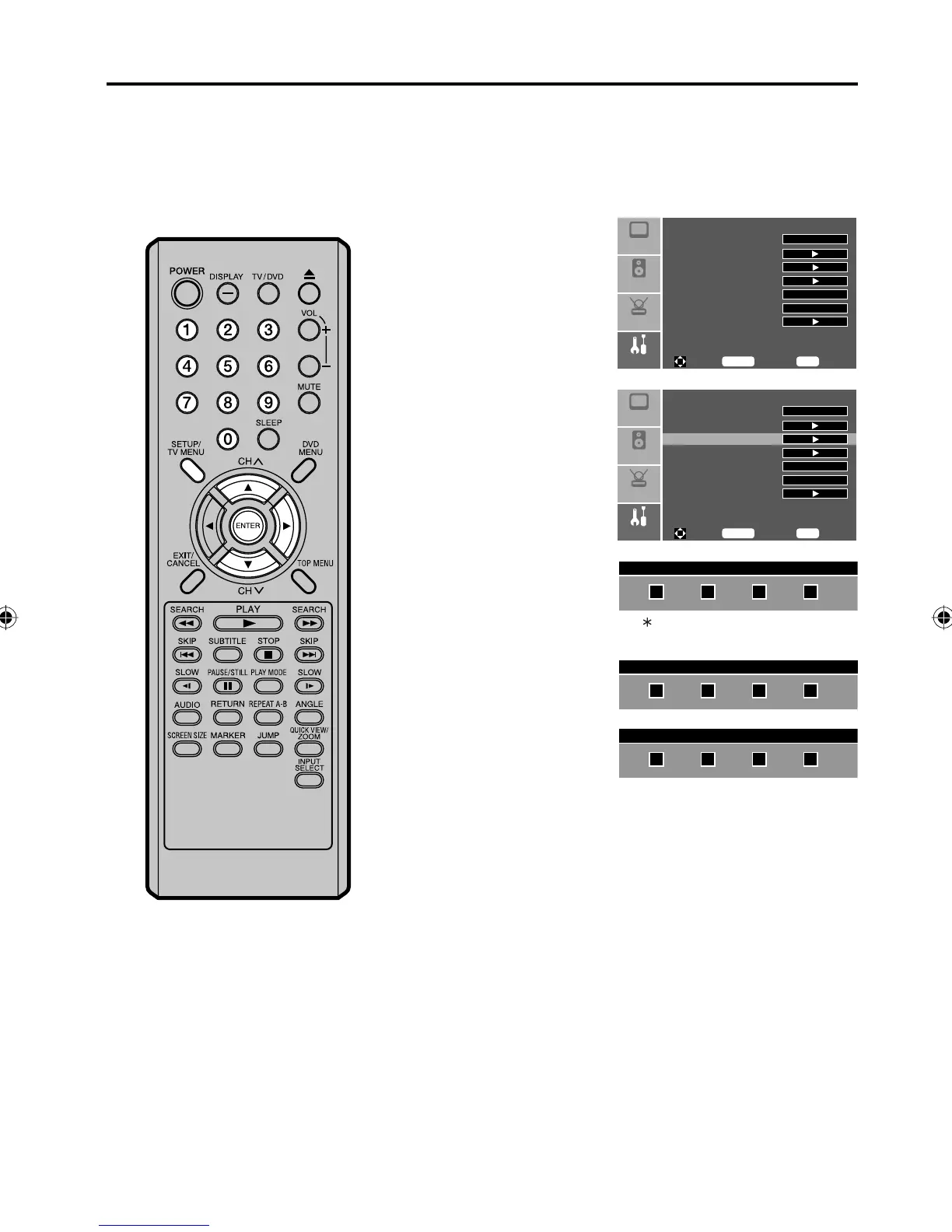
To register a password
1
Press SETUP/TV MENU
in the TV mode. The
menu screen will appear.
Press ▲ or ▼ to select
“Feature” menu, then
press ▶.
Setup
Audio
Feature
Picture
Sleep Timer Off
Advanced Video Menu
Password Set
Parental Control
NTSC CC Off
ATSC CC Off
Digital Closed Caption
To M ove
To S el ec t
To E xi t
Enter
Menu
2
Press ▲ or ▼ to select
“Password Set”, then
press ▶ or ENTER.
Setup
Audio
Feature
Picture
Sleep Timer Off
Advanced Video Menu
Password Set
Parental Control
NTSC CC Off
ATSC CC Off
Digital Closed Caption
To M ove
To S el ec t
To E xi t
Enter
Menu
3
Use Number buttons
(0-9) to enter your
password
(The factory default
password is “0000”).
Enter Old Password
“ ” appears instead of the number.
4
Select and enter a
password (4 digits) using
Number buttons (0-9).
Enter New Password
5
Enter the same password
again to confirm.
The password is now
registered.
Confirm New Password
An age limitation can be set to restrict children from viewing or hearing violent scenes or pictures
that you may choose to exclude. The restriction applies to “TV RATING” and “MPAA” if this data is
transmitted. You may set this restriction separately. To use the V-Chip function, you must register a
password.
NOTE:
If you forget the password, contact
Customer Service at 1-800-289-0980
for assistance.
Your original remote control will be
required.
To avoid forgetting the password,
write it down and keep in a safe place.
•
•
5Z90101A.indd 235Z90101A.indd 23 07.9.3 3:48:37 PM07.9.3 3:48:37 PM



 To Next Page