37
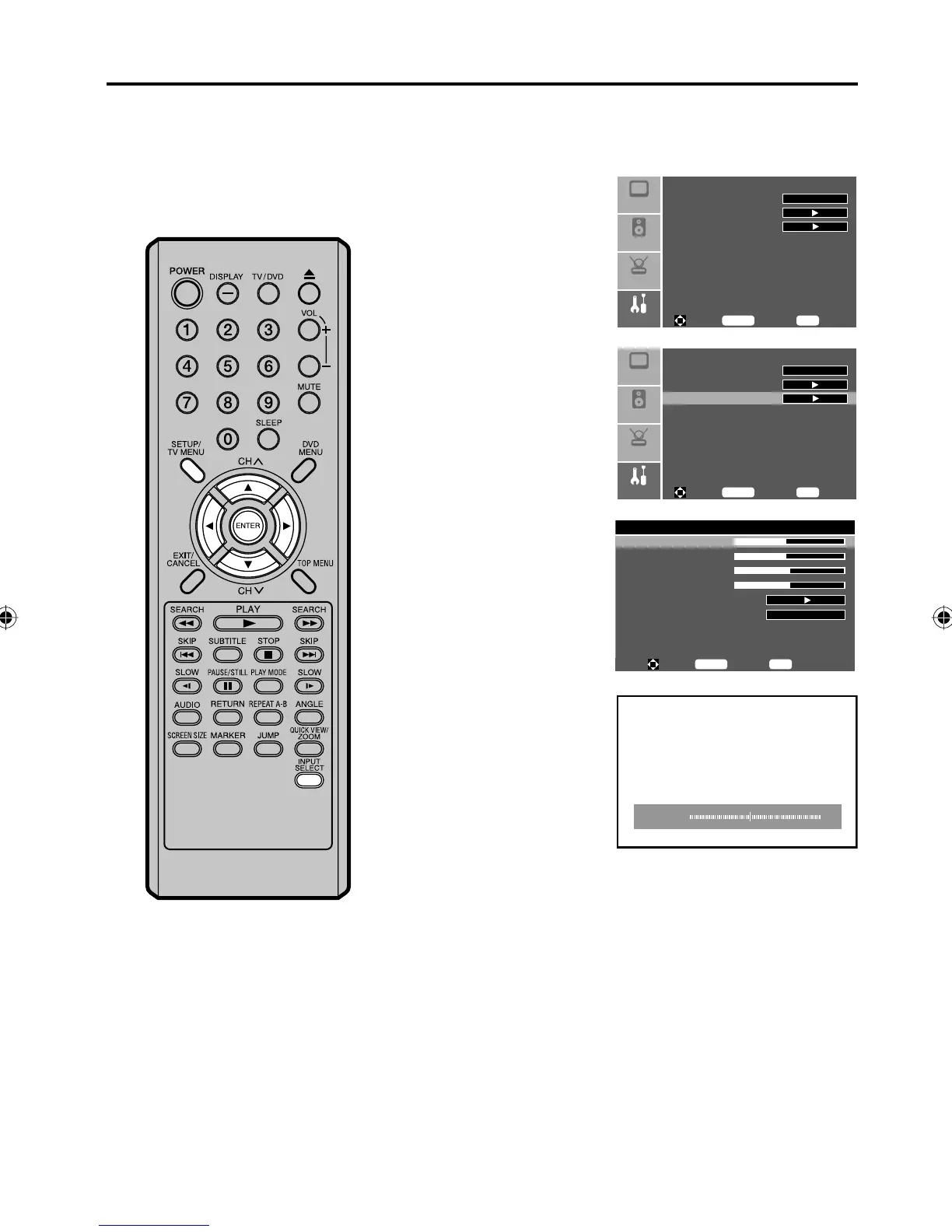
Example: Adjust the H-Pos in the component mode.
1
Press INPUT SELECT repeatedly to select the component
mode.
2
Press SETUP/TV MENU
during the component
mode. Then press ▲ or ▼
to select “Feature” menu,
then press ▶.
Sleep Timer
Advanced Video Menu
Component Set
Setup
Audio
Feature
Off
Picture
To M ove
To S el ec t
To E xi t
Enter
Menu
3
Press ▲ or ▼ to select
“Component Set”, then
press ▶ or ENTER.
Sleep Timer
Advanced Video Menu
Component Set
Setup
Audio
Feature
Off
Picture
To M ove
To S el ec t
To E xi t
Enter
Menu
4
Press ▲ or ▼ to select
“H-Pos”, then press ▶ or
ENTER.
Component setting - 720x480p@60/59.94Hz
H-Pos 48
V-Pos 48
Clock 50
Phase 50
Auto Adjust
Setting
To M ove
To S el ec t
To E xi t
Enter
Menu
Preset
5
Press ◀ or ▶ to adjust
the setting.
Press ▲ or ▼ to
change the adjusting
item.
•
H-Pos 48
H-Pos: To adjust the horizontal position of the
image on the Component or PC mode.
V-Pos: To adjust the vertical position of the image
on the Component or PC mode.
Clock: To minimize any vertical bars or stripes
visible on the screen background.
Phase: This must be adjusted after the frequency
of the Component or PC mode has been
set to 60Hz to optimize picture quality
(page 61).
Auto Adjust
(PC Setting only): To optimize “H-Pos”, “V-Pos”, “Clock” and
“Phase” automatically.
Setting: To return your settings to the factory
settings.
6
Press SETUP/TV MENU to return to the normal screen.
You can adjust to optimize the
performance of the TV in the
Component and PC mode.
NOTE:
If no buttons are pressed for more
than approx. 30 seconds, the Menu-
screen will return to normal Monitor-
screen automatically.
The “Component Set” and “PC Set”
settings are not effective for other
input modes.
•
•
Picture control adjustment in the Component and PC mode
5Z90101A.indd 375Z90101A.indd 37 07.9.3 3:48:51 PM07.9.3 3:48:51 PM



 To Next Page