32
DNR/Selecting the color temperature
DNR
DNR (Digital Noise Reduction) can reduce the roughness of the
picture.
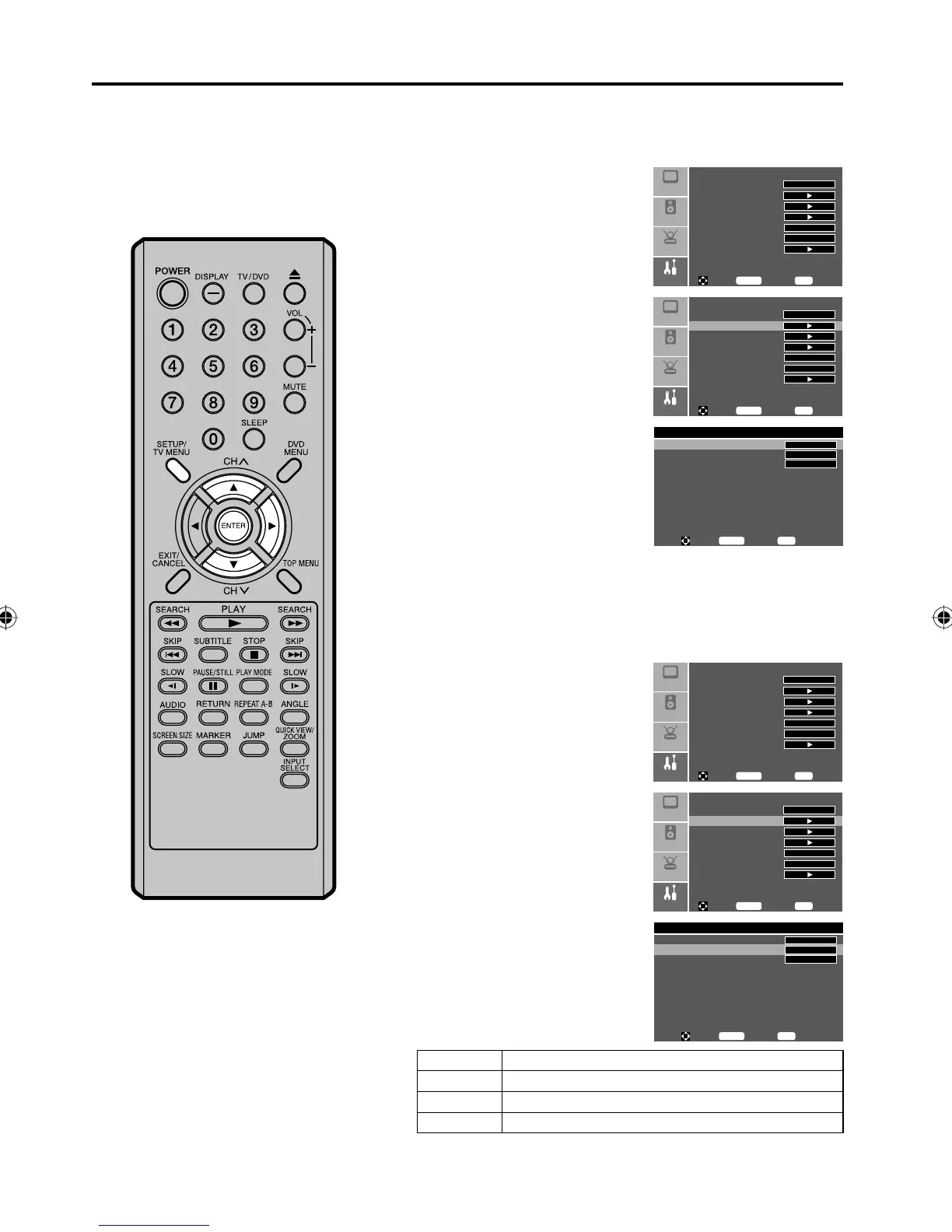
1
Press SETUP/TV MENU in the
TV mode. Then press ▲ or ▼
to select “Feature” menu, then
press ▶.
Setup
Audio
Feature
Picture
Sleep Timer Off
Advanced Video Menu
Password Set
Parental Control
NTSC CC Off
ATSC CC Off
Digital Closed Caption
To M o v e
To S e l e ct
To Exit
Enter
Menu
2
Press ▲ or ▼ to select
“Advanced Video Menu”, then
press ▶ or ENTER.
To M o v e
To S e l e ct
To Exit
Enter
Menu
Setup
Audio
Feature
Picture
Sleep Timer Off
Advanced Video Menu
Password Set
Parental Control
NTSC CC Off
ATSC CC Off
Digital Closed Caption
3
Press ▲ or ▼ to select “DNR”.
Press ▶ or ENTER to select “On”
or “Off”.
Advanced Video Menu
DNR
Color Temperature
3D Y/C
On
Cool
On
To M o v e
To S e l e ct
To E x i t
Enter
Menu
4
Press SETUP/TV MENU to return to the normal screen.
Selecting the color temperature
Change the picture quality by selecting from three preset color
temperatures—Cool, Normal, and Warm:
1
Press SETUP/TV MENU in the
TV mode. Then press ▲ or ▼
to select “Feature” menu, then
press ▶.
Setup
Audio
Feature
Picture
Sleep Timer Off
Advanced Video Menu
Password Set
Parental Control
NTSC CC Off
ATSC CC Off
Digital Closed Caption
To M o v e
To S e l e ct
To Exit
Enter
Menu
2
Press ▲ or ▼ to select
“Advanced Video Menu”, then
press ▶ or ENTER.
To M o v e
To S e l e ct
To Exit
Enter
Menu
Setup
Audio
Feature
Picture
Sleep Timer Off
Advanced Video Menu
Password Set
Parental Control
NTSC CC Off
ATSC CC Off
Digital Closed Caption
3
Press ▲ or ▼ to select “Color
Temperature”.
Press ▶ or ENTER to select the
mode you prefer.
Advanced Video Menu
DNR
Color Temperature
3D Y/C
On
Cool
On
To M o v e
To S e l e ct
To E x i t
Enter
Menu
Mode Picture Quality
Cool Bluish
Normal Neutral
Warm
Reddish
4
Press SETUP/TV MENU to return to the normal screen.
5Z90101A.indd 325Z90101A.indd 32 07.9.3 3:48:46 PM07.9.3 3:48:46 PM



 To Next Page