EasyManua.ls Logo

Sansui HDLCDVD190 - Page 18

Sansui HDLCDVD190
68 pages
Print Icon
To Next Page IconTo Next Page
To Previous Page IconTo Previous Page
Loading...
18
Memorizing channels
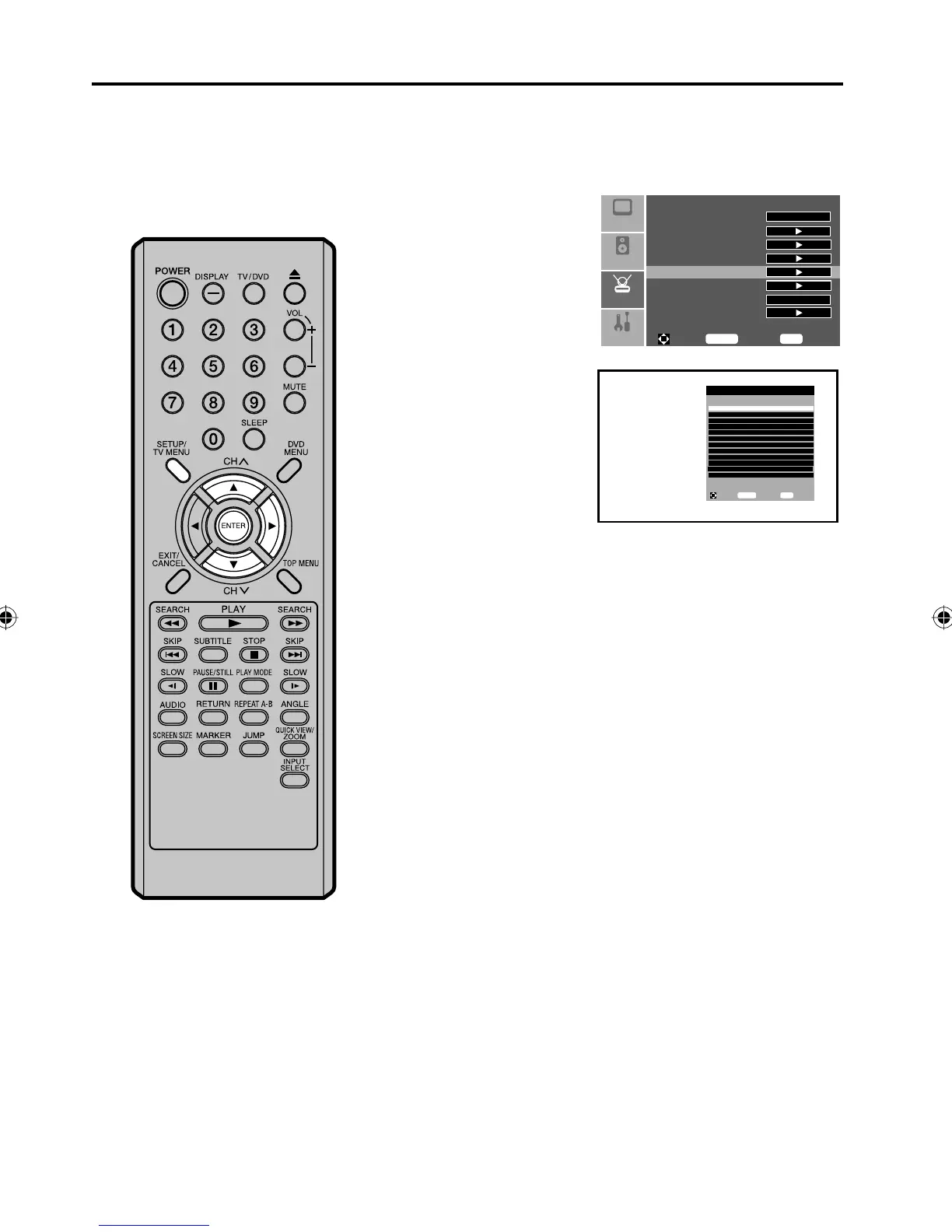
Manual Ch Set
You can select the channel that you want to skip.
1
Press SETUP/TV MENU in the TV mode. The menu screen will
appear.
2
Press or to select
“Setup” menu, then press
.
Press or to select
“Manual Ch Set”, then
press or ENTER.
Manual Ch Set menu will
appear.
Setup
Audio
Feature
Picture
Tuning Band
DTV Signal
Auto Ch Search
Add On Ch Search
Manual Ch Set
Channel Labels
Menu Language
Reset
Cable
English
To M ove
To S el ec t
To E xi t
Enter
Menu
3
Press or to select
the channel that you
want to skip, then press
ENTER.
Manual Channel Set Menu
Ch 7-0 Viewable
Ch 7-0 Viewable
Ch 11-0 Viewable
Ch 12-0 Viewable
Ch 22-0 Viewable
Ch 23-0 Viewable
Ch 23-1 CH-1 Viewable
Ch 23-2 CH-2 Viewable
Ch 23-3 CH-3 Viewable
Ch 23-4 CH-4 Viewable
Ch 23-77 CH-77 Viewable
Ch 23-999 CH-999 Viewable
To Mov e
To Sel ec t
To Exi t
Enter
Menu
4
Press SETUP/TV MENU to return to the normal screen.
5Z90101A.indd 185Z90101A.indd 18 07.9.3 3:48:33 PM07.9.3 3:48:33 PM

Table of Contents

Other manuals for Sansui HDLCDVD190

Related product manuals