30
NOTE:
In COMPONENT mode with a
scanning rate of 720p or 1080i, only
the Normal and Cinema picture size
features are available.
In PC mode, only the Normal and
Wide picture size features are
available.
In Cinema picture size, some of the
on screen display items may be
positioned off the visible portion of the
screen.
•
•
•
Setting the picture size
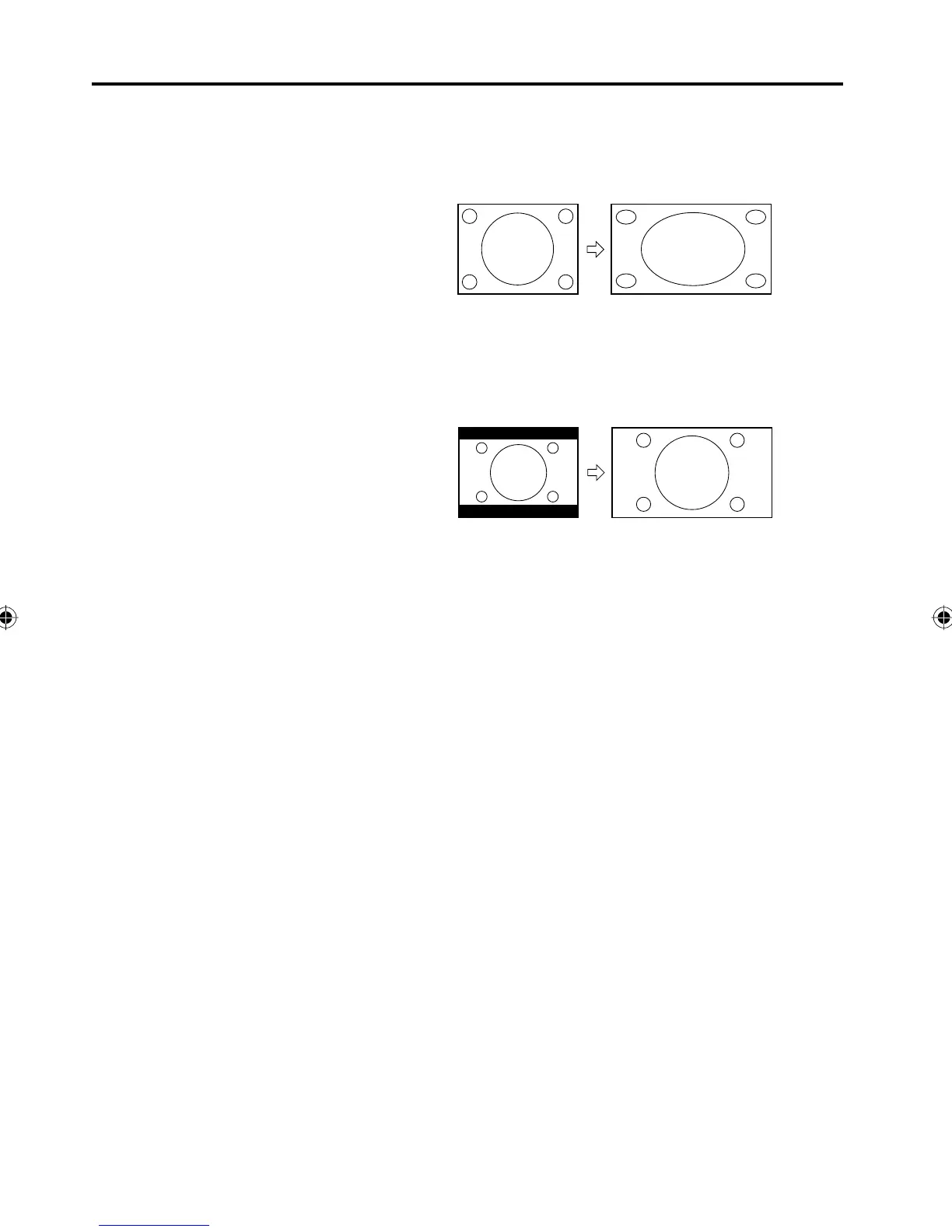
Wide picture size (for 4:3 format programs)
To fill the screen, the right and left edges are extended, however;
the center of the picture remains near its former ratio.
The top and bottom edges of the picture may be hidden.
Cinema picture size (for letter box programs)
The entire picture is uniformly enlarged—it is stretched the same
amount both wider and taller (retains its original proportion).
The top and bottom edges of the picture may be hidden.
A B C D E F G - - - - - - - - - - - - - - - -
5Z90101A.indd 305Z90101A.indd 30 07.9.3 3:48:44 PM07.9.3 3:48:44 PM



 To Next Page