61
Connections to other equipment (continued)
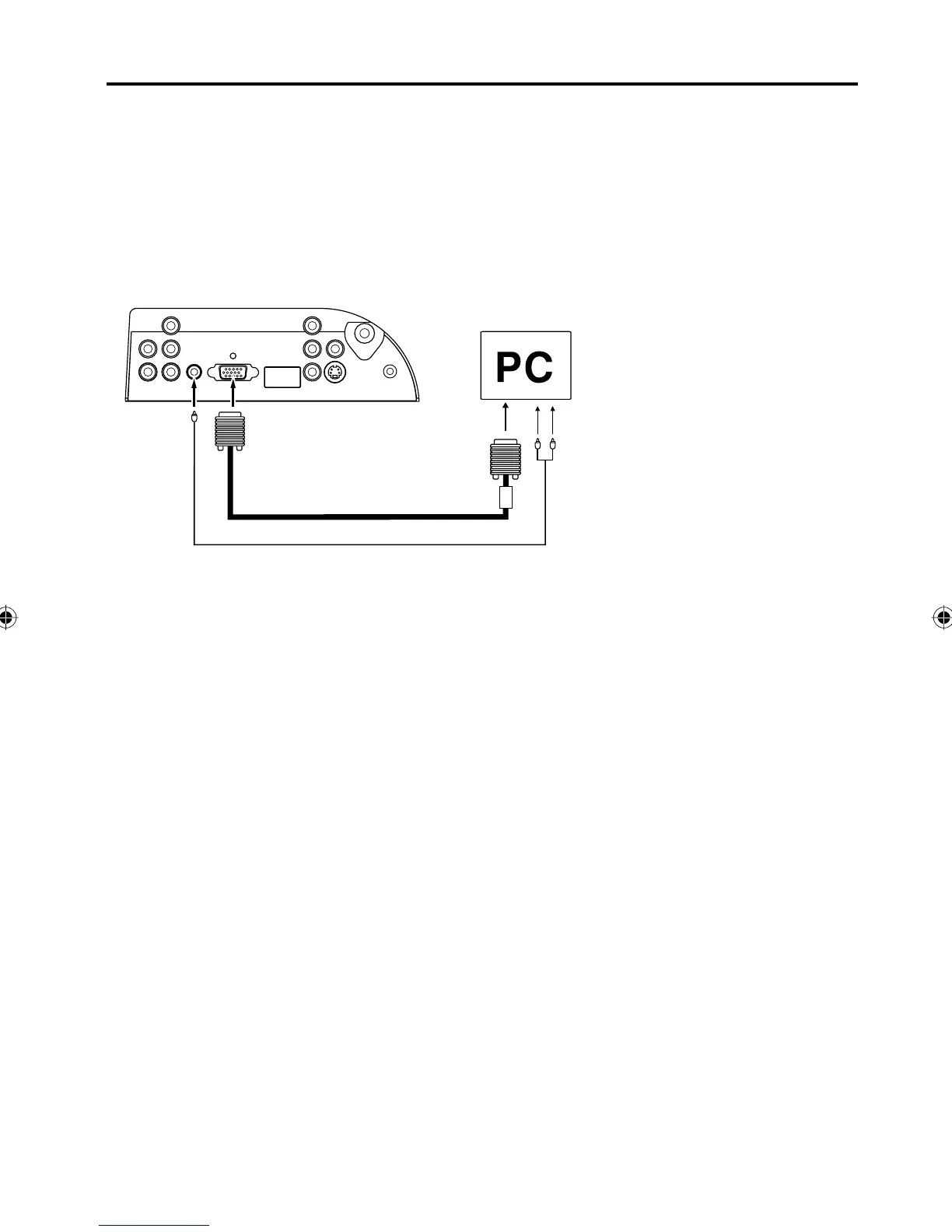
VGA cable (not supplied)
To connect the TV/DVD to a PC (Personal Computer)
Before you connect this TV/DVD to your PC, change the adjustment of your PC’s Resolution and Refresh rate
(60 Hz).
Connect one end of a (male to male) VGA cable to the video card of the computer and the other end to the
VGA
connector PC MONITOR on the back of the
TV/DVD
. Attach the connectors firmly with the screws on the plug.
In
case of a Multimedia computer, connect the audio cord to the audio output of your Multimedia computer and to
the AUDIO connector of the PC AUDIO IN jack of the TV/DVD.
Press INPUT SELECT on the remote control to select PC mode.
Switch on the computer. The TV/DVD can operate as the computer monitor.
Monitor Display modes
MODE Resolution Refresh rate
VGA 640x480 60Hz
VGA 720x400 70Hz
SVGA 800x600 60Hz
XGA 1024x768 60Hz
WXGA 1280x768 60Hz
WXGA 1280x720 60Hz
WXGA 1360x768 60Hz
To return to normal mode
Press INPUT SELECT again.
PC AUDIO
IN jack
To PC IN
NOTE:
The on-screen displays will have a different appearance in PC mode than in TV mode.
If there is no video signal from the PC when the unit is in PC mode, “NO SIGNAL” will appear on the TV-
screen.
•
•
Audio cord (not supplied)
Rear of the unit
5Z90101A.indd 615Z90101A.indd 61 07.9.3 3:49:10 PM07.9.3 3:49:10 PM



 To Next Page