18
SETUP
LANGUAGE ENGLISH
CLOCK SET
TV/CABLE CABLE
AUTO CH MEMORY
ADD/DELETE
:SELECT :ADJUST
AUTO CH MEMORY
EXIT : CANCEL
PROGRAMMING NOW
PLEASE WAIT
SETUP
LANGUAGE ENGLISH
CLOCK SET
TV/CABLE CABLE
AUTO CH MEMORY
ADD/DELETE
:SELECT :ADJUST
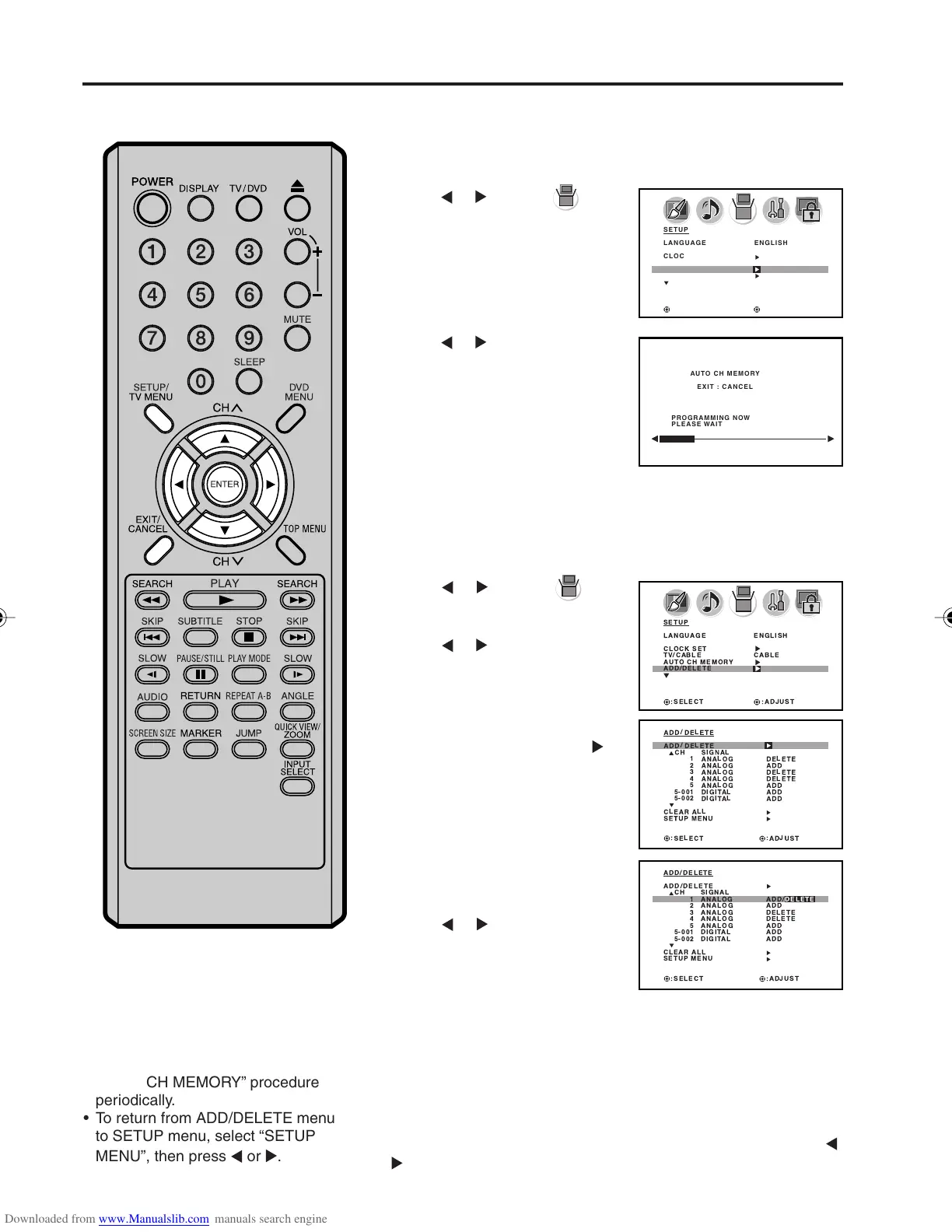
Press SETUP/TV MENU in the TV mode.
The TV menu screen will appear.
Press
or to select
(SETUP) menu, then press ▲ or
▼ to select “AUTO CH MEMORY”.
Automatic memory tuning
1
2
3
To ADD/DELETE channels
Press or . The unit will begin
memorizing all the channels
available in your area.
Depending on the reception
condition, it may take
approximately 10 minutes to
complete memorizing digital cable
channels, please be patient.
Memorizing channels (continued)
Press or to select
(SETUP) menu, then press ▲ or
▼ to select “ADD/DELETE”.
Press
or . The ADD/DELETE
menu will appear.
2
3
Press ▲ or ▼ to select
“ADD/DELETE”, then press
.
4
Select the desired channel to
be memorized or deleted using
▲ or ▼.
Press
or to select “ADD” or
“DELETE”, whichever function
you want to perform.
5
Repeat step 4 for other channels you want to add or delete, then
press ENTER.
CLEAR ALL
All channels are deleted from the channel memory.
Press ▲ or ▼ to select “CLEAR ALL” in step 3 above, then press
or .
Press SETUP/TV MENU. The menu screen will appear.
1
6
Press EXIT to return to the normal screen.
1
2
3
4
5
5-001
5-002
ADD / DELETE
ADD/ DELETE
CH SIGNAL
ANALOG DELETE
ANALOG ADD
ANALOG DELETE
ANALOG DELETE
ANALOG ADD
DIGITAL ADD
DIGITAL ADD
CLEAR ALL
SETUP MENU
:SELECT :ADJUST
ADD /DELETE
ADD / DELETE
CH SIGNAL
ANALOG ADD/DELETE
ANALOG ADD
ANALOG DELETE
ANALOG DELETE
ANALOG ADD
DIGITAL ADD
DIGITAL ADD
CLEAR ALL
SETUP MENU
:SELECT :ADJUST
1
2
3
4
5
5-001
5-002
NOTES:
• Some new channels may be
appeared.
So, it is recommended to do the
“AUTO CH MEMORY” procedure
periodically.
• To return from ADD/DELETE menu
to SETUP menu, select “SETUP
MENU”, then press
or .
5X10101A[EN] P13-18 3/2/06, 4:02 PM18



 To Next Page