54
Password
Parental
/Setup/Return
----
3
Password
Parental 3
/0
-
9/Enter/Cancel/Setup/Return
1234
Password
Parental 3
/0
-
9/Enter/Cancel/Setup/Return
----
/Enter/Setup/Return
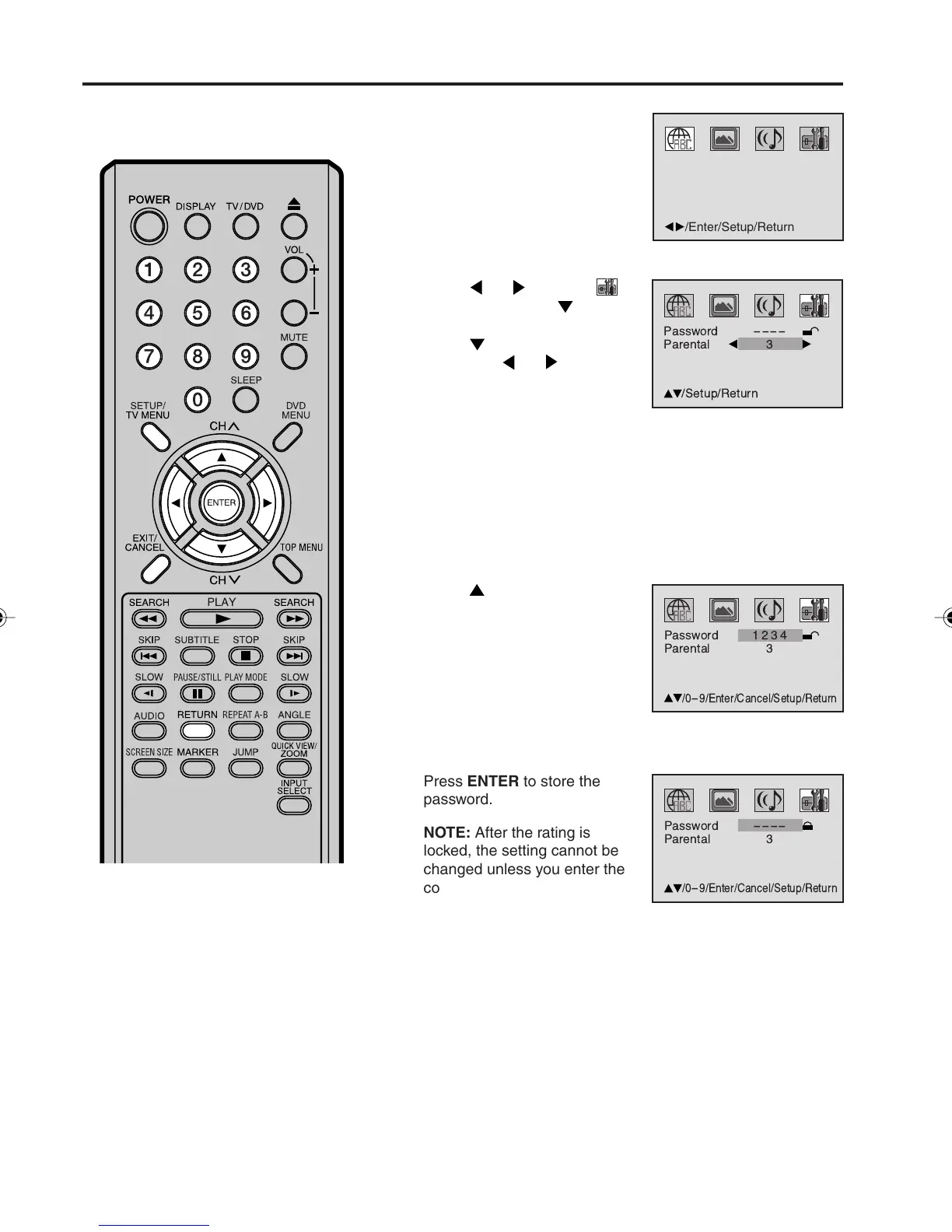
Press ENTER to store the
password.
NOTE: After the rating is
locked, the setting cannot be
changed unless you enter the
correct password.
Parental control setting
Some discs are specified not suit-
able for children. Such discs can be
limited not to play back with the unit.
NOTES:
• If each setup (P.51~55, 57) has
been completed, the unit can
always be operated under the
same conditions (especially with
DVD discs).
Each setup will be retained in the
memory when you turn the power
off.
• Depending on the discs, the unit
cannot limit playback.
• Some discs may not be encoded with
specific rating level information
though its disc jacket says “adult”.
For those discs, the age restriction
will not work.
3
5
1
2
4
Press SETUP/TV MENU in
the stop mode or No Disc.
Press
or to select
option. Then press or
ENTER.
Press
to select “Parental”,
then press
or until the
level you require appears.
• Level Off : The parental control setting does not function.
• Level 8 : Virtually all DVD software can be played back.
• Level 1 : DVD software for adults cannot be played back.
• Select from level 1 to level 8. The limitation will be more
severe as the level number decreases.
Press
to select “Password”.
Press Number buttons (0-9) to
input a 4-digit password.
Be sure to remember this
number!
• If you input a wrong
number, press CANCEL.
Press SETUP/TV MENU or RETURN to remove the Menu
screen.
5X10101A[EN] P54-60 3/2/06, 4:06 PM54



 To Next Page