EasyManua.ls Logo

Sansui SC-5100 - Page 24

Sansui SC-5100
49 pages
Print Icon
To Next Page IconTo Next Page
To Previous Page IconTo Previous Page
Loading...
24
Auto
Repeat
|
Auto
Play
:
on
Boon
Lg
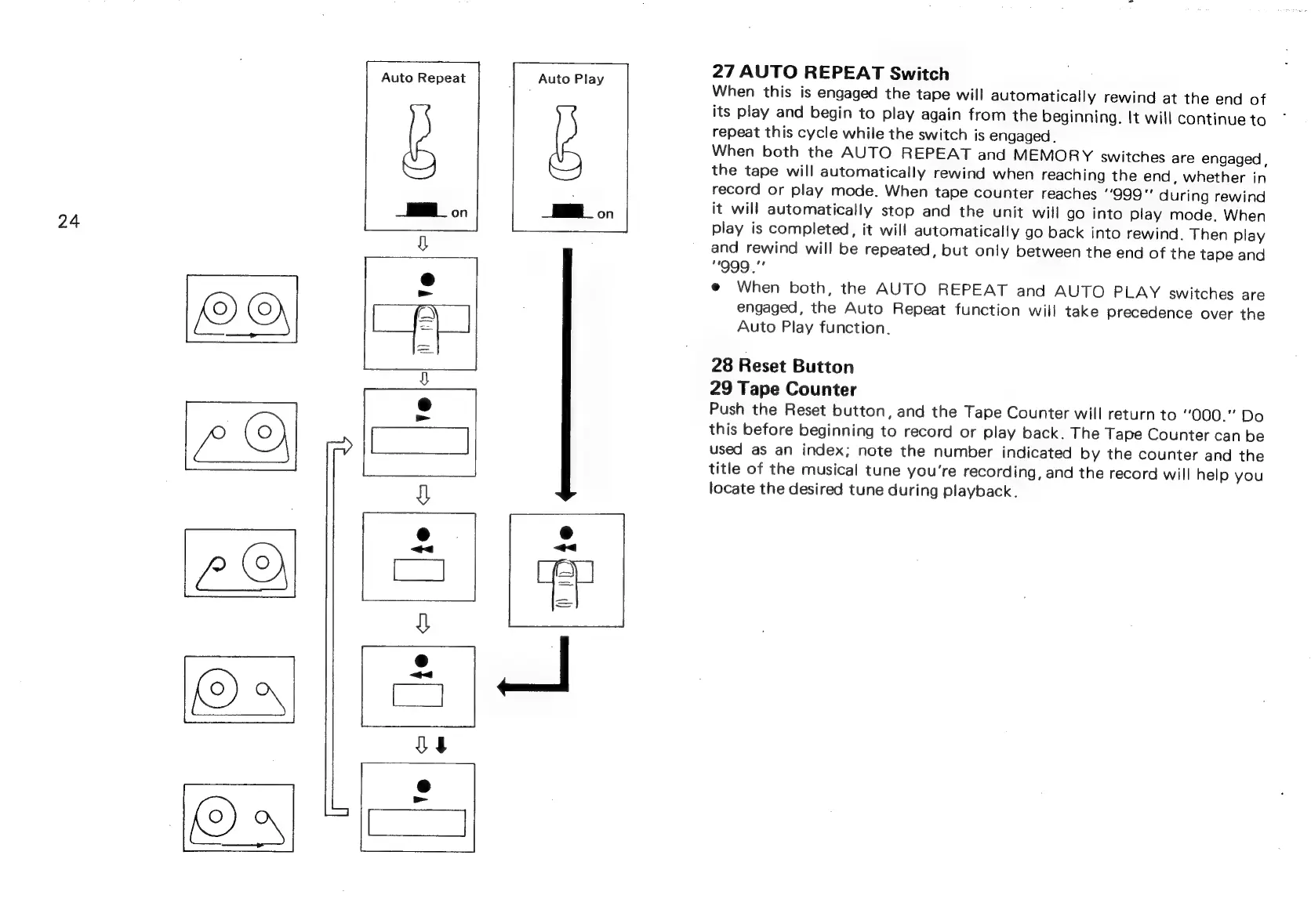
27
AUTO
REPEAT
Switch
When
this
is
engaged
the
tape
will
automatically
rewind
at
the
end
of
its
play
and
begin
to
play
again
from
the
beginning.
It
will
continue
to
repeat
this
cycle
while
the
switch
is
engaged.
When
both
the
AUTO
REPEAT
and
MEMORY
switches
are
engaged,
the
tape
will
automatically
rewind
when
reaching
the
end,
whether
in
record
or
play
mode.
When
tape
counter
reaches
''999”"
during
rewind
it
will
automatically
stop
and
the
unit
will
go
into
play
mode.
When
play
is
completed,
it
will
automatically
go
back
into
rewind.
Then
play
and
rewind
will
be
repeated,
but
only
between
the
end
of
the
tape
and
"999
.”’
@
When
both,
the
AUTO
REPEAT
and
AUTO
PLAY
switches
are
engaged,
the
Auto
Repeat
function
will
take
precedence
over
the
Auto
Play
function.
28
Reset
Button
29
Tape
Counter
Push
the
Reset
button,
and
the
Tape
Counter
will
return
to
000."
Do
this
before
beginning
to
record
or
play
back.
The
Tape
Counter
can
be
used
as
an
index;
note
the
number
indicated
by
the
counter
and
the
title
of
the
musical
tune
you're
recording,
and
the
record
will
help
you
locate
the
desired
tune
during
playback.