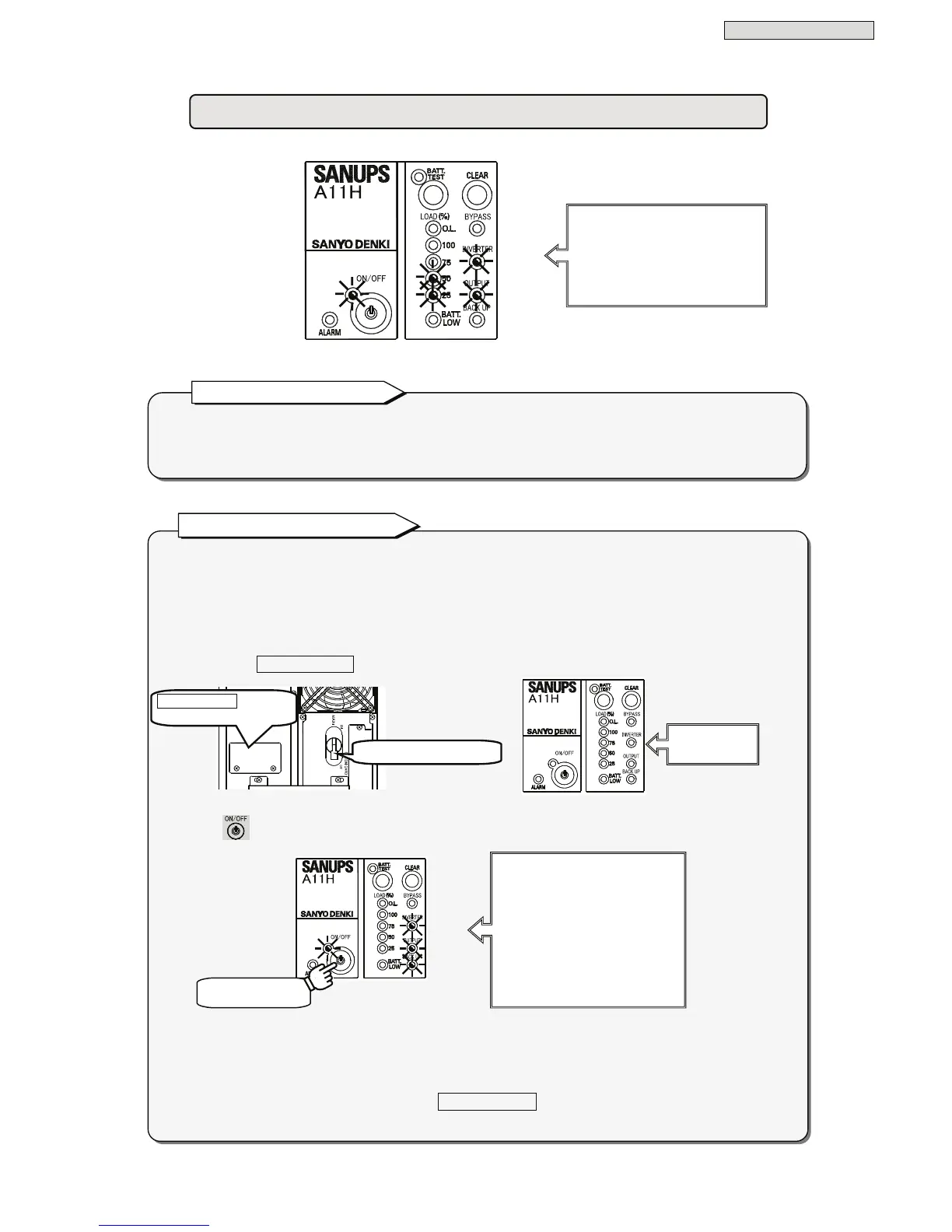
ou can operate the UPS even when the state of the AC input power supply is not good.
You can follow the procedure below to operate the UPS when the AC input power supply is in an
abnormal state (power outage, voltage drop, etc.).
Since power is supplied to the load devices from the battery in the UPS when this procedure is used, use
the devices for a period of time less than the possible backup time of the UPS.
① Check that MAIN MCCB is set to “OFF”.
② Press
and hold until the buzzer sounds. Release it when the buzzer sounds.
* The default setting of the output frequency at UPS startup by this procedure is set to 60 Hz. Change the
setting according to the using load devices if needed. See §3.3 “Setting Output Frequency” in the
User
Settings Guide
for details.
However, the setting cannot be changed if MAIN MCCB is not set to “ON”, so preset this setting
when there is a normal AC input power supply during UPS operation.
“Green LOAD 25 - 100%” will light depending on the connected load capacities.
If the “Red O.L” lights and the buzzer sound is emitted (four short beeps followed by another four
short beeps), the load devices connected to the UPS exceed the rated capacity of the UPS. Reduce the
number of load devices connected.
Note for the load capacity
UPS Battery Power Startup
LEDs
Green ON/OFF Lit
Green OUTPUT Lit
Green LOAD 25 -100% Lit
Green INVERTER Lit



 To Next Page