Operating Procedures
29
§
§
1
1
1
1
.
.
O
O
p
p
e
e
r
r
a
a
t
t
i
i
n
n
g
g
P
P
r
r
o
o
c
c
e
e
d
d
u
u
r
r
e
e
s
s
Operating procedures differ when you are using optional equipment. Refer to §18. “Using Optional
Equipment” and to the Instruction Manual of the optional equipment.
§
§
1
1
1
1
.
.
1
1
U
U
P
P
S
S
S
S
t
t
a
a
r
r
t
t
u
u
p
p
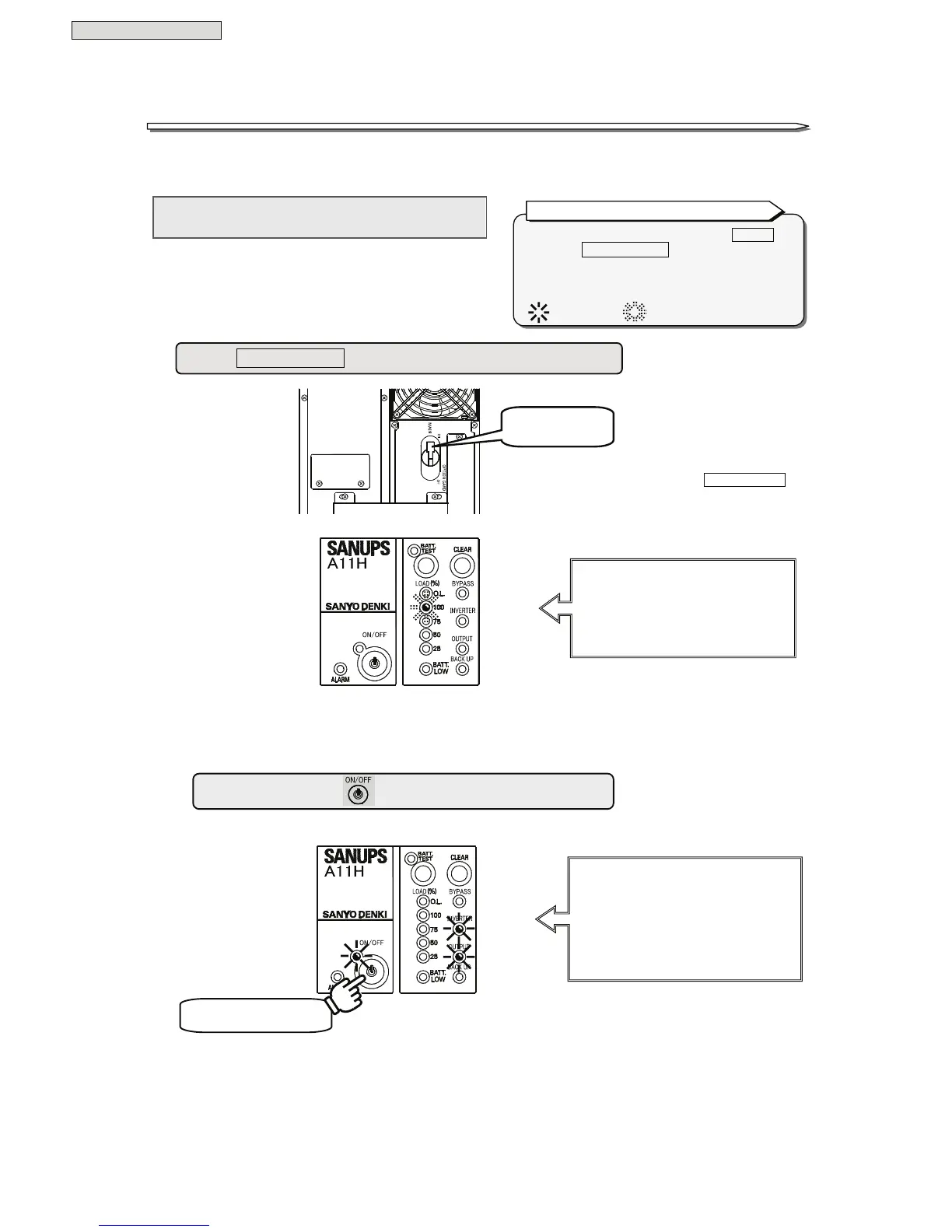
Proceed as follows to start up the UPS.
Check that all of the LEDs go off, and then
proceed to step ②.
“Red BATT.LOW” will light depending on
the battery charge level.
MCCB
Hold for 1 second.
① Set MAIN MCCB on the back panel of the UPS to “ON”.
② Press and hold
for at least 1 second.
Buzzer
Musical trill
LEDs
Green ON/OFF
Lit
Green OUTPUT Lit
Green INVERTER
Lit
The breakers are indicated by a frame .
Example: MAIN MCCB .
The LEDs on the control panel are described as
“Green ON/OFF” or “Red ALARM”.
The LEDs state are indicated as follows;
: LED lights. : LED blinks.
Indications of Breaker and LED in this manual.
LEDs
Green 100 Blinking
↓ after 5 seconds
All of the LEDs go off.
Set to “ON”.
The figure shows the rear view of



 To Next Page