6
1
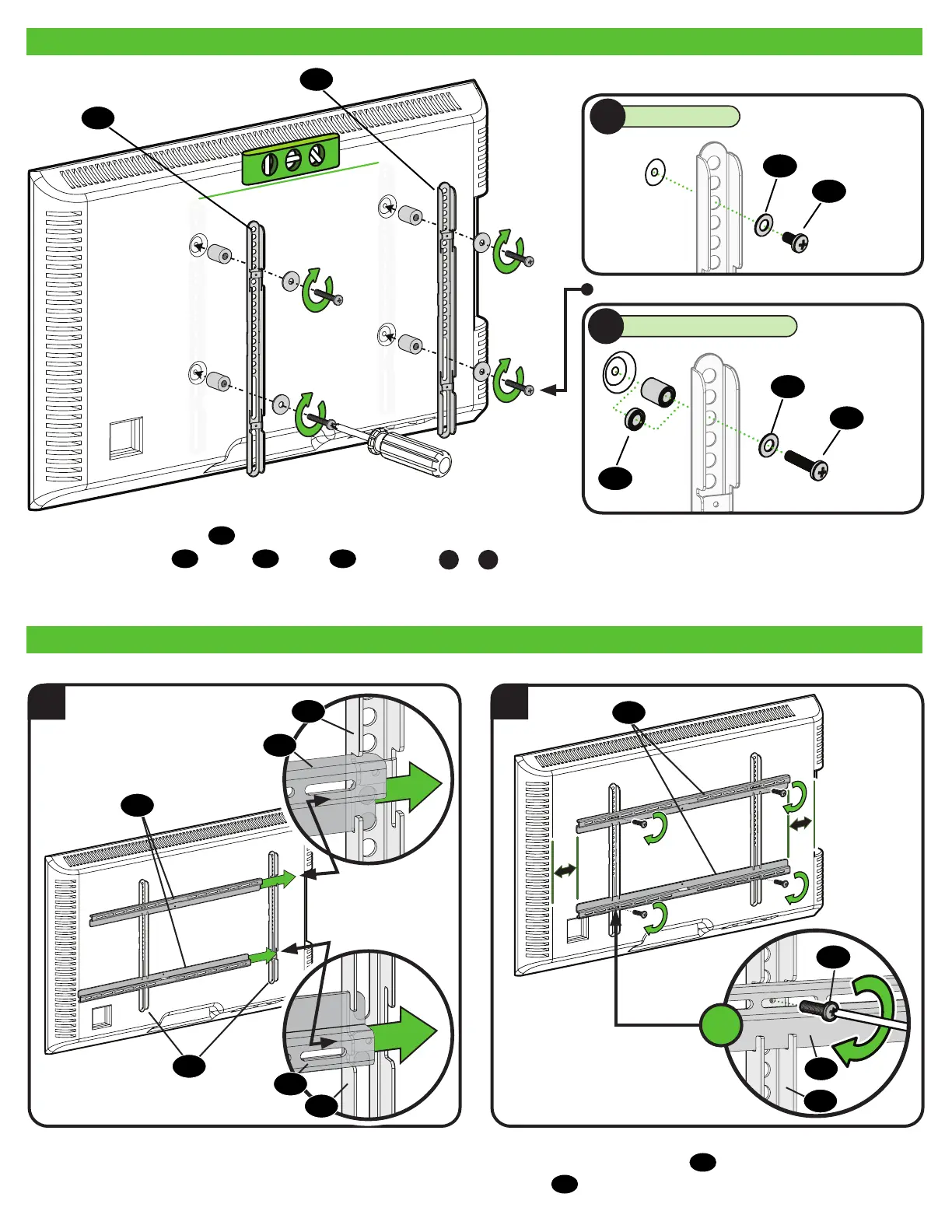
1.3 Attach Vertical TV Brackets to Your TV
1.4 Attach Horizontal TV Brackets
Center horizontal TV brackets
05
and secure using the four
screws
06
as shown.
2
06
Position vertical TV brackets
04
over your TV hole pattern - making sure the brackets are vertically centered and level.
Install using the screw
01
/washer
02
/spacer
03
combination
A
or
B
you selected for your TV.
02
01
01
03
02
04
04
04
04
05
05
05
05
04
NO SPACER
SPACER NEEDED
A
B
04
05
4
X


 To Next Page