11
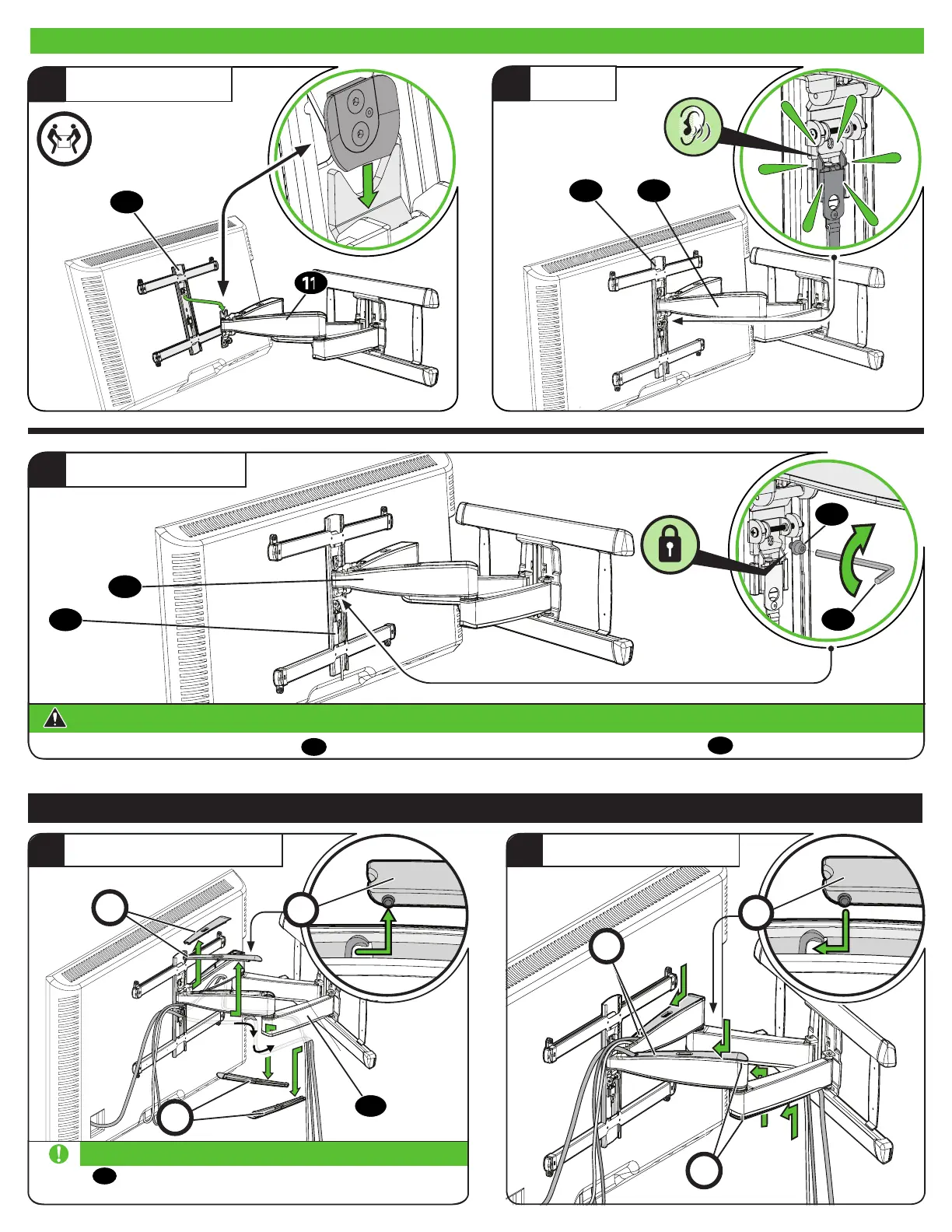
Manage Cables
1
ROUTE CABLES
2
ATTACH COVERS
C
C
Pull arm
11
to its full extension, to leave enough slack
and prevent stretching the cables when the arms are moved.
IMPORTANT:
C
C
C
C
11
11
11
1
HANG YOUR TV
HEAVY! You may
need assistance with
this step.
2
ATTACH
04
04
Always make sure your securement screw
12
is tightened, so the TV is securely fastened to the arm assembly
11
.
CAUTION:
Avoid potential personal injury or property damage!
3
SECURELY TIGHTEN
04
11
12
14
3.2 Hang TV onto Arm Assembly


 To Next Page