13
Adjustments
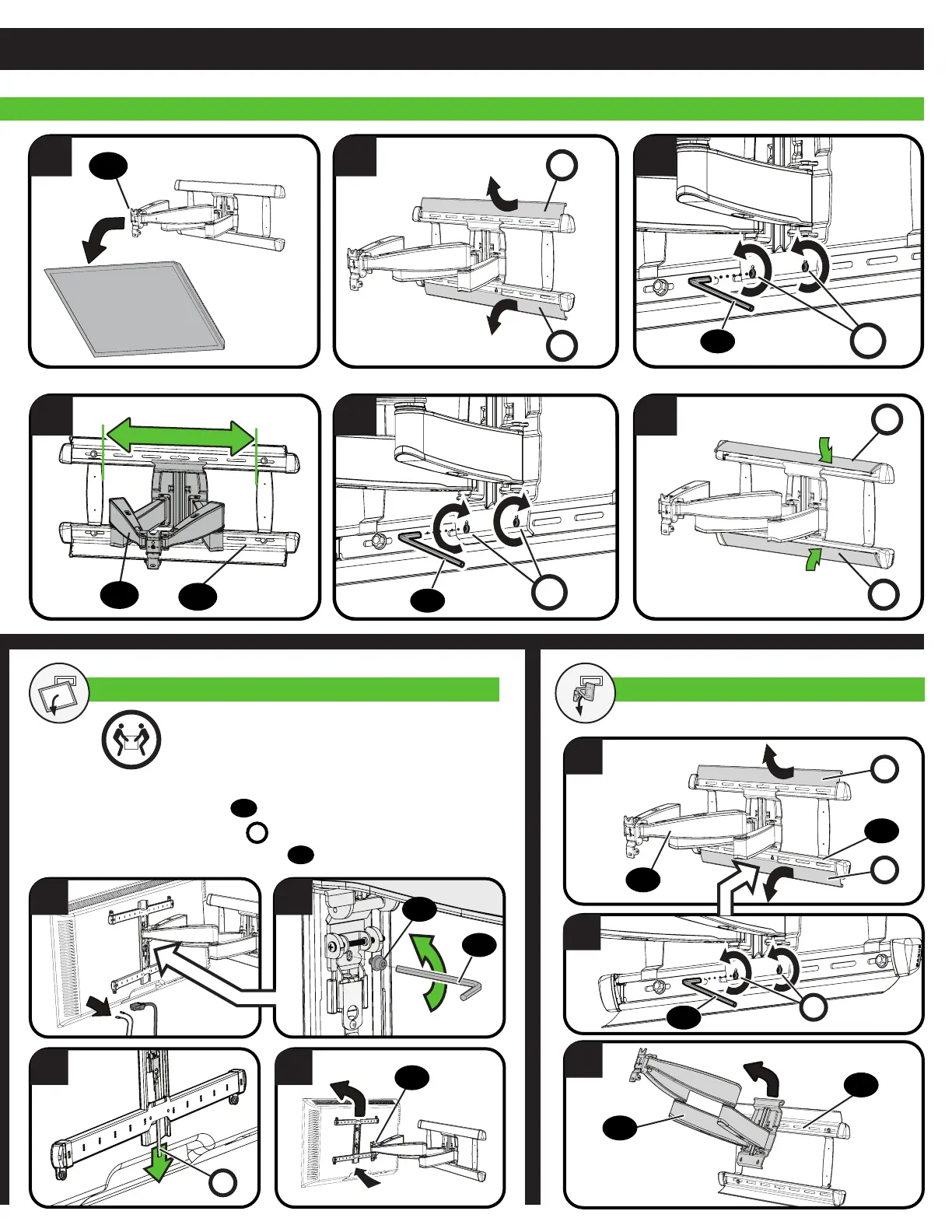
TV LATERAL SHIFT
4 5
21
6
3
11
11
08
P
P
P
P
S
S
14
14
REMOVE THE TV REMOVE THE ARM ASSEMBLY
HEAVY! You may need assistance with this step.
1
2
3
1. Disconnect all cables from the TV.
2. Remove securement screw
12
.
3. Pull down on the release cord
R
to release the TV.
4. Carefully lift the TV from arm assembly
11
.
3 4
1 2
R
11
08
11
08
11
P
P
S
12
14
14


 To Next Page