EasyManua.ls Logo

Sanyo FXD-680GD - User Manual

Sanyo FXD-680GD
19 pages
Print Icon
To Next Page IconTo Next Page
Loading...
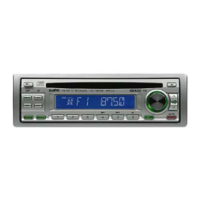
FXD-680GD
SEL
FM/MW/LW CD RECEIVER 45W x 4 CD-R&RW
Full Panel Detachable
High Power FM/MW/LW Stereo Receiver
Compact Disc Player
ISO Mounting with Removable Trim Ring
Remote Control Ready
(English)
OPERATING INSTRUCTIONS……………. 2~19
1

Other manuals for Sanyo FXD-680GD

Questions and Answers

  • S
    Susan SullivanJul 31, 2025
    Why Sanyo FXD-680GD Car Receiver has no power?
    • B
      Brandon NashJul 31, 2025
      If your Sanyo Car Receiver has no power, it might be due to the vehicle ignition being switched off. Try switching the ignition to the “ON” or “ACC” position. Another possible cause is a blown fuse. In this case, replace the fuse with another 15A fuse.
  • T
    Todd WebsterAug 5, 2025
    What to do if Sanyo Car Receiver compact disc does not play?
    • A
      Allison HernandezAug 5, 2025
      If the compact disc does not play when inserted into your Sanyo Car Receiver, check if the volume control is turned down and turn it up. Also, verify that the power connections are wired correctly, paying special attention to the +12V and ground connections.
  • M
    Mrs. Joann DavisAug 10, 2025
    What to do if Sanyo Car Receiver unit does not work properly?
    • S
      Sylvia WrightAug 10, 2025
      If your Sanyo Car Receiver unit does not work properly (Eject, Load, Play), it may be that the microcomputer has been affected by electrical noise. Try pressing the RESET button.
  • J
    John RamirezAug 15, 2025
    Why does the sound from the CD player skip on my Sanyo FXD-680GD Car Receiver?
    • D
      David WashingtonAug 15, 2025
      If the sound from the CD player skips on your Sanyo Car Receiver, it could be due to several reasons: * The road surface may be rough, in which case you should wait for the road surface to improve before playing a disc. * The unit may not be mounted securely, so ensure it is properly installed. * The disc might be defective; try another disc to see if it plays properly. * The disc could be dirty; in that case you should clean the disc.
  • D
    Darrell RasmussenAug 20, 2025
    Why Sanyo FXD-680GD Car Receiver has no radio reception?
    • C
      Colleen ArnoldAug 21, 2025
      If your Sanyo Car Receiver has no radio reception, the antenna cable may not be connected. Ensure that the antenna cable is firmly inserted into the antenna jack on the unit.
  • J
    Julia BradshawAug 25, 2025
    What to do if Sanyo FXD-680GD Car Receiver radio does not stop on stations when tuning?
    • J
      Joseph BrownAug 26, 2025
      If the radio on your Sanyo Car Receiver does not stop on any stations when automatic tuning is used, the signals may be weak. Try selecting a station using manual tuning instead.

Summary

GENERAL SAFETY PRECAUTIONS

GENERAL OPERATION

Powering On;Off and Volume Control

Steps for turning the unit on/off and adjusting volume.

Sound Adjustment and Modes

How to adjust sound characteristics and select listening modes.

RADIO OPERATION

Switching to Radio and Band Selection

How to select radio mode and change frequency bands (FM/MW/LW).

Radio Tuning Methods

Instructions for automatic seek tuning and manual tuning.

Station Memory and Scanning

Procedures for storing stations and scanning presets.

CD OPERATION

Disc Loading and Mode Switching

How to insert/eject discs and switch to CD mode.

Track Navigation and Playback Controls

Skipping tracks, pause, repeat, shuffle, and scan modes.

Error Signs

Explanation of error messages displayed by the CD player.

AUX MODE OPERATION

Switching to AUX Mode

How to select AUX mode for external audio sources.

PROPER AND SAFE OPERATION HINTS

TROUBLE SHOOTING

INSTALLATION AND UNIT REMOVAL

ELECTRICAL CONNECTIONS

Wiring Diagram and Safety

Visual wiring guide and critical safety precautions for connections.

Sanyo FXD-680GD Specifications

General IconGeneral
BrandSanyo
ModelFXD-680GD
CategoryCar Receiver
LanguageEnglish

Related product manuals