EasyManua.ls Logo

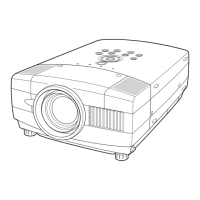
Sanyo PLC-UF15 - User Manual

Sanyo PLC-UF15
56 pages
Print Icon
To Next Page IconTo Next Page
Loading...
Owner's Manual
PLC-UF15
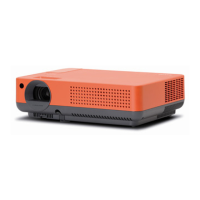
Multimedia Projector
MODEL
Projection lens is optional.

Table of Contents

Questions and Answers

  • A
    amanda55Aug 10, 2025
    Why does my Sanyo PLC-UF15 Projector have no image?
    • T
      Thomas JenningsAug 10, 2025
      If your Sanyo Projector displays no image, first check the connection between your computer or video equipment and the projector. Note that it takes about 30 seconds to display an image when turning the projector on. Ensure that the selected system corresponds with your computer or video equipment. Finally, verify that the temperature is within the operating range (5°C ~ 35°C).
  • T
    Tammy LopezAug 15, 2025
    What to do if my Sanyo PLC-UF15 picture is Left/Right reversed?
    • H
      hardylauraAug 15, 2025
      If the picture on your Sanyo Projector is Left/Right reversed, check the Ceiling / Rear feature settings.
  • S
    Shane ThompsonAug 19, 2025
    What to do if my Sanyo PLC-UF15 Projector picture is Top/Bottom reversed?
    • D
      Douglas CantuAug 20, 2025
      If the picture on your Sanyo Projector is Top/Bottom reversed, check the Ceiling feature settings.
  • B
    Benjamin GreerAug 25, 2025
    What to do if my Sanyo PLC-UF15 Projector has no power?
    • A
      Alan ReedAug 25, 2025
      If your Sanyo Projector has no power, make sure to plug it into an AC outlet. Then, turn the MAIN ON/OFF switch to ON, and press the POWER ON/OFF switch to ON. Ensure the READY Indicator lights up. If the projector was recently turned off, wait 90 seconds before turning it back on. Also, check the WARNING TEMP. and READY indicators; if both are flashing, the projector cannot be turned on. Finally, check the Projection Lamp.
  • J
    Jessica ThomasAug 29, 2025
    How to fix a blurry image on my Sanyo PLC-UF15 Projector?
    • D
      Darin BradyAug 29, 2025
      To fix a blurry image on your Sanyo Projector, start by adjusting the focus. Also, check the Projection Lens and clean it if necessary. If you notice moisture condensation on the Projection Lens, leave the projector OFF and wait until the condensation disappears.
  • P
    parsonskevinSep 4, 2025
    What to do if there is no sound on my Sanyo PLC-UF15?
    • M
      mhansenSep 4, 2025
      If there is no sound coming from your Sanyo Projector, check the audio cable connection from the audio input source. Try adjusting the audio source. Also, press the VOLUME (+) button and make sure the MUTE button is not activated.

Sanyo PLC-UF15 Specifications

General IconGeneral
Resolution1024 x 768 (XGA)
Contrast Ratio2000:1
Lamp Life2000 hours (Normal Mode), 3000 hours (Eco Mode)
Display TypeLCD
Display Technology3LCD
Aspect Ratio4:3
Projection Size30 to 300 inches
Lamp TypeUHP
InputsVGA, S-Video, Composite
OutputsVGA
Noise Level36 dB (Normal Mode), 32 dB (Eco Mode)

Related product manuals