EasyManua.ls Logo

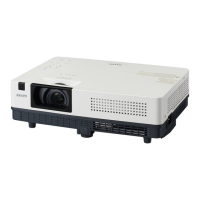
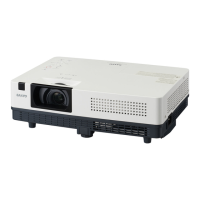
Sanyo PLC-XK2600 - User Manual

Sanyo PLC-XK2600
137 pages
Print Icon
To Next Page IconTo Next Page
Loading...
Owners Manual
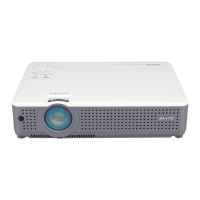
Multimedia Projector
MODEL PLC-XK2200
PLC-XK2600
Network Supported
Wired LAN
Refer to the Owner's Manuals below
for details about network function.
Network Set-up and Operation

Table of Contents

Other manuals for Sanyo PLC-XK2600

Questions and Answers

  • T
    tmayoAug 11, 2025
    Why won't my Sanyo PLC-XK2600 Projector turn on, and the power light is blinking?
    • N
      Nathan MathewsAug 11, 2025
      If your Sanyo Projector cannot be turned on and you see the POWER indicator blinking, it's likely due to a high internal temperature. Allow the projector to cool down until the POWER indicator stops blinking. Once the temperature returns to normal, you should be able to turn it on.
  • D
    Douglas JacksonAug 16, 2025
    What to do if my Sanyo PLC-XK2600 Projector cannot be turned on due to detection of an abnormal condition?
    • M
      myersangelAug 16, 2025
      If your Sanyo Projector does not turn on and you suspect an abnormal condition, unplug the AC power cord, then plug it back in. If the projector turns off again, unplug the AC power cord and contact the dealer or the service center for service and checkup.
  • G
    Gregory ColeAug 22, 2025
    How to turn on Sanyo PLC-XK2600 Projector?
    • W
      William SimpsonAug 22, 2025
      Your Sanyo Projector is probably in stand-by mode. Press the ON/STAND-BY button to turn on the projector.
  • J
    jameswillisAug 28, 2025
    Why Sanyo PLC-XK2600 Projector cannot be turned on until cooling is completed?
    • J
      Julie BakerAug 28, 2025
      If your Sanyo Projector cannot be turned on until cooling is completed, it means the projection lamp is cooling down. Wait until cooling is completed and the POWER indicator stops blinking.
  • K
    Kristina MorrisSep 3, 2025
    What to do if Sanyo PLC-XK2600 Projector may have an iris module operational error?
    • I
      ihendrixSep 4, 2025
      Check the iris module and peripheral circuit. If needed, replace the iris module in your Sanyo Projector.

Sanyo PLC-XK2600 Specifications

General IconGeneral
Brightness2600 ANSI Lumens
Resolution1024 x 768 (XGA)
Contrast Ratio500:1
Display Technology3LCD
Weight3.5 kg
Projection Size30 to 300 inches
Lamp TypeUHP
Throw Distance1.2 to 10.0 m
Input PortsVGA, S-Video, Composite, Audio
Output PortsVGA
Lamp Life2000 hours (normal mode), 3000 hours (eco mode)

Related product manuals