EasyManua.ls Logo

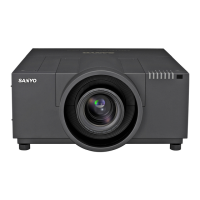
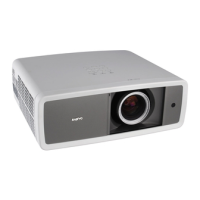
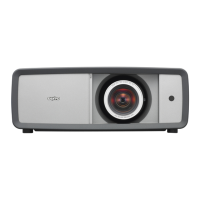
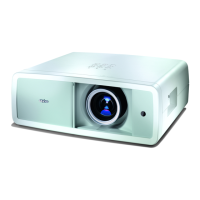
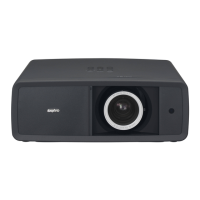
Sanyo PLV-WF10 - User Manual

Sanyo PLV-WF10
56 pages
Print Icon
To Next Page IconTo Next Page
Loading...
Owner’s Manual
PLV-WF10
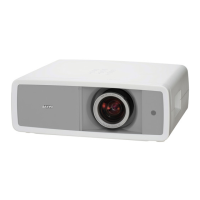
Multimedia Projector
MODEL
Projection lens is optional.

Table of Contents

Other manuals for Sanyo PLV-WF10

Questions and Answers

  • J
    jkimAug 7, 2025
    What to do if my Sanyo Projector shows no image?
    • S
      Savannah RiddleAug 7, 2025
      If your Sanyo Projector is not displaying an image, consider the following: * Check the connection between your computer or video equipment and the projector to ensure it is secure. * Remember that it can take about 30 seconds for the projector to display an image after being turned on. * Verify that the selected system corresponds with your computer or video equipment. * Ensure that the ambient temperature is within the operating range of 5°C to 35°C.
  • J
    Jose GutierrezAug 11, 2025
    How to correct a Sanyo PLV-WF10 Projector picture that is Left/Right reversed?
    • A
      Andrew PetersAug 11, 2025
      If the picture on your Sanyo Projector appears to be flipped horizontally, check the Ceiling / Rear feature settings.
  • T
    Tiffany FordAug 15, 2025
    How to fix a Sanyo PLV-WF10 Projector picture that is Top/Bottom reversed?
    • J
      Jennifer WattsAug 16, 2025
      If the image on your Sanyo Projector is upside down, check the Ceiling feature settings.
  • A
    Alexander BrayAug 19, 2025
    What to do if some displays are not seen during Sanyo Projector operation?
    • P
      phillipskimberlyAug 19, 2025
      If some displays are not visible during operation of your Sanyo Projector, check the Display feature settings.
  • H
    Henry HoffmanAug 25, 2025
    How to troubleshoot a Sanyo PLV-WF10 Projector that has no power?
    • M
      Maureen SchwartzAug 25, 2025
      If your Sanyo Projector isn't powering on, here are some things to check: * Ensure the projector is plugged into a working AC outlet. * Verify the MAIN ON/OFF switch is set to ON. * Press the POWER ON/OFF switch to turn it ON. * Confirm that the READY Indicator light is illuminated. * If you recently turned the projector off, wait 90 seconds before attempting to turn it back on. * Check the WARNING TEMP. and READY indicators; if both are flashing, the projector cannot be turned on. * Inspect the Projection Lamp.
  • J
    James McphersonAug 28, 2025
    How to fix a Sanyo PLV-WF10 with no sound?
    • A
      Allison GarciaAug 28, 2025
      If you're not getting any sound from your Sanyo Projector, try these steps: * Check the audio cable connection from the audio input source. * Adjust the audio source volume. * Press the VOLUME (+) button on the projector. * Ensure the MUTE button is not activated.
  • J
    Jodi HillSep 1, 2025
    Why is my Sanyo Projector image out of focus?
    • J
      Jason GrantSep 2, 2025
      If the image on your Sanyo Projector is blurry, here are a few things you can try: * Adjust the focus of the projector. * Check the Projection Lens and clean it if necessary. * If there's condensation, turn the projector OFF and wait for it to disappear.

Sanyo PLV-WF10 Specifications

General IconGeneral
Contrast Ratio500:1
Lamp TypeUHP
Lamp Life2000 hours
Screen Size30 - 300 inches
Projection Distance1.2 - 9.3 m
Input ConnectorsS-Video, Composite
Projection LensManual zoom/focus

Related product manuals