Instruction Manual for MiniTRACE CSDF
--------------------------------------------------------------------------------------------------------------------------------------------------------------------------------------------------------------------------------------------------------------------------------------------------------------------------
--------------------------------------------------------------------------------------------------------------------------------------------------------------------------------------------------------------------------------------------------------------------------------------------------------------------------
Page 6 08/2012
2.2 Alarm function
One alarm threshold for the MiniTRACE CSDF can be set via software for the following units:
• Alarm 1: Dose rate mode in µSv/h (default: 20 µSv/h)
• Alarm 2: Counts in cps (default: 0, meaning deactivated)
• Alarm 3: Activity in Bq (default: 60 Bq)
• Alarm 4: Surface contamination in Bq/cm
2
(default: 4 Bq/cm
2
)
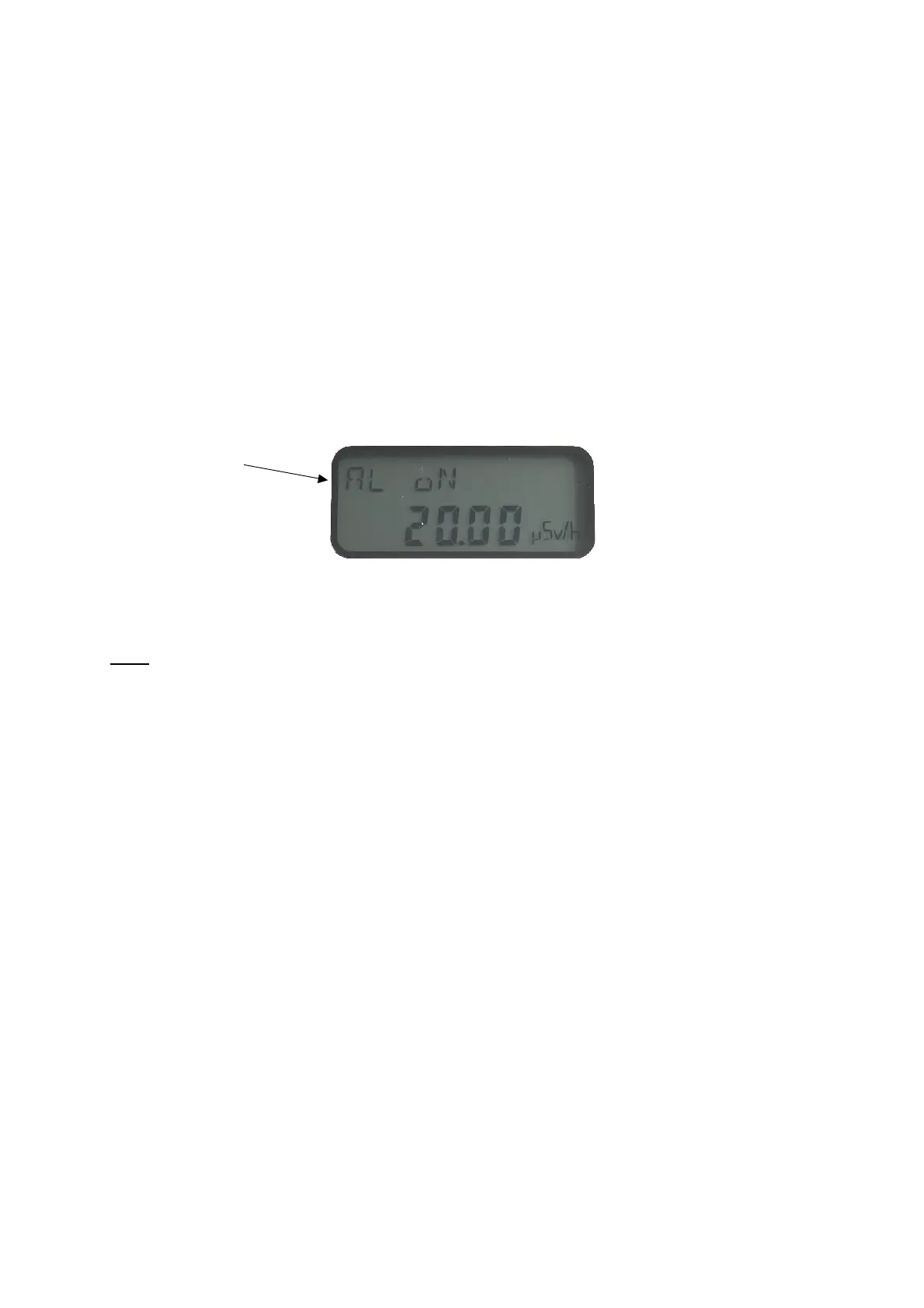
The alarm can be activated or deactivated using the mode button (See Figure 3). If you
would like to activate the alarm, go to the “AL oN” menu and wait three seconds. If you would
like to deactivate the alarm, go to the “AL oFF” menu and wait three seconds. The value of
the alarm threshold is shown on the display.
Figure 2: MiniTRACE CSDF display – alarm is activated
Note: After one of the operation modes has been selected, the status (here alarm
activated) and the value (here 20.00 µSv/h) of the alarm setting are displayed.
2.3 Operation Modes of the MiniTRACE CSDF
The following measurement modes can be set:
• Rate mode (RATE): Dose rate in “µSv/h”. To use this function properly the lid must
be closed. The results will then be energy compensated to the ambient dose
equivalent (H*(10)).
• Rate mean mode (RMEAN): Dose rate mean value in “µSv/h”. To use this function
properly the lid must be closed. The results will then be energy compensated to the
ambient dose equivalent (H*(10)). To reset the calculated mean value, press the
mode button. This function is used to gain measurement results of a higher precision
in a stable radiation environment. The longer the measurement, the higher the
accuracy.
• CPS mode (CPS): Count rate in “cps”.
• CPS mean mode (CMEAN): Count rate mean value, no unit is displayed. To reset
the calculated mean value, press the mode button. This function is used to gain
measurement results of a higher precision in a stable radiation environment. The
longer the measurement, the higher the accuracy.
• Bq mode (BQ): Activity in “Bq”. You can use the mode button to choose between
different radionuclides (along with their appropriate calibration factors; 4π-calibration).
See Table 6.
• Bq/cm^2 mode (BQCM2): Surface contamination in “Bq/cm
2
”. You can use the mode
button to choose between different radionuclides (along with their appropriate cali-
bration factors). See Table 7. Calibration based on ISO 7503-1.
Indicates
whether the
alarm is
activated


 To Next Page