Instruction Manual for MiniTRACE CSDF
--------------------------------------------------------------------------------------------------------------------------------------------------------------------------------------------------------------------------------------------------------------------------------------------------------------------------
--------------------------------------------------------------------------------------------------------------------------------------------------------------------------------------------------------------------------------------------------------------------------------------------------------------------------
Page 8 08/2012
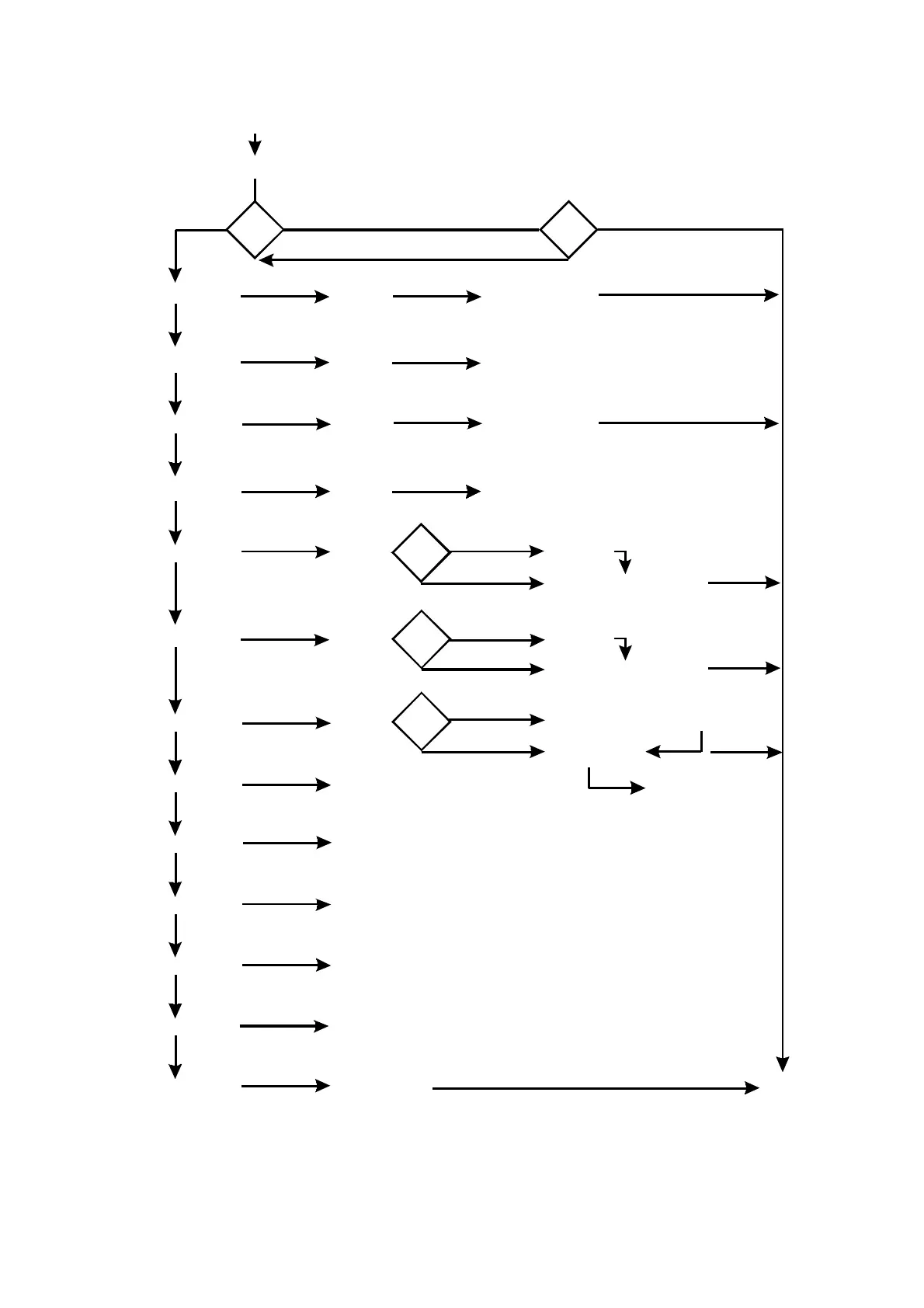
press I-buttonpress mode button
activate
RATE mode
turn on
Rate mode
Rate mean mode
(E < XX % in the displa y)
CPS mode
CPS mean mode
(E < XX % in the displa y)
Bq mode (BQ)
Bq/cm^ 2 mode (BQCM2)
Count up mode (CNTUP)
Food
Speaker on (SP ON)
Speaker off (SP OFF)
Alarm (AL ON)
Ala rm off (AL OFF)
OFF
press
mode button
press
mode button
press
mode button
press
mode button
press
mode button
press
mode button
press
mode button
press
mode button
press
mode button
press
mode button
press
mode button
wait 3 sec.
unit µSv/h
alarm on/off
alarm threshold
in the d isplay
activate
RATE m ean
mode
wa it 3 sec.
reset mean value
press
mode button
activate
CPS mode
wa it 3 sec.
unit CPS, ala rm on/off
alarm threshold
in the d isplay
activate
CPS mea n
mode
wait 3 sec.
Reset mean value
press
mode-button
activate
Bq mode
wa it 3 sec.
unit Bq, used rad ionuclude
in the display
press
mode button
select
radionuclide
wa it 3 sec.
activate
Bq/c m ^ 2
m ode
wa it 3 sec.
unit Bq/cm^ 2, used ra dionuclude
in the d isplay
press
mode button
selec t
radionuc lide
wa it 3 sec.
activate
count up
m ode
wa it 3 sec.
measurement time
in the display
press
mode button
selec t measurement cycle
(60, 120, 300, 600, 1800, 3600 sec.
wait 3 sec.
Reset
measurement
cyc le
press
mode-button
Reset mean value
press
mode button
See flowc hart in chap ter “Food m easurement”
wa it 3 sec.
activate
speaker
wa it 3 sec.
deac tivate
speaker
wa it 3 sec.
activate
alarm
wait 3 sec.
Deactivate
alarm
wait 3 sec.
Note:
a la rm threshold can be set via MiniTRACE Software)
press I-button
(2 times short)
press I-button
(2 times short)
press I-button
(2 times short)
press I-button
(2 times short)
press I-button
(2 times short)
turn off
instrument
press I-button
IR
press
mode button
activate
IR-comm unica tion
wa it 3 sec.
press I-button
(2 times short)
Figure 3: Using the mode button to select an operation mode


 To Next Page