18 Picus
®
2 Operating Instructions
Operating Design
4.5 Navigating in Menus
Procedure
t To call up the main menu: press the [MENU] softkey.
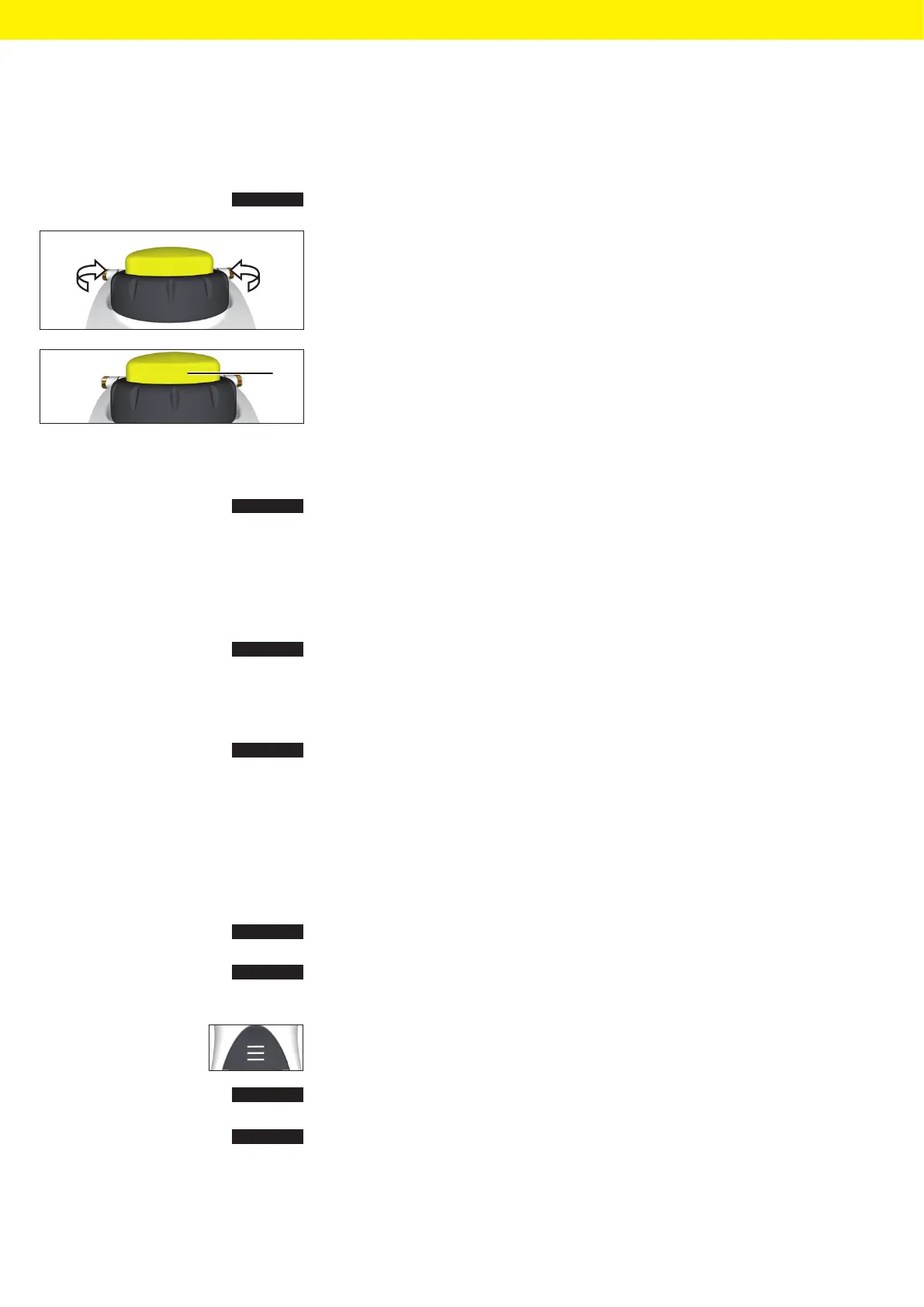
t When scrolling in menus: turn the scrollwheel in the desired direction.
— Anti-clockwise: scroll down.
— Clockwise: scroll up.
t To select a menu option or save settings:
t Press the operating button (1) or the [OK] softkey.
t To activate edit mode for the pipetting settings: use one of the following
options:
t Turn the scrollwheel as far as it will go in one direction.
t Press the [EDIT] softkey.
y Edit mode is activated.
t To change a parameter: turn the scrollwheel in the desired direction:
— Anti-clockwise: increase the value or activate the functions.
— Turn clockwise: reduce the value or deactivate the functions.
t To apply the changes in edit mode and switch to the next parameter:
press the [NEXT] softkey.
y The next parameter is activated for editing. If there are no more
parameters, the cursor returns to the first parameter.
t To return to the next highest menu level or to exit applications without
saving: Press the [BACK] softkey.
t To trigger the piston movement for aspiration, dispensing and repeated
blow-out: press the operating button.
t To move the piston in manual and titration mode for aspiration and
titration: Turn the scrollwheel.
t To cancel a mixing operation prematurely: Press the [ABORT] softkey.
t To call up the advanced functions menu (only possible from a operating
mode): press the [ADV] softkey.
t To open the list of memory places (only possible from an operating
mode): press the hotkey.
t To activate a saved program: Press the [OK] softkey.
t To save the current program At the selected memory slot press the
[SAVE] softkey.
1
OK
SAVE







 To Next Page