Picus
®
2 Operating Instructions 37
System Settings
7.5.1 Activating the Adjustment Setting
Procedure
t If password protection is activated: log in with the admin password.
t Open the main menu.
t Open the “Settings” sub-menu.
t Open the “Adjustment” menu option.
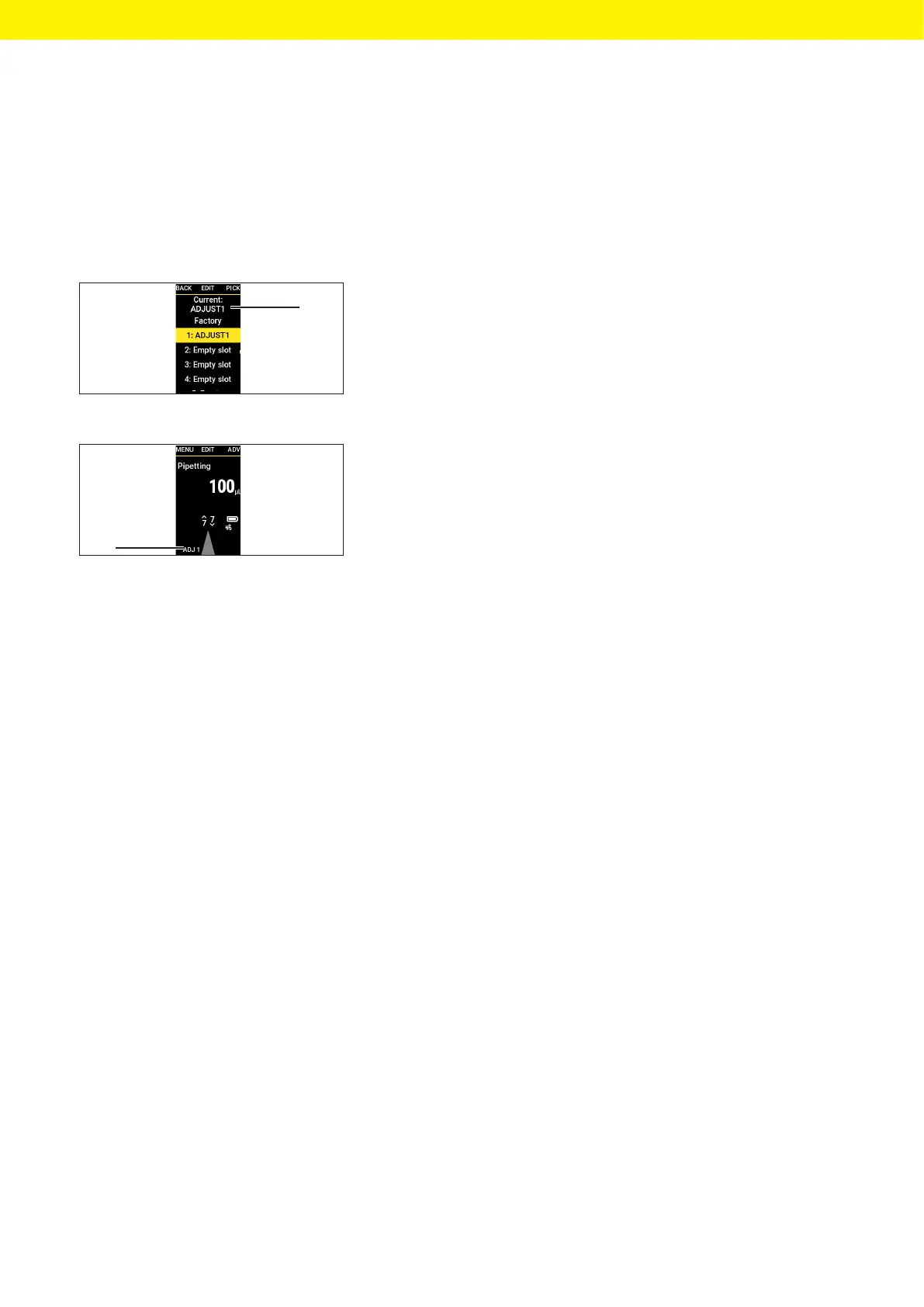
t Pick the desired parameter.
y The top of the menu (1) indicates which parameter is activated.
t Return to operating mode.
y The adjustment is applied to all operating modes.
y The selected adjustment setting is displayed (2).
7.6 Setting Up Reminders
The device enables the configuration of reminders for the following
activities:
— Maintenance
— Calibration
— Quick checks
Reminders can be set as a date or interval (weeks |months). To set both a
date and an interval: the criterion that is reached first triggers the reminder
function and reminds the user about the due measures via a message and a
signal sound. It is possible to snooze the reminder for a set number of days.
For deadline-based reminders, the user is reminded 14 days before the
deadline.
1
2







 To Next Page