Operation
Adjustment/Configuration counter for standard scales
Purpose
Automatic recording of changes to adjustment and weighing parameters using two
independent counters. The values remain saved for the life of the component.
t To display both counters, press and hold the ( key for longer than 2 seconds.
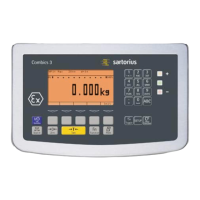
y The “Configuration counter" is then shown in the weight display for 3 seconds
(identified by a “P"). Then the “Adjustment counter" is displayed for another 3 seconds
(identified by a “C"). After 6 seconds, the information display turns off automatically.
Adjustment counter features:
– Counter limited to 9999
– Counter at “C 0000" for hardware commissioning
– Counter cannot be reset
– Counter is updated automatically when:
– linearization, calibration/adjustment/preload change is successful
– user calibration, adjustment or linearization weight is changed
– When the following parameters are changed:
– Function J key
– Zeroing range
– Initial zero point range
– The above parameters are reset to factory settings
Configuration counter features:
– Counter limited to 9999
– Counter at “P 0000" for hardware commissioning
– Counter cannot be reset
– Counter is updated automatically when:
– When the following parameters are changed:
– Installation location
– Application filter
– Stability range
– Taring
– Auto zero
– Weight unit 1
– Weight unit 2
– Weight unit 3
– The above parameters are reset to factory settings
– Turning the application automatic taring on/off
– Restore application parameters to factory settings
72





 To Next Page