Operation
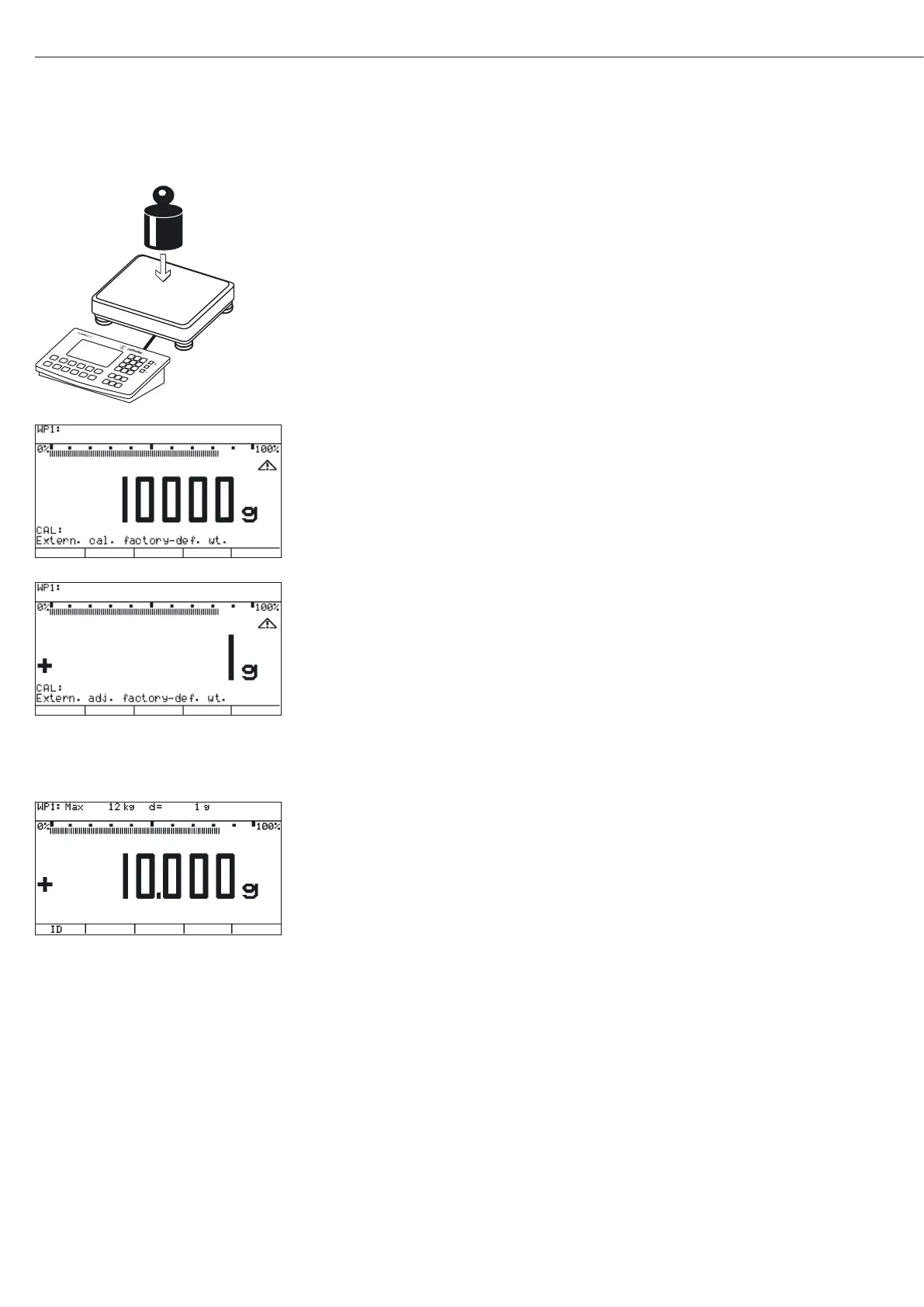
t Place the calibration/adjustment weight on the weighing platform.
y The difference between the measured value and the true weight of the sample will be
displayed with plus/minus signs.
y A printout will be generated if the adjustment is not carried out and the procedure is
stopped by pressing the ( key.
t Start calibration/adjustment via the J key (cancel via ().
y The adjustment weight is displayed once adjustment is finished.
y A GMP-compliant printout is generated
82
Nom. + 10000 g
Diff. + 1 g
Vers.no. 1.02.101110
BVers. 01-63-02
Nom. + 10000 g
Diff. + 1 g
Diff. + 0 g





 To Next Page