34
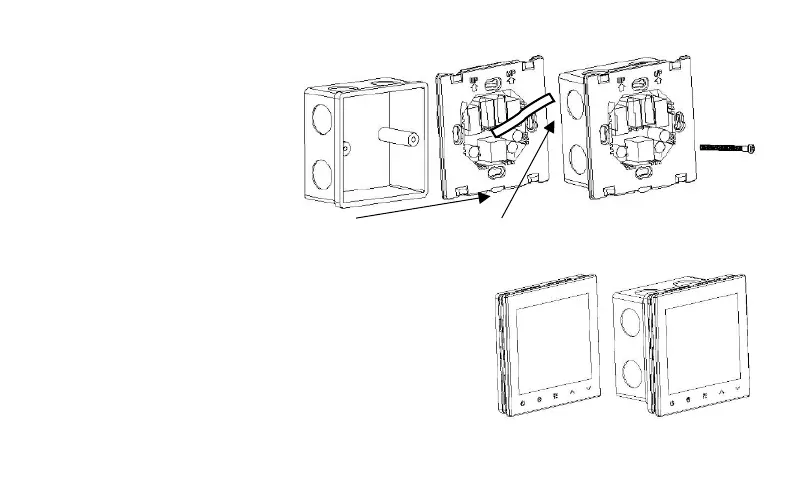
Now follows the installation of the back part into the wall socket. For help use the picture below. Two screws are attached
for easier installation. Be careful to install
the back part the right orientation as the
small “tongue” part on the bottom should
be looking towards the floor.
When you’ve attached the back part on the wall socket, you can connect
the back part with the front one. You can do that by carefully attaching
the cable to the front part and then pushing the front part of the case on
the already installed one. The thermostat should now be installed and
ready for use
Socket installation / »tongue« / Connecting cable / Screwing the back part in the socket



 To Next Page
 Loading...










