`
13
Static measurement
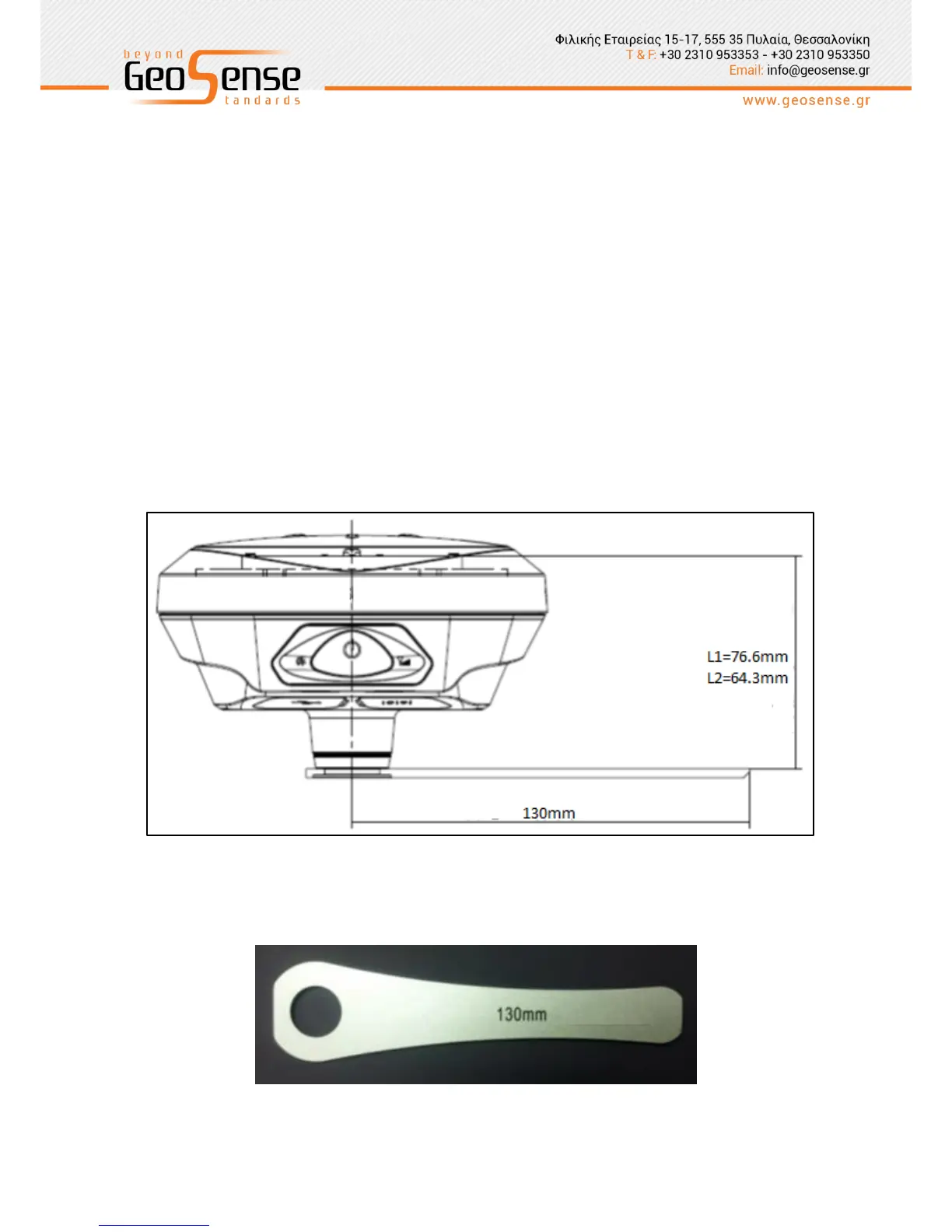
(1) Set up the receiver over the station to be measured with the ‘measure plate’ fixed to
bottom of the receiver.
(2) Measure the instrument height from the ground point to the upper surface of the
measure plate.
(3) Record the station name, instrument number, instrument high, date and start
observation time.
(4) Power on the receiver and set to static mode. The satellite light flashes to indicate that
the receiver is searching and will turn to solid green to indicate satellites are locked.
The signal red light will then start flashing according to the set sampling interval.
(5) Power down the receiver after the measurement is completed and record the
shutdown time.
(6) Download processing data.
Figure 2-5 ARP offset diagram
Figure 2-6 Height measure plate



 To Next Page