Section One
7
www.Satloc.com Falcon User Manual, Rev A
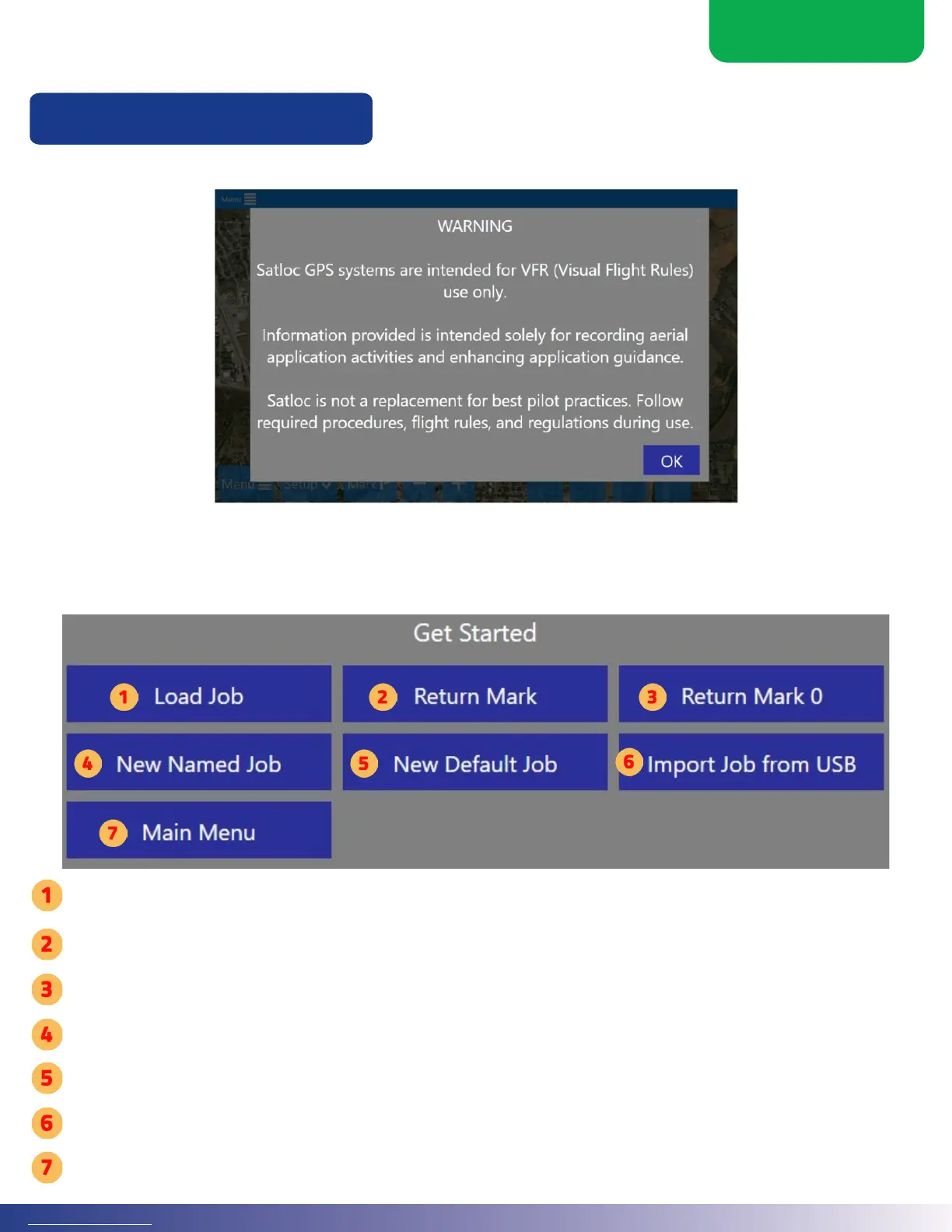
Upon launch or when changing ow modes, the Falcon needs direction on how to handle the new data.
is startup menu displays for the pilot to have a quick pick of the next step.
1.5 STARTUP SCREENS FOR FALCON SYSTEMS
Startup Screens
Every time a Falcon system initially starts, a warning is displayed. Select ‘OK’ to acknowledge the statement.
Opens a menu to load an existing job.
Opens a menu to select a previous mark.
Returns to Mark Zero. (Mark Zero is the last time you stopped applying.)
Opens a menu to create a new Job and name it.
Automatically creates a new Job with a default name based on the serial number, date, and daily job counter.
Opens a menu to import a Job from a USB.
Opens up the main menu.



 To Next Page