Section Two
26
www.Satloc.com Falcon User Manual, Rev A
2.6 LIGHTBAR SETUP
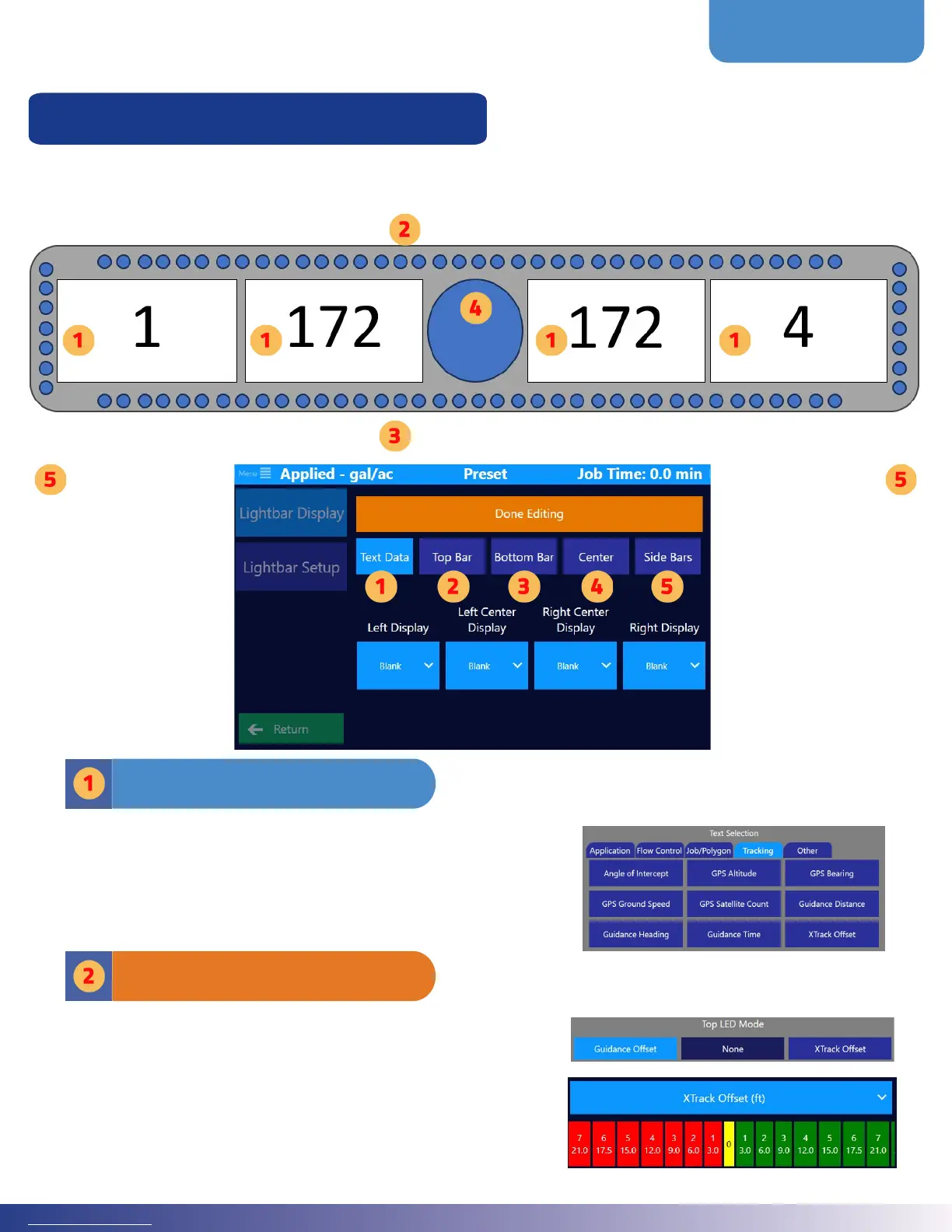
e lightbar is composed of ve (5) sets of lights, which are called display elds. ese lights are highly customizable.
When the lightbar starts, a blue chasing circle will appear in the middle of the lightbar screen, indicating it is searching
for Falcon/Falcon Pro. e chasing circle stops when the lightbar is connected to Falcon/Falcon Pro soware.
Lightbar Display Fields Overview
e ‘Text Data’ area allows a user to customize the following
display elds: 1) Le Display, 2) Le Center Display, 3) Right
Center Display and 4) Right Display on the L8 Lightbar. e
selection menu has tabs that help group the selection options. To
the right is an image of what the screen looks like when choosing
‘Text Selection.’
Display Fields & Text Data
e ‘Top Bar’ consists of 45 colorful LEDs across the top of the
Lightbar. Typically for application, this is set to XTrack Oset.
For guidance, it is set to Guidance Oset. Users can specify what
oset for each LED. Note: e Oset must be increasing in
value from the center out. Click on a green or red box to edit the
complementary pair of distances or angles.
On the right are images of what the screen looks like when
editing the ‘Top Bar’ in a Falcon unit.
Top Bar
Editable Fields Under ‘Text Data’
Le Display Le Center Display Right Center Display Right Display
Bottom Bar
Top Bar
Side
Bar
Side
Bar
CenterCenter
CircleCircle



 To Next Page