Section One
13
www.Satloc.com Falcon User Manual, Rev A
1.8 NAVIGATING SUBMENUS
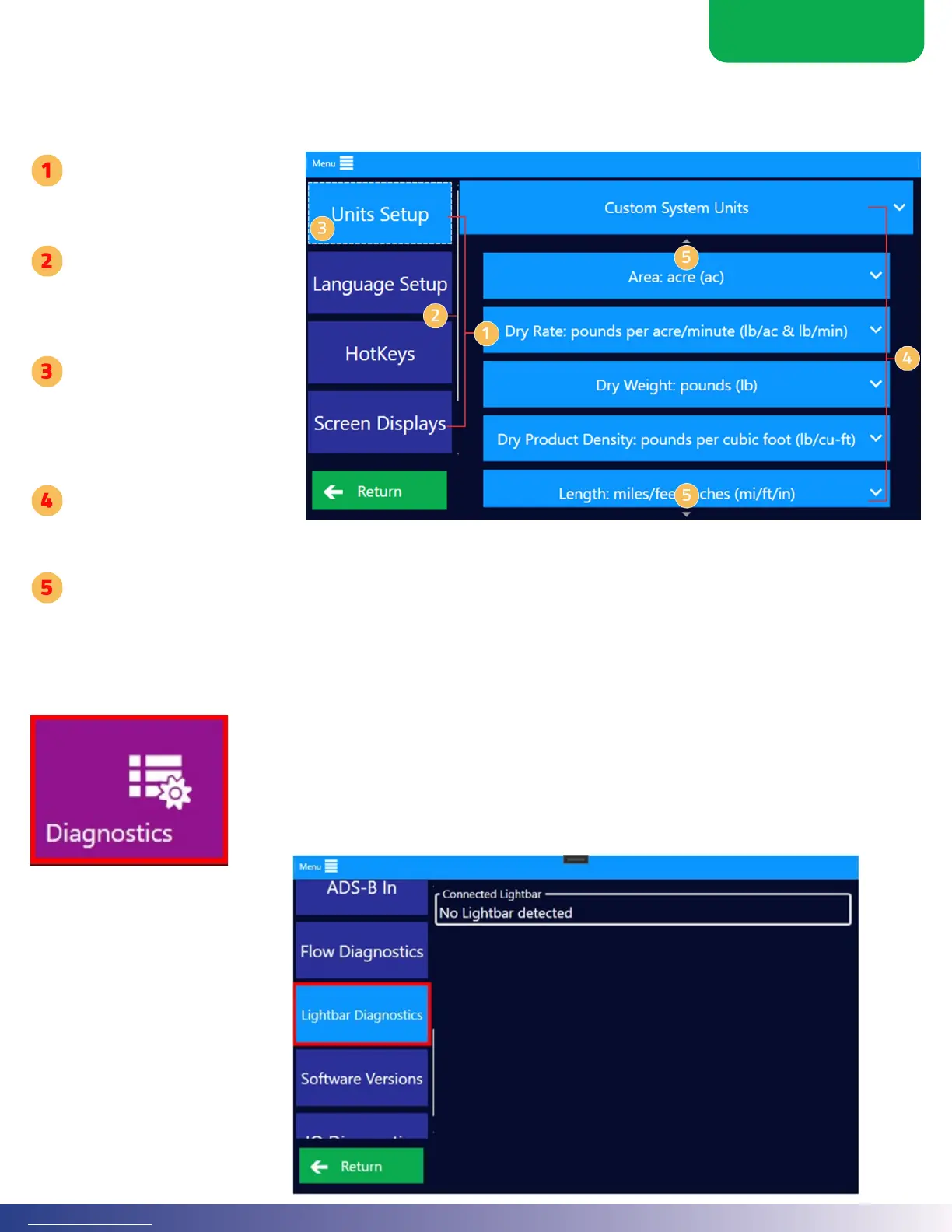
From the Main Menu, submenus will appear when menu buttons are selected. e dierent submenus display a context-
sensitive list of options for the function selected.
e le-hand side of the
screen represents second
level menu choices.
A gray bar will appear when
there are more second level
menu choices that need to
be scrolled through to view.
e highligted button
(button that is a lighter
blue), indicates which
second level menu is
currently selected.
ird level menu buttons
appear based upon the
second level menu button that is selected on the le-hand column.
Small triangles at top and bottom indicate third level menu choices that need to be scrolled through to view.
1.9 SYSTEM DIAGNOSTICS
On the Main Menu, a red box will surround the Diagnostics Menu button when there is
a system error. Inside the Diagnostics submenu, red boxes again indicate which system
is experiencing a problem. Clicking on the button with the red box will reveal the error’s
details. is information will help troubleshoot and resolve the issue.



 To Next Page