Section Two
19
www.Satloc.com Falcon User Manual, Rev A
Falcon Pros have an internal Inertial Measurement Unit (IMU) that “feels” the ight dynamics and helps smooth
tracking when GPS is spotty. To perform, the IMU must know its orientation relative to the aircra.
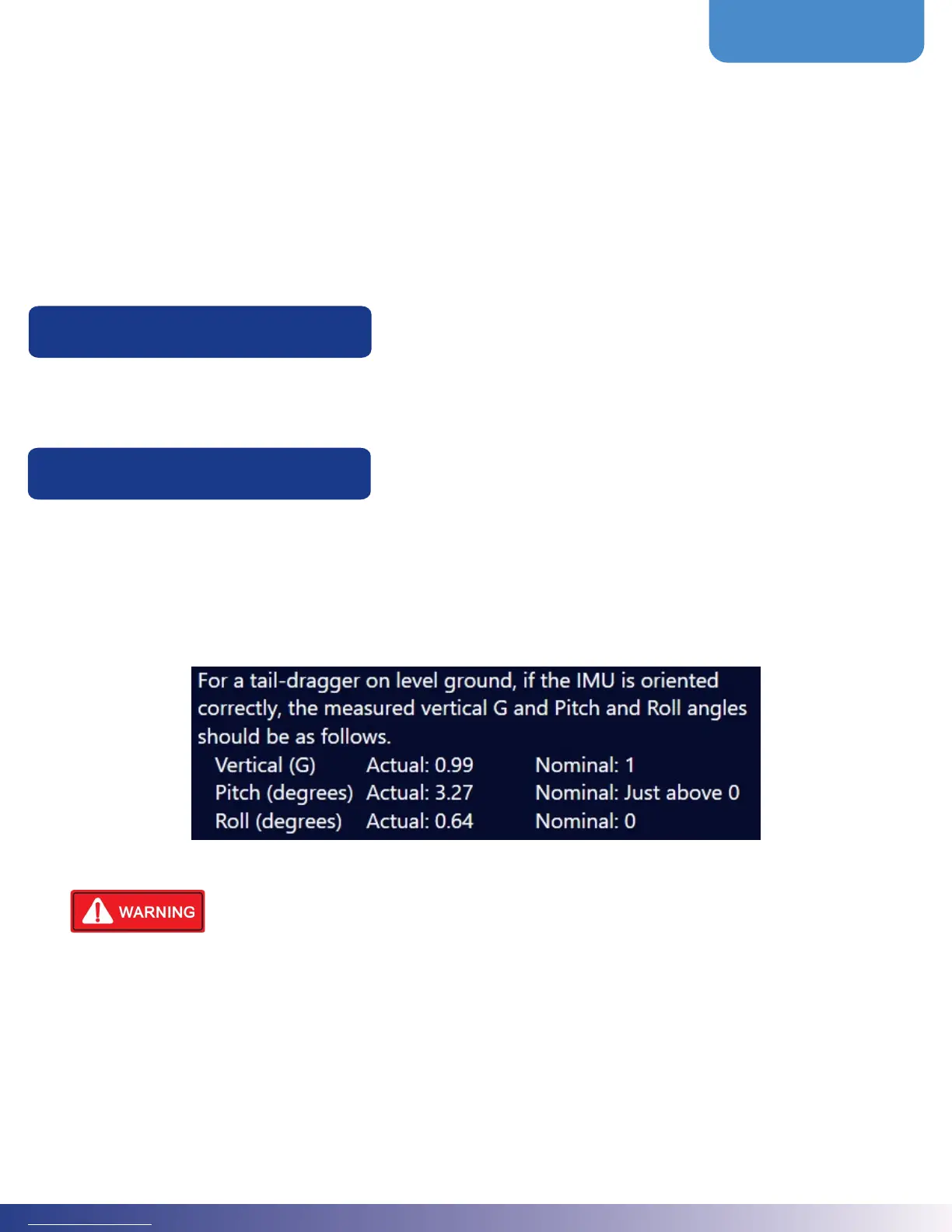
From the Main Menu, navigate to Mapping > GPS IMU Setup. Select the IMU orientation wizard and answer the
questions. Aer the required power cycle to initialize the IMU with the new orientation information, the proper
orientation can be veried. Below is an image of verifying the proper orientation.
Failure to set the orientation or failure to answer the questions correctly will result in
incorrect ight tracking information.
Falcon Pro IMU Setup
2.4 EXPLANATION OF GUIDANCE MODES
e Falcon allows the user to specify what information is displayed on the screen and lightbar, what buttons are available
on the screen, and how to handle systems inputs specic to the immediate mode of ying. ese modes are called
Guidance Modes.
1. Liquid
2. Dry Gate
3. Dry Metered
4. Ferrying
2.3 AIRCRAFT SETUP
From the Main Menu, navigate to Devices > Aircra Setup to specify the hopper size for this aircra. ese values can
be used for hopper calculations.
Hopper Size
2.2 VISIBILITY
e Falcon is designed to present to the user just what is needed therefore hiding options and settings the user never
expects to need. Some of this visibility is through the distinction between Falcon and Falcon Pro and some of the extra
unlocks. But the user should check the visibility menu to verify only what is important to them is enabled to be visible.
ese settings can be changed at any time.
From the Main Menu, navigate to Advanced > Visibility and check the boxes for features and devices you want to make
visible in other menus.



 To Next Page