Section Two
17
www.Satloc.com Falcon User Manual, Rev A
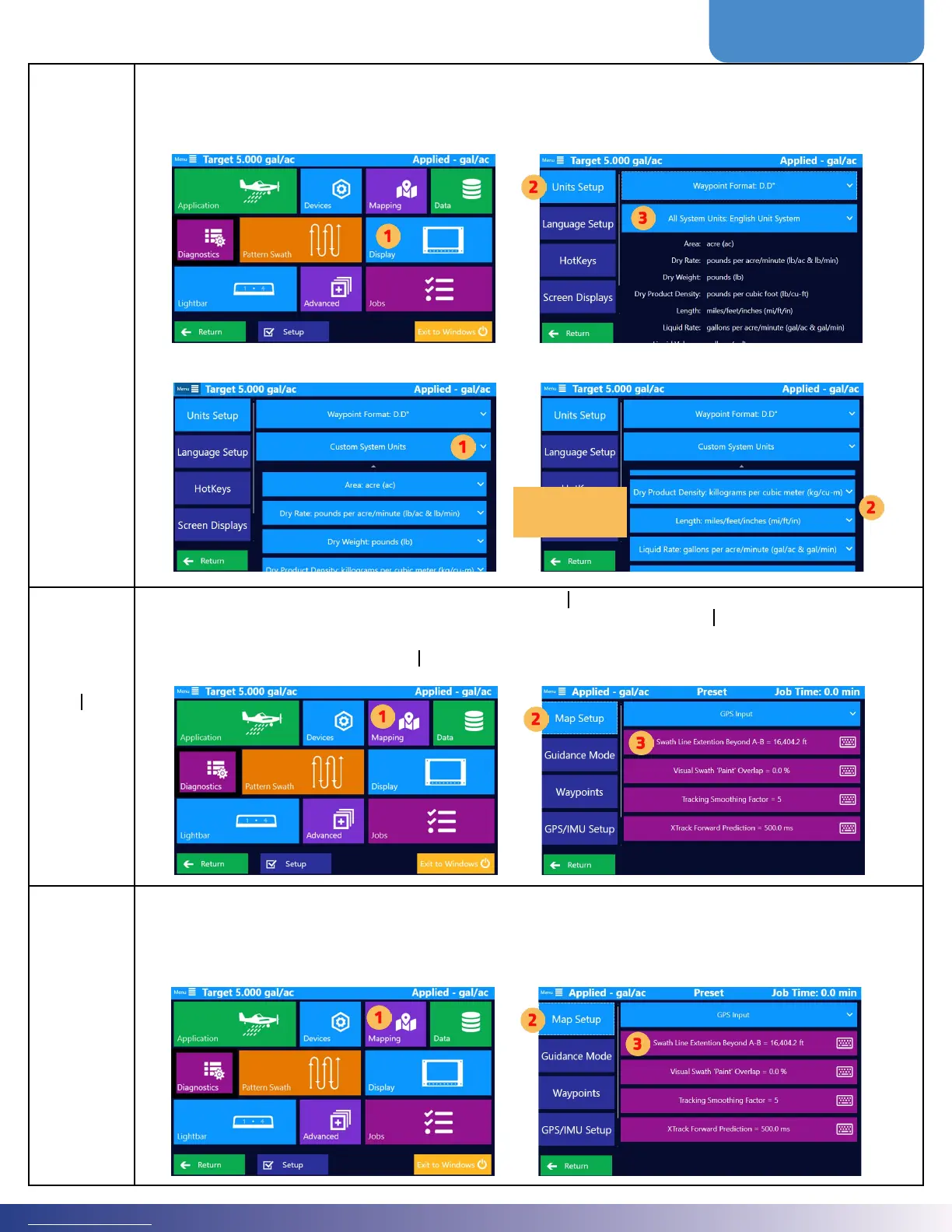
Global Unit
Falcon/Falcon Pro uses U.S. standard units (such as feet and pounds) as the default. Use the Global Units eld to
change this setting to Metric or Nautical. You can also assign units to individual data types (such as speed and
area) in the Units Advanced Setup window.
Set the desired coordinate format by navigating this path: Main Menu > Display > Units Setup
If ‘Custom System Units’ is selected, press the drop down for a specic unit and choose desired unit type.
Swath Line
Extension
Beyond
A B
For rectangular elds where every pass is the same length as the A B line, an extension of 0 is perfect. However, for odd-
shaped elds and wind conditions where subsequent passes need to be longer than the A B line, the Falcon can extend
the drawn swath lines on both sides by this length. Set this by navigating this path: Main Menu > Mapping > Map
Setup > Swath Line Extension Beyond A B
Visual Swath
‘Paint’
Overlap
The Visual Swath ‘Paint’ Overlap is only a visual increase in width of swath paint on the screen. Users may in-
crease this to remove the normal narrow swath gaps and only expose larger unintentional gaps. The logged data
is not impacted by this setting. Only the paint on the Falcon display is altered. Set this by navigating this path:
Main Menu > Mapping > Map Setup > Visual Swath ‘Paint’ Overlap
Choose a specic
unit and select
desired unit type.



 To Next Page