Pro Remote User Guide | 009-1410-06 45 Perseverance Way, Hyannis, MA 02601
© 2020 Savant Systems, Inc | 201210 3 of 18 Savant.com | 508.683.2500
1. Introduction to the Savant Pro Remote
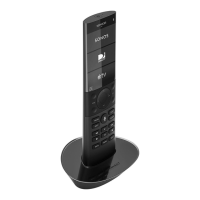
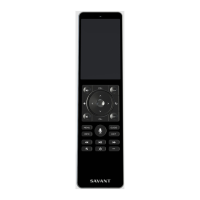
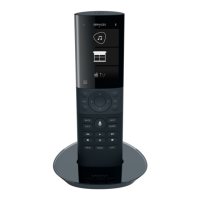
Welcome to the Savant Pro Remote. Read the Pro Remote User Guide in its entirety prior to operating the Pro Remote to take full advantage of the control
options available for your Savant system.
1.1. Networking
– Local Wi-Fi® Network supporting 802.11 b/g/n 2.4 GHz or 5 GHz
– Local Wi-Fi® Network Security – WPA1™, WPA2™, WPA1™ + WPA2™, or None
1.2. Gestures
The Savant Pro Remote User Guide instructs a user to tap, press and hold, and swipe left, right, up or down on the LED screen.
Ta p Touch and release (tap) a button or icon.
Touch and Hold
Touch and hold a button or icon on the screen until a pop-
up menu or other feature appears.
Swipe Right Touch and swipe finger to the right.
Swipe Left Touch and swipe finger to the left.
Swipe Left or Right Touch and swipe either left or right.
Swipe Up Touch and swipe towards the top of the screen.
Swipe Down Touch and swipe towards the bottom of the screen.
Swipe Up or Down
Touch and swipe either towards the bottom or top of the
screen.
Customer Support
For additional assistance with the Savant Pro Remote or other Savant Products, refer to information on the Savant Customer Community or contact your
Integrator for assistance.


 To Next Page