OPM 200 en-GB 38
©
Scania CV AB 2014, Sweden
Lubrication system
11.
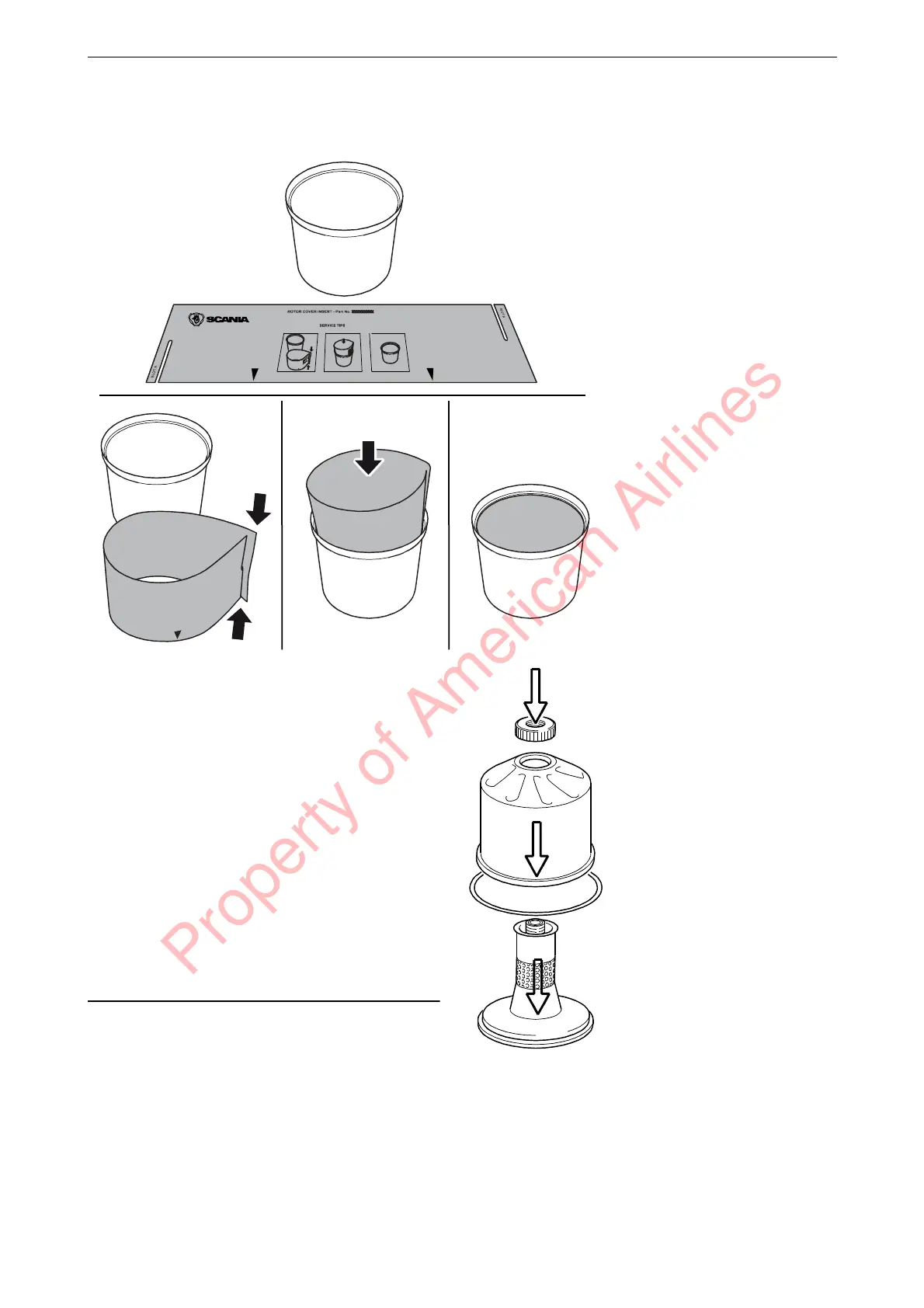
Fit a new paper insert on the inside of the ro-
tor cover. Fit the strainer onto the rotor.
12.
Fit the strainer onto the rotor.
13.
Fit a new O-ring by sliding it over the strain-
er.
14.
Refit the rotor cover. Make sure that the O-
ring is seated correctly on the inside.
15.
Screw the rotor nut back on by hand.
16.
Check that the shaft is not loose. Secure with
thread-locking fluid 561 200 if it is loose.
First clean thoroughly using a suitable sol-
vent. Tighten the rotor shaft using socket
wrench 99 520. Tightening torque 27 Nm.
Take care not to damage the rotor shaft.
Property of American Airlines



 To Next Page