Removing Camera from Pushrod
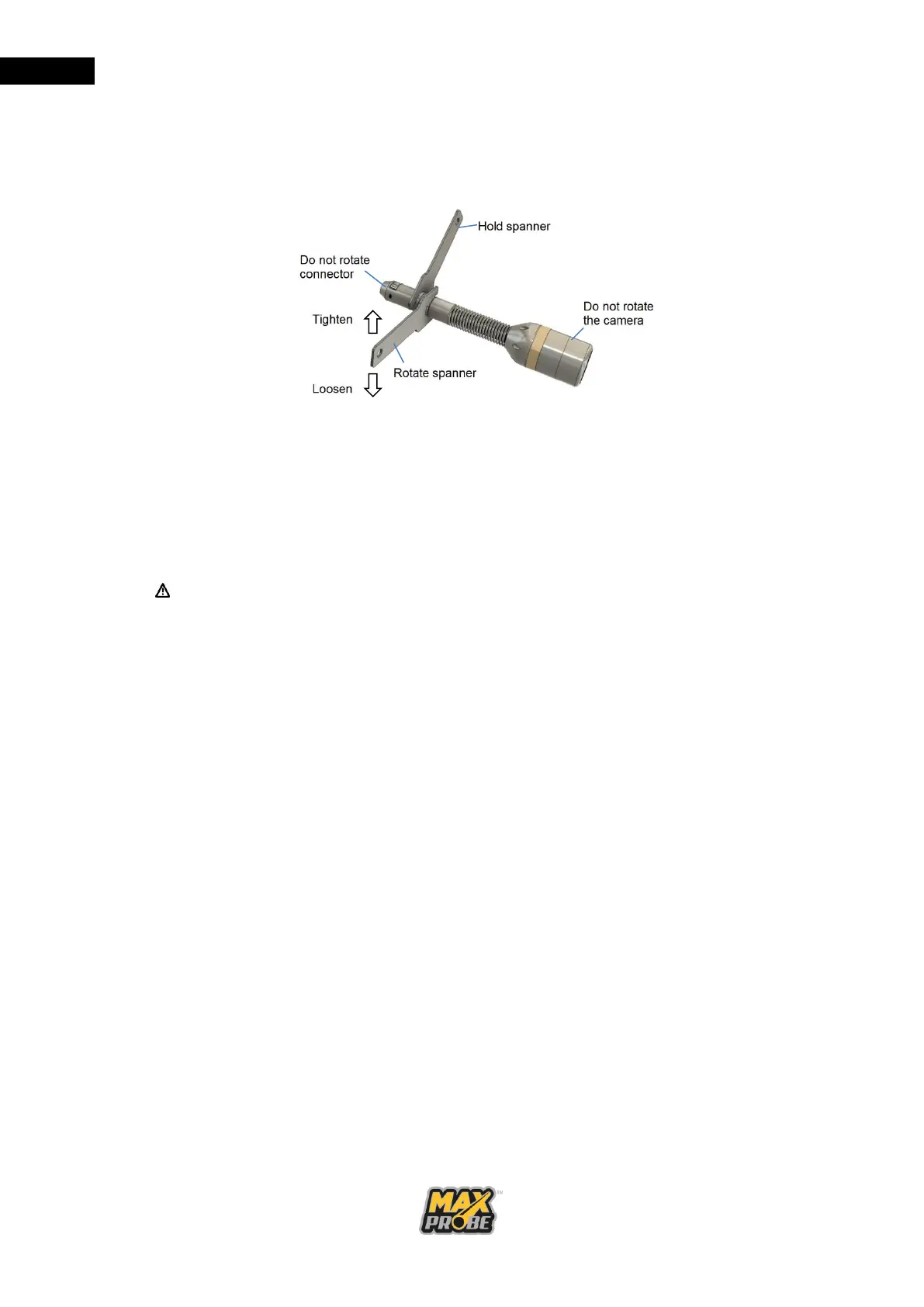
• Using the camera spanners (see Figure 22), loosen the outer shell from the
pushrod connector.
Figure 22: Use of Camera Spanners
• Unscrew the outer shell by hand, taking care not to rotate the camera head or
the pushrod connector.
• Once the shell is free of the connector, gently pull the camera off the pushrod
connector.
Camera Protective Skids
Caution: Risk of Damage to the Camera
When removing the skid from the camera, ensure you rotate the collar, not the
skid front. Detritus can become trapped between the skid and the camera body,
and this may cause the camera body to become unscrewed when removing a
heavily fouled skid from a camera if the skid front is unscrewed from the collar.
The 44mm camera must always be fitted with a protective skid when in use. These provide
protection for the camera while it is in the pipeline, minimising damage from contact with the
walls of the pipe, especially from sharp edges such as those found when entering manholes
and inspection chambers. There are various sizes of skid that can be used to centre the
camera head in pipes from 50mm to 150mm, and to lift the camera head out of any liquid
that may be standing or flowing in the pipeline. For larger diameter pipelines, a camera
trolley is recommended.
a. Fitting a Camera Skid
To fit a protective skid to the camera, remove the camera head from the pushrod
and slide the skid locking collar over the camera connector (see Figure 23).



 To Next Page