Maxprobe User Manual
Version 2.0
22 November 2023
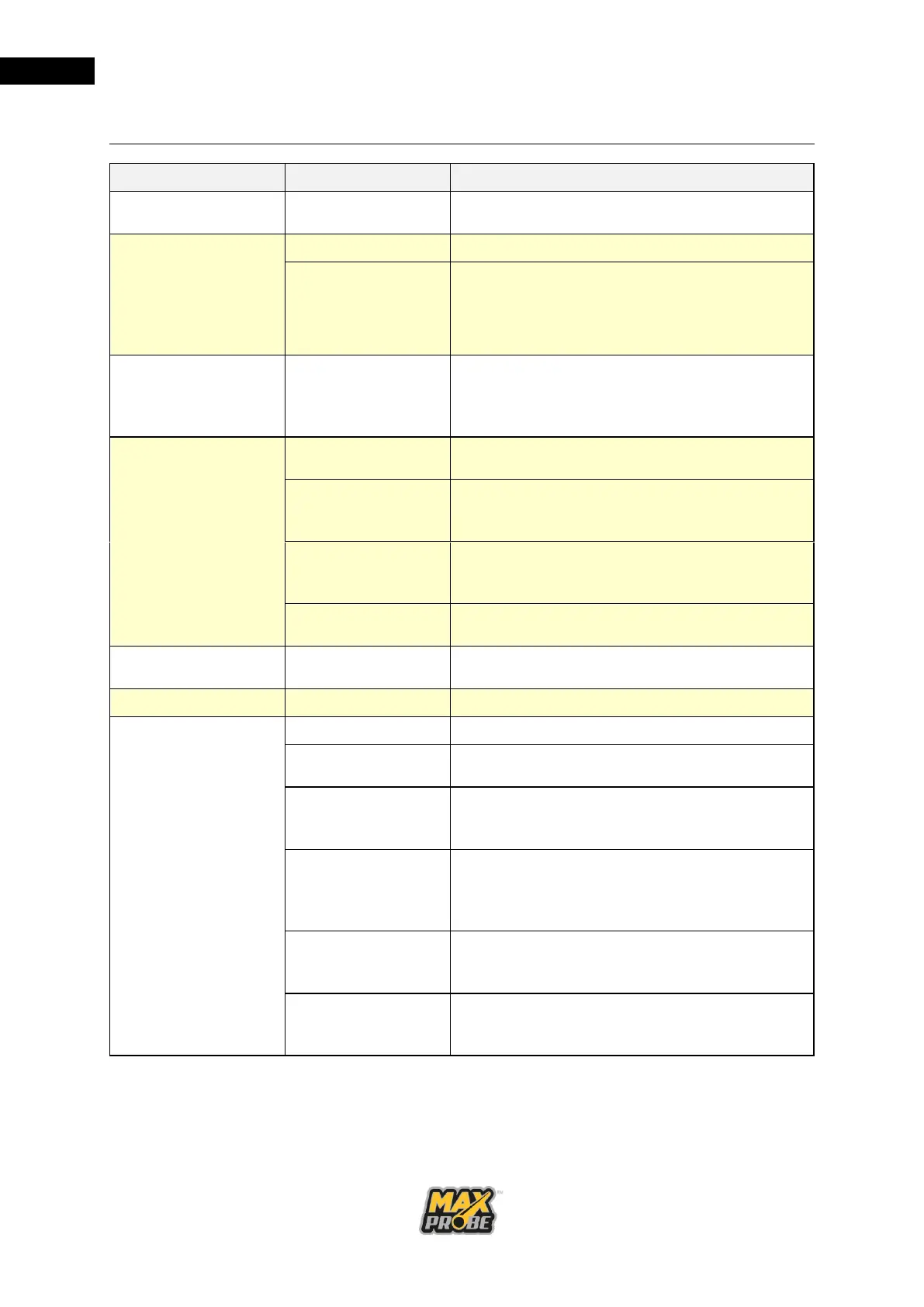
The device does not
power up.
Power button was
not pressed.
The device does not
power up when
power button is
pressed. The power
button does not light
up.
Return the CCU to your approved service
center to have the battery replaced.
Buzzer sounds and
the LED is flashing
red on the rear of the
CCU
Battery is critically
low
Check all cables and connections are
connected and secure. Charge the battery.
Check the charger is plugged into a suitable
and available power source. Charge the
battery.
Vehicle charger
lead fuse has
blown
Unplug the vehicle charger from the CCU
and the vehicle. Unscrew the vehicle
charger connector and replace the fuse.
Return the CCU to your approved service
center to have the battery replaced.
Blue Screen
displayed on CCU
Fit a Maxprobe 44mm Camera
Dirt in the camera
connector
Clean the camera connector and refit the
camera.
No cable between
the coiler and CCU
Check the cable between the coiler and CCU
is present and both ends are securely
connected.
Check the connector pins on the CCU and
coiler for damage. Return the system to your
approved service center to have the
damaged connector replaced.
Check all cables for damage. Order a
replacement cable from your approved
service center.
Check the pushrod for damage. Return the
system to your approved service center for a
cutback or a re-rod.



 To Next Page