EasyManua.ls Logo

Scanreco G5-M19A - User Manual

Scanreco G5-M19A
34 pages
Print Icon
To Next Page IconTo Next Page
Loading...
Instruction Manual
G5 Rocket Flex/Pocket System
Document: 66068
Revision: A
Language: English

Questions and Answers

  • R
    Reginald RyanAug 7, 2025
    Why communication between Scanreco G5-M19A Transmitter and Receiver cannot be established?
    • B
      berryjohnAug 8, 2025
      If communication between the Scanreco Remote Control transmitter and receiver cannot be established, it may be because the transmitter and receiver are not paired. Follow the instructions in chapter 10.2 to pair them.
  • D
    donaldsonjohnAug 12, 2025
    What to do if pairing has no effect on Scanreco Remote Control?
    • J
      Jane WhiteAug 12, 2025
      If pairing of your Scanreco Remote Control has no effect, the battery in the transmitter may be low. Replace the battery in the transmitter.
  • T
    Tanya JonesAug 17, 2025
    What to do if Scanreco G5-M19A display shows “Po-00” or “Po-Id”?
    • T
      tammy11Aug 17, 2025
      If the display on the Scanreco Remote Control receiver shows “Po-00” or “Po-Id”, set both jumpers to the “Jumper rest” position. This issue arises when a jumper inside is set to Configuration mode or Pairing mode.
  • T
    Taylor FosterAug 22, 2025
    How to fix Scanreco Remote Control transmitter that does not start?
    • W
      William GarciaAug 22, 2025
      If the Scanreco Remote Control transmitter does not start, check the batteries to ensure they are not depleted. Also, verify that the receiver is powered on by checking the receiver display.
  • K
    Kyle JohnsonAug 27, 2025
    Why is nothing shown on the Scanreco G5-M19A Remote Control receiver display?
    • M
      Michael SmithAug 28, 2025
      If nothing is shown on the Scanreco Remote Control receiver display, check the power supply to ensure it is properly connected.
  • A
    Amanda CampbellSep 1, 2025
    Why some buttons on Scanreco G5-M19A Remote Control transmitter do not work?
    • J
      John WilsonSep 1, 2025
      If some buttons on the Scanreco Remote Control transmitter do not work, check if the buttons are operational by following the instructions in chapter 12.3. Contact the machine installer to learn how to connect a button to an output, as the button may not be connected to any output.

Summary

Safety Information

Safety Information - General Guidelines

Essential safety instructions must be read and understood before installation, configuration, and operation.

Safety Information - Pre-operational Checks

Operator must be trained, understand manual, and verify system functions before operation.

G5 Pocket Transmitter

G5 Pocket Transmitter - Product Description

Details the lightweight, impact/water-resistant handheld unit with pushbuttons and LEDs.

G5 Rocket Flex Transmitter

G5 Rocket Flex Transmitter - Product Description

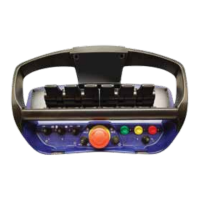
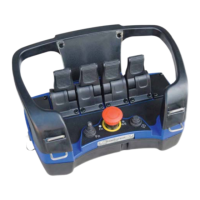
Describes the handheld unit with up to 14 pushbuttons, LEDs, optional OLED, and rechargeable batteries.

G5 Receiver

G5 Receiver - Product Description

Describes the plastic-encapsulated receiver for connecting to power supply and hydraulic valves.

Radio Information

Installation Recommendations

Installation - General Recommendations

Covers general recommendations for assembling the G5 system, warning about performance impact.

Startup and LED Indication

Programming

Programming - General Description

Explains system configuration methods: RS232 with WinSCI or On-Site programming.

Programming - Safe Pairing

Step-by-step procedure for creating a unique assignment between a transmitter and receiver.

Troubleshooting

Troubleshooting - General Guidance

Provides measures for operators before contacting service technicians for system problems.

Troubleshooting - Common Scenarios

Lists common scenarios/symptoms and their typical reasons and actions for resolution.

Spare Parts

Programmed Assignment Template

Scanreco G5-M19A Specifications

General IconGeneral
Operating Temperature-20°C to +55°C
Protection ClassIP65
TypeRemote Control
Power SupplyBattery
Weight500 grams
Transmission RangeUp to 100 m

Related product manuals